
IDM's Chrome extension may be hidden from the toolbar or missing from Chrome entirely. Open chrome://extensions first; if IDM Integration Module isn't there, install it through the direct store link on IDM's own support page.
The extension may not appear in a Chrome Web Store search. Tonec, IDM's developer, says it's unlisted and usually installed with the Windows program. You need both the extension and the program working together.
1. Check the extension list before reinstalling
In Chrome's address bar, enter chrome://extensions and press Enter. Look for IDM Integration Module. This page lists installed extensions even when their toolbar icons are hidden.
If you see IDM, turn its switch on. If it's already enabled, look in Chrome's puzzle-piece Extensions menu. Choose Pin if it's available and you want the icon on your toolbar.
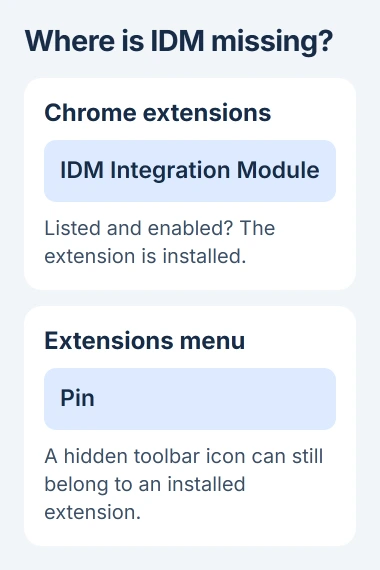
Status: checked November 3, 2026. Tonec supplies a direct IDM Integration Module link. Google's current extension controls cover enabling, pinning, and site access.
Google says hidden extensions can be brought back through the Extensions menu. Pinning changes where the control appears; it doesn't repair the connection to the IDM desktop program.
If IDM isn't listed, continue with installation. If Chrome says it's unsupported or corrupted, note the exact message. Those errors need different fixes from a hidden toolbar icon.
2. Update the Windows program and enable Chrome integration
Open Internet Download Manager in Windows. Choose Check for updates from its Help menu and install any available update. Let it finish before returning to Chrome.
Then open IDM's Options, select General, and check that Google Chrome is enabled in the browser list. If the dialog offers Use advanced browser integration, enable that too.
Tonec recommends updating IDM and checking these settings before reinstalling its extension. If Chrome integration is off in IDM, showing the toolbar icon won't make downloads open in the program.
Close Chrome and open it again after changing those settings. Tonec also warns that integration can fail if Chrome runs as administrator, even when another program launches it that way.
Launch Chrome from its usual shortcut for this check. You don't need to give Chrome administrator permissions to make a download extension work.
If IDM itself won't open or an update fails, save the error for Tonec support. Reinstalling the browser extension can't fix a Windows program that isn't running properly.
3. Use Tonec's direct Chrome Web Store link
Open the official IDM extension installation instructions. Follow that page's link to IDM Integration Module in the Chrome Web Store.
The extension's ID in Tonec's store link is ngpampappnmepgilojfohadhhmbhlaek. Check that address instead of choosing a similarly named extension from a general search.
Select Add to Chrome, review the requested permissions, and confirm with Add extension. Return to chrome://extensions afterward to check that IDM Integration Module is listed and enabled.
Google states that extensions can't be added while browsing as a guest or in Incognito mode. Use a normal Chrome window for installation, in the profile where you want IDM available.
If Remove from Chrome appears instead of the install button, it's already installed in that profile. Go back to that profile's extension list and check for it there.
I'd use Tonec's direct store link before trying an old downloaded extension file. It avoids picking up a different extension that happens to use IDM in its name.
4. Give the extension the access it needs
On the extensions page, open Details for IDM Integration Module. Under Site access, check which sites it can read and change.
Tonec recommends On all sites so IDM can detect downloads as you browse. Grant this access only to the extension from Tonec's link, and only if you're comfortable with that permission.
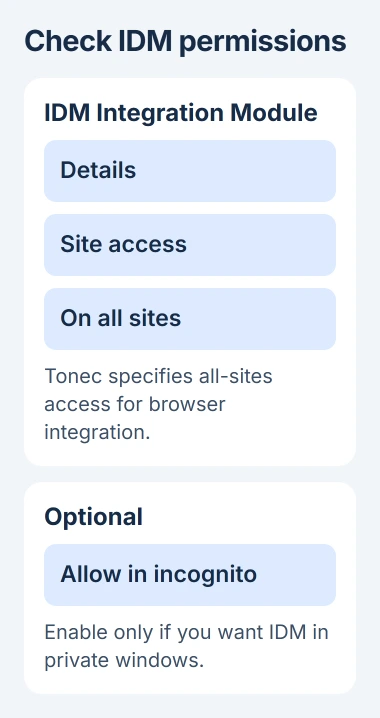
Google adds that you can change site access in an extension's details. Its extension management instructions explain the permissions and installation controls.
If you want IDM in an Incognito window, enable Allow in incognito separately. Installing it in your normal profile doesn't turn it on for private windows.
Try a normal downloadable file from a site you trust. If IDM's download dialog opens, the connection is working. A missing video download button on one player doesn't mean the whole extension is broken.
If the problem only affects PDFs, check the Chrome PDF download settings. Chrome's PDF viewer and automatic-opening settings are separate from the IDM installation.
5. Follow the actual Chrome error if it still won't work
For a corrupted extension, Google provides a Repair control on the extensions page. Select it and confirm the repair. If the corruption returns, scan for unwanted software that may be altering the extension.
If Chrome calls the extension unsupported, you'll need a current supported version. The Chrome extension support guide explains why old extension formats can lose their enable switch.
If work or school manages Chrome, your administrator may have blocked extensions or limited their permissions. Send them Tonec's official link and Chrome's message; leave the organization's settings in place.
If IDM is enabled but won't open for any normal download, follow the conflict checks on Tonec's Chrome troubleshooting page. Another extension or Windows app may be getting in the way.
Tell Tonec your Chrome and IDM versions, the extension's status, and whether a normal file download opens IDM. Include the error's exact wording so support has more to go on than a missing icon.
The Short Version
Look in Chrome's extensions list first. Update IDM and enable Chrome integration, then use Tonec's direct store link if the module is absent. Check site access separately from toolbar pinning and optional Incognito permission.

Isaac Smith is the founder and editor of PC Glance, a website that covers computers, laptops, and technology. He is a tech enthusiast and a computer geek who loves to share his insights and help his readers make smart choices when buying tech gadgets or laptops. He is always curious and updated about the latest tech trends.