
Permanently deleted Samsung camera photos can't be restored from an emptied bin. Check Gallery's Recycle bin first, then look in Google Photos and any earlier computer or cloud copies.
Emptying a bin or letting its time limit expire closes that recovery route. A reset or a new backup won't recreate the missing originals, so check the copies you already have before changing your phone.
Check Gallery's Recycle bin first
Open Gallery, tap Menu, and choose Recycle bin. Some versions call it Trash. Look for your missing camera photos and check how long they have left if the app shows a time limit.
Samsung's photo recovery steps say Gallery keeps deleted pictures and videos for 30 days. Check the bin now; a missing picture may still be waiting there.
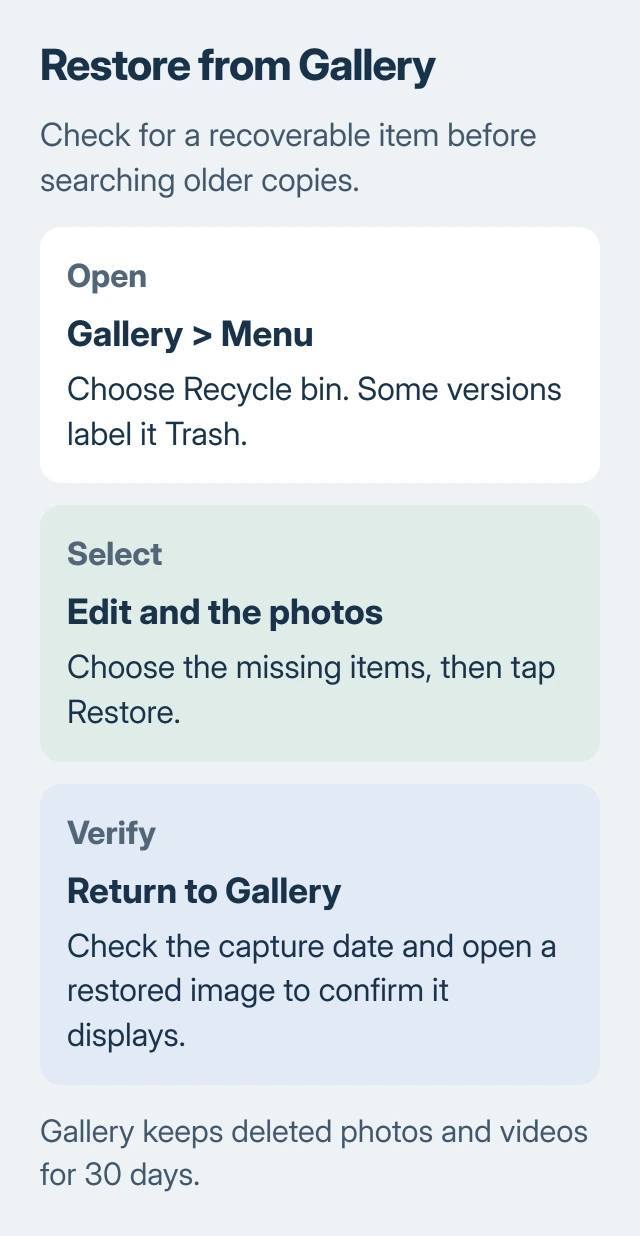
Tap Edit, select the pictures you want, and tap Restore. Return to Gallery and check the album or the date you took them. An older photo may return among older pictures instead of appearing as the newest item.
Open a restored picture to check that it displays properly, then save a separate copy of important recovered files. A thumbnail still in the bin isn't yet a restored original you can open.
If the picture isn't there, think about which app you deleted it in. Gallery's bin and Google Photos' trash are separate places to check. An empty Gallery bin doesn't mean another service has lost its copy too.
Look in Google Photos using the right account
In Google Photos, open the account menu using your profile picture or initial. Check the account address. If your old phone used a different backup account, switch to it before searching for the missing date or subject.
Check your main Photos collection first. An online copy can still be there even if the camera file is missing from your phone. Other backed-up photos don't tell you whether this particular one was uploaded.
Next, open Collections > Trash. In some regions, it's called Bin. Touch and hold the picture, select any others you need, and choose Restore. Confirm the restore prompt if one appears.
Google's current restoration instructions give a 30-day trash period and say permanently deleted items can't be restored. Check how much time your photo has left in the app instead of waiting for a longer deadline.
Older advice conflicts with this: Samsung's recovery page still says Google Photos keeps items for 60 days. The current Google page says 30 days, so use the shorter window and restore anything still available now.
If the picture is in Google Photos but missing from Gallery, open it and choose More > Download to save a copy on your phone. Download won't appear if the photo already has a local copy.
The Android photo backup guide explains how to check your account and whether an individual photo uploaded. Turning backup on today protects existing pictures; it can't upload a file that's already disappeared.
Check whether the picture is hidden rather than deleted
Search around the date you took the picture and check nearby photos. A restored image can appear under its original date, so you can miss it if you only look at the newest pictures.
In Google Photos, check Collections > Archive. An archived picture is hidden from the main photo view; it hasn't been put in Trash. Getting it back takes a different action from restoring a deleted file.
Think about other copies you've made. A photo you sent to yourself, downloaded from a message, or edited in another app may still have a separate version. Check that app or folder without deleting or overwriting what's left.
Open the image to compare it. A small preview, a message copy reduced in size, or an edited version may preserve the memory without matching the original camera file. Keep the best surviving version.
If the photo was never backed up and isn't in either bin, move on to older copies. Repeating Restore won't bring back a file those apps no longer have.
Search earlier OneDrive and computer copies
Open the OneDrive app with the Microsoft account you used for your pictures. Check your saved photos and its Recycle bin. Your Samsung and Microsoft accounts are separate, even on the same phone.
The Samsung Cloud restoration guide explains the difference between a device backup and photos in OneDrive. A Samsung Cloud device backup doesn't mean your whole Gallery is inside it.
The direct connection between Samsung Gallery and OneDrive stopped syncing on September 30, 2026. Existing OneDrive files remain available there. Check its app when Gallery no longer shows them.
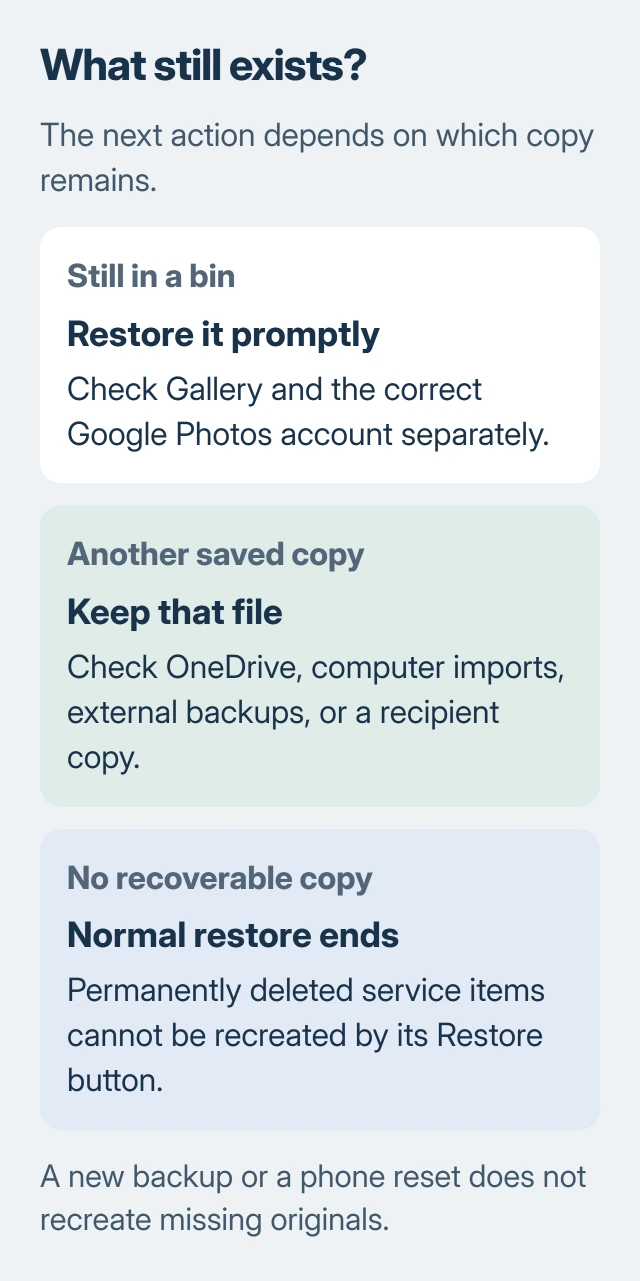
Check computers and drives you've used for phone transfers. Open likely pictures in your camera-import folders. A folder from the right holiday may hold the missing photo even if you don't recognize its filename.
Look for a separate backup you made before deleting the photo. Check its date and contents before restoring it. A newer backup may only contain what was on the phone after the photo disappeared.
If you sent the picture to someone, ask for their saved copy. You're recovering a file that still exists, and its quality depends on what the messaging or sharing service kept.
Know when the normal recovery routes have ended
If the service permanently deleted the photo and no copy remains, its Restore button can't bring it back. It needs a file that's still stored there. A paid app's promise doesn't change what the service has kept.
Don't factory-reset your phone while searching for missing files. It removes more local data and won't recover photos. Keep your remaining copies safe while you decide whether to get professional advice.
If the phone is damaged or can't be read, contact Samsung or a reputable data-recovery specialist. Say that saving the photos comes first, and ask what they can check before agreeing to work that erases data.
If pictures are missing only from one online account, contact that service's support with your account and deletion details. Say whether you deleted them, emptied Trash, or never saw them after changing phones.
Those are different problems. Support can help with account access or a missing upload, but it can't promise to recover a photo that's permanently deleted.
The Short Version
Restore available items from Gallery or Google Photos promptly. Check the correct account, Archive, OneDrive, and earlier computer copies. When the bins and all other copies are gone, the normal recovery tools can't recreate the original.
Checked November 6, 2026.

Isaac Smith is the founder and editor of PC Glance, a website that covers computers, laptops, and technology. He is a tech enthusiast and a computer geek who loves to share his insights and help his readers make smart choices when buying tech gadgets or laptops. He is always curious and updated about the latest tech trends.