Minecraft Bedrock doesn't have an official macOS version. The Mac launcher runs Java Edition; reinstalling won't unlock Minecraft for Windows, the PC Bedrock release. Play Java on Mac, or use a supported Bedrock device.
The important choice is which edition your friends and worlds use. Java on Mac can join Java players on Windows and Linux, but it doesn't directly join a normal Bedrock world or Bedrock Realm.
In this guide
Choose the edition that matches your friends
Ask the person hosting which edition they're running. A Windows PC can run either edition, so a group saying it plays on PC still needs to name the edition. Minecraft for Windows means Bedrock; Minecraft: Java Edition means Java.
A friend playing on Xbox, PlayStation, Switch or the mobile version is using the Bedrock side of Minecraft. A friend using Java on Windows or Linux can play with the Mac's Java Edition when the server and game versions are compatible.
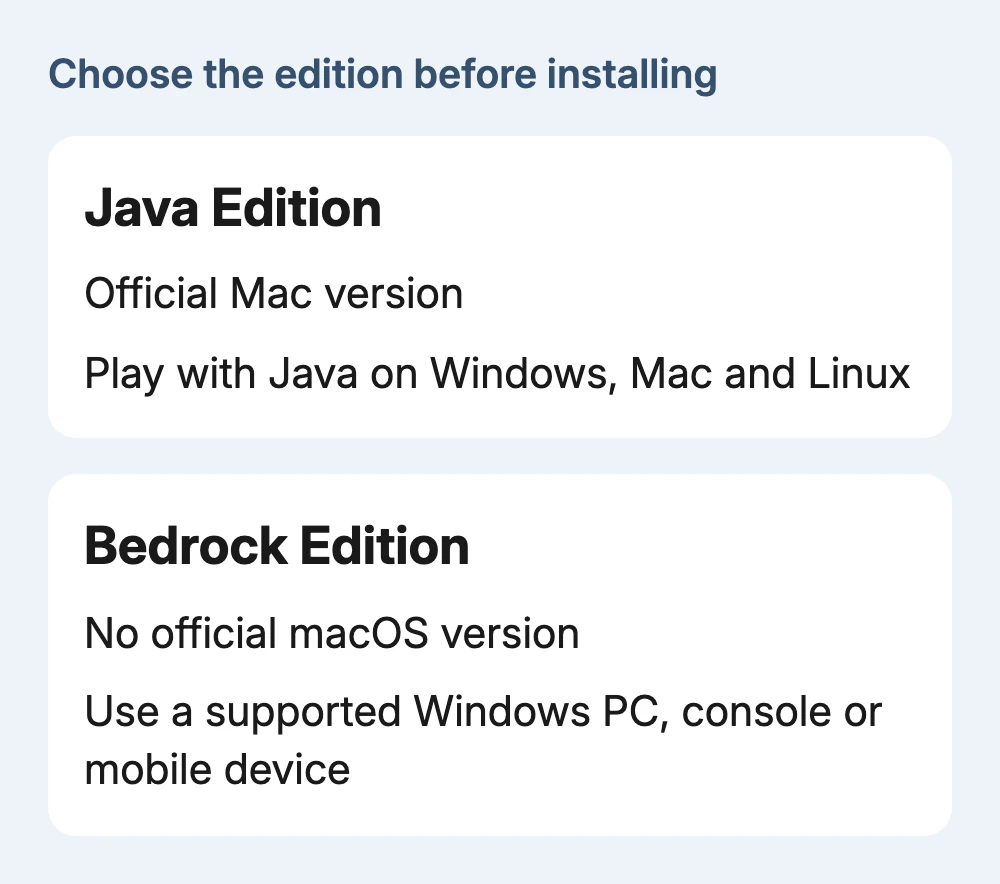
The official Java and Bedrock comparison lists macOS for Java and Windows for the PC Bedrock release. Owning the bundle doesn't make both programs available on every operating system.
I'd check the host's edition before paying for anything else. Buying the PC bundle again won't add a macOS Bedrock program, and setting up a Java world won't move your friends out of their existing Bedrock world.
If the goal is solo Minecraft on the Mac, install Java. If the goal is joining a console or mobile friend's world, choose a supported Bedrock device. Those routes solve different parts of the problem.
Install the Mac launcher when Java is the right choice
Open the Minecraft download page and find Other versions & platforms. Choose Mac for the macOS launcher, not a Windows executable or a Microsoft Store installer.
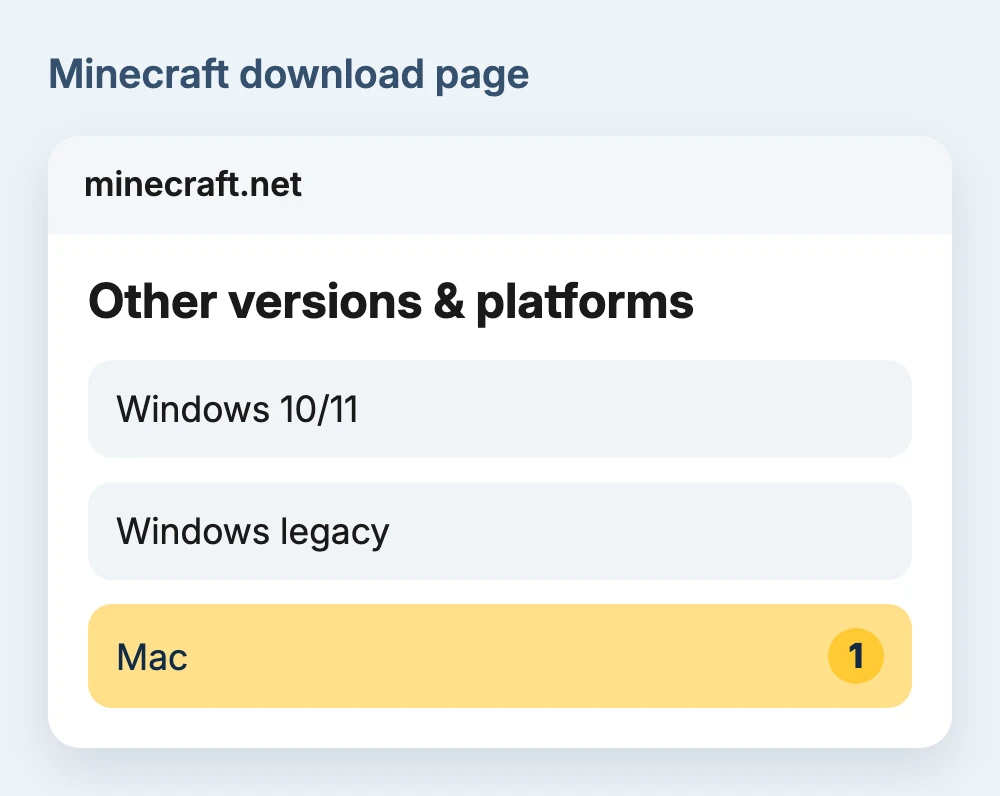
Open the downloaded Mac installer and follow its installation instructions. Start Minecraft Launcher, sign into the purchasing Microsoft account, and select Minecraft: Java Edition.
Use the install or play control offered for Java. A Java game reaching its title screen confirms that the Mac version is running. If Minecraft for Windows won't launch on macOS, that doesn't mean your Java installation is damaged.
For a PC Java and Bedrock bundle purchase, check the account on the purchase record. Buying Bedrock for a console or phone doesn't automatically give you the PC bundle.
If the launcher shows a demo or asks you to buy Java despite owning the PC bundle, verify the signed-in account and purchase record. Changing your Mac's graphics settings won't correct an account that doesn't own that edition.
For a failed Microsoft sign-in, use the Microsoft account recovery steps. An account access problem needs its own fix; the Bedrock PC program still requires Windows.
Keep Java servers and Bedrock Realms separate
For normal multiplayer, all players need the same edition. A Java server address won't work as a Bedrock world invitation. Ask for the Java server details only after confirming that the host actually offers a Java server.
Realms follow the edition too. A Bedrock Realm subscription doesn't give the Mac's Java client a direct route into that Realm. Before starting a subscription, confirm which edition the group will use and where they will play.
A Microsoft account links you to Minecraft services, but the account alone doesn't turn one edition into the other. Using one account on both devices won't make a Java client accept an ordinary Bedrock invitation.
If your friends all own Java on compatible computers, you can choose a Java server or Java Realm together. If the existing group needs console or mobile players, using Bedrock on another device keeps that group on its current edition.
Keep an existing world backed up before considering a conversion tool. Java and Bedrock store worlds differently, and this is separate from getting the Mac launcher to run. Don't replace the only working copy to test a tool.
Use a supported device when Bedrock is required
The direct official route is Bedrock on a supported Windows PC, console, or mobile device. Pick one you already have access to, then check its store and account requirements before buying another copy.
Compare that PC with Bedrock's own system requirements. Running Java doesn't mean it supports every Bedrock feature. Console multiplayer can also require a platform subscription.
A phone or tablet running its own Bedrock version can join compatible Bedrock play without needing the Mac to run it. The game still runs on the phone or tablet, even if it shares an account with your Mac.
The Mac's processor doesn't change the official edition list. An Apple silicon Mac and an Intel Mac both have the native Java route. A faster chip doesn't add an official macOS Bedrock release.
A slow Windows ARM installation in UTM needs its own architecture and graphics checks. Fixing the Windows desktop's speed still doesn't add a native macOS Bedrock app.
Don't confuse Windows options with native Mac support
Boot Camp is an Intel Mac feature. Apple's Boot Camp requirements describe installing Windows 10 on supported Intel Macs, not installing Windows through Boot Camp on Apple silicon.
Windows 10's standard support ended October 14, 2025, changing that older route. Don't install an unsupported Windows setup just because an old Minecraft walkthrough recommends it.
Windows in a virtual machine has its own license, processor architecture and graphics requirements. The game still needs graphics and a processor type it supports.
Unofficial launchers aren't an official macOS Bedrock release. Their maintainers handle their own compatibility questions; the official Mac download still provides Java.
For purchase trouble, send Minecraft Support your order record and chosen edition. For invitations, give them the host's edition and your device. They can then check whether you're missing a purchase or need a different device.
The Short Version
Mac runs official Minecraft Java Edition. For Bedrock friends or a Bedrock Realm, use a supported Bedrock device. The PC bundle includes both editions, but it doesn't supply a native macOS Bedrock app.
Checked November 27, 2026.
 If you have any business, I can build it online