
A blocked Chrome Web Store can mean the whole service is disabled for an account, or that an administrator has refused one extension. Check whether the store itself opens before trying to repair Chrome.
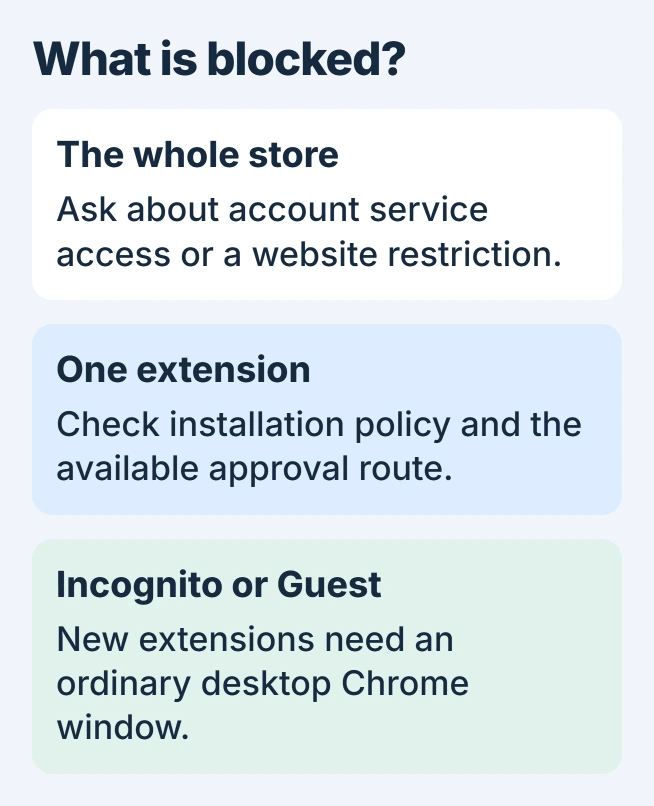
If the store loads but installation is unavailable, use a normal desktop Chrome window. Google does not allow new extensions to be added in Incognito or Guest mode.
Separate a blocked store from a blocked extension
Open webstore.chrome.google.com in Chrome on a computer. Note whether the home page appears, whether other extension listings open, and the exact message beside the extension you want.
Google says an organization can disable the Chrome Web Store service entirely. Its extension-management guidance explains that even permitted extensions cannot be browsed or installed through a disabled store.
Status: Google's store-access, extension-policy and browser-management instructions checked November 1, 2026. No organization policy was changed or extension installed.
An extension listing that opens with an administrator-block message is a narrower restriction. Reaching that listing proves the store is accessible in that session; it does not establish permission to install everything in it.
On a phone or tablet, the desktop extension workflow does not apply. Google's installation instructions describe desktop Chrome; Add to Desktop does not install an extension in mobile Chrome.
Find who controls the browser
Open Chrome's three-dot menu and look near its bottom for Managed by your organization. Then enter chrome://management in the address bar to inspect the management information.
For the applied rules, open chrome://policy, as documented by Google in its managed-browser instructions. Record the relevant policy name and error message for the administrator.
The computer being personally owned does not settle which rules apply. Google distinguishes a managed user profile from an enrolled browser; some browser rules apply without signing in. Check the actual management information.
If the profile belongs to work or school, ask that organization about the blocked extension. On a personal PC with unexpected management, review the listed account and software before removing anything.
The Chrome search-policy troubleshooting page covers unwanted programs that impose browser settings. Deleting policy entries without identifying their source can leave the cause in place.
Request the extension through the available approval route
Some organizations block everything except an approved list. Others block selected extensions or permissions. Google states that administrators can enable a request workflow, so a visible request option is the appropriate route.
Send the extension's full store URL and explain the task it is needed for. An administrator can check the assigned account or group, the store service, installation policy and permissions the extension requests.
When there is no request control, contact IT directly. A denied extension needs an administrator's decision; clearing browser history does not grant installation rights.
If the message instead says the website address is blocked, the Chrome website-restriction guide explains URL rules and their owner. A website block and an extension allowlist are separate controls.
Follow a different error when there is no policy denial
Close the Incognito or Guest window and retry from your ordinary desktop profile. Keep the error text if installation still fails. A changed message can point to a different stage of the process.
NETWORK_FAILED belongs to the Web Store download-error procedure. An extension already disabled as unsupported needs the supported-extension replacement checks.
Our recommendation is to stop resetting Chrome once a management restriction is confirmed. For an unmanaged browser that still cannot access the store, send Google Chrome Help the message, Chrome version and affected store URL.
The Short Version
Chrome Web Store access and extension installation have separate controls. Read the message, check Chrome's management details and request the relevant permission. Use a regular profile if Incognito or Guest caused the block.

Isaac Smith is the founder and editor of PC Glance, a website that covers computers, laptops, and technology. He is a tech enthusiast and a computer geek who loves to share his insights and help his readers make smart choices when buying tech gadgets or laptops. He is always curious and updated about the latest tech trends.