
An Android 10 software update must come from the phone's manufacturer for that exact model. Open Settings and check for a system update first. A phone still on Android 9 can get Android 10 only if its maker released a compatible upgrade.
A phone already running Android 10 needs a different check: can its model move to a newer release, or has it reached its last official version? An Android 10 app or Google Play update won't replace the operating system.
In this guide
Check the current version and exact model
Open Settings > About phone > Android version. Record its Android version and build number, plus the security patch date. On Samsung Galaxy phones, look in About phone > Software information for those software details.
Also record the model number from About phone. Two phones sold under a similar product name can have different regional or carrier versions. The update has to match your exact model, not just the product name printed on its case.
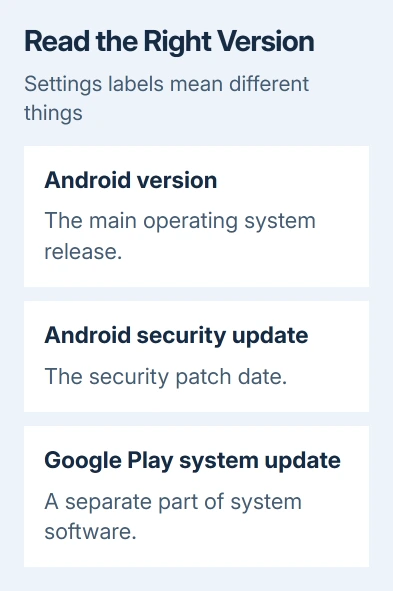
Android version is the main operating system release. Android security update identifies the security patch level. Google Play system update, where present, covers another part of the phone's software and can have a different date.
Each entry tells you about a different kind of update. A recently installed app update doesn't mean the phone moved from Android 10 to Android 11. Check the Android version again after a system upgrade to confirm what changed.
For a Galaxy J7 specifically, use the model-by-model Samsung J7 update checks. That phone family needs its own carrier and model comparison rather than a promise that every J7 can reach Android 10.
Prepare the phone before starting the download
Connect to reliable Wi-Fi and charge the battery. Google's Android update instructions recommend at least 75% charge before updating. Give the phone time to finish downloading and restarting.
Check that your backup includes your latest important files and information. The Android backup guide explains which data is included and which apps need their own backup or account sync.
If the update screen reports insufficient storage, delete unwanted downloads or uninstall unused apps, then retry. Use the amount shown by that update screen; the space needed varies with the manufacturer's update.
I'd check the backup while the phone charges. You can spot an old backup date before the update starts, instead of discovering after a failed update that your backup is out of date.
Keep the phone connected and follow its restart instructions. A completed download isn't always a finished installation. Some phones wait for you to approve a restart before they start using the new software.
Run the update check for the phone's software
On phones using Google's current menu wording, open Settings > System > Software updates. Read the update status, then follow the prompts to install any available system update.
Older Android phones can label this screen System update or place it under Advanced in the System menu. Search Settings for system update if those menus aren't on your phone. Don't confuse that result with an app's update page.
On Samsung Galaxy, open Settings > Software update. Choose Download and install if that option appears. Other versions have Check for updates. Some carrier versions use System updates instead.
If a package is offered, read its version details before selecting Download or Install. Let the phone complete the process, then return to its software information screen to check which Android version and security patch are now installed.
An up to date message means that phone has no further package offered by its update service right now. It doesn't mean the phone has the newest Android release available anywhere, or that it still receives regular security updates.
Check eligibility when Android 10 isn't offered
Check the manufacturer's support information using your exact model number and original carrier. Ask whether Android 10, or a later release, was released for that version of the phone and whether an earlier update must be installed first.
Android's official Android 10 installation page directs owners of other devices to their manufacturer. There isn't a universal Android 10 installer that can safely upgrade every Samsung, Motorola, Nokia, or other Android phone.
If the phone is already on a newer Android version, keep using the supported software it offers. An older app's Android 10 requirement normally means that's the oldest version it can run on, rather than a request to downgrade a newer phone.
When the manufacturer confirms that the phone has reached its final version, repeated update checks won't create another release. Ask whether the apps you rely on still support that version and plan a supported replacement if they don't.
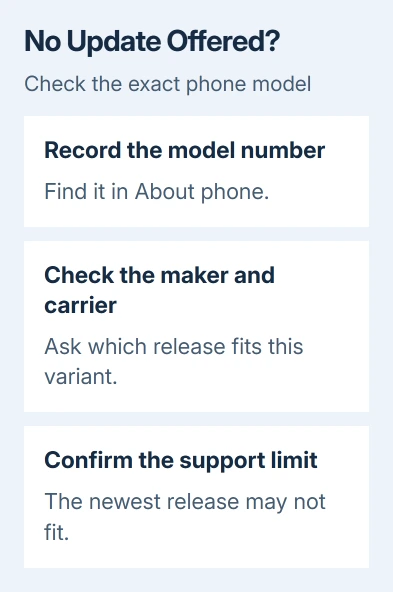
Check the official support schedule for an older Pixel. Pixel 4 and earlier models no longer receive Android version or security updates. An old Android 10 phone shouldn't be treated as current indefinitely.
Use Smart Switch only for an offered Galaxy update
A compatible Galaxy can also receive updates through the desktop edition of Smart Switch. Open it on your PC or Mac, connect a USB data cable, then choose file transfer if a USB-mode prompt appears.
If Smart Switch offers a software update, choose Update and follow its download and installation prompts. Keep the USB cable connected throughout the update. The phone may restart several times.
If no update appears, the program has no new package for your phone. Smart Switch can't install Android 10 on a model that has no approved Android 10 release. The Smart Switch mobile app transfers data; it doesn't do this desktop update.
If installation repeatedly fails, save the exact error, available storage, model number, and build number. Send those details to the maker's support team and ask for the approved steps to recover or update that model.
Skip random firmware downloads while that check is pending. A package for another variant can create a much harder problem than an unavailable update, especially when its installation changes the phone's recovery or security settings.
The Short Version
Record the model and installed version, back up, then check Settings for an update. Install a package offered for that device. With no offer, ask the manufacturer which release is the model's last supported version.
Checked November 12, 2026.





