Yes, eligible accounts can now change their Gmail address to another @gmail.com address. Look for Change Google Account email in account settings. Without that option, the account may not support a rename.
In this guide
Check whether this account can change its Gmail address
Open myaccount.google.com/google-account-email and sign in using the address you plan to replace. Check the selected address by clicking the account picture; your browser may have accounts for several people or organizations.
From the account's settings, the route is Personal info > Email > Google Account email. Look for Change Google Account email. Google's current email-change instructions explain how this option determines whether you can continue.
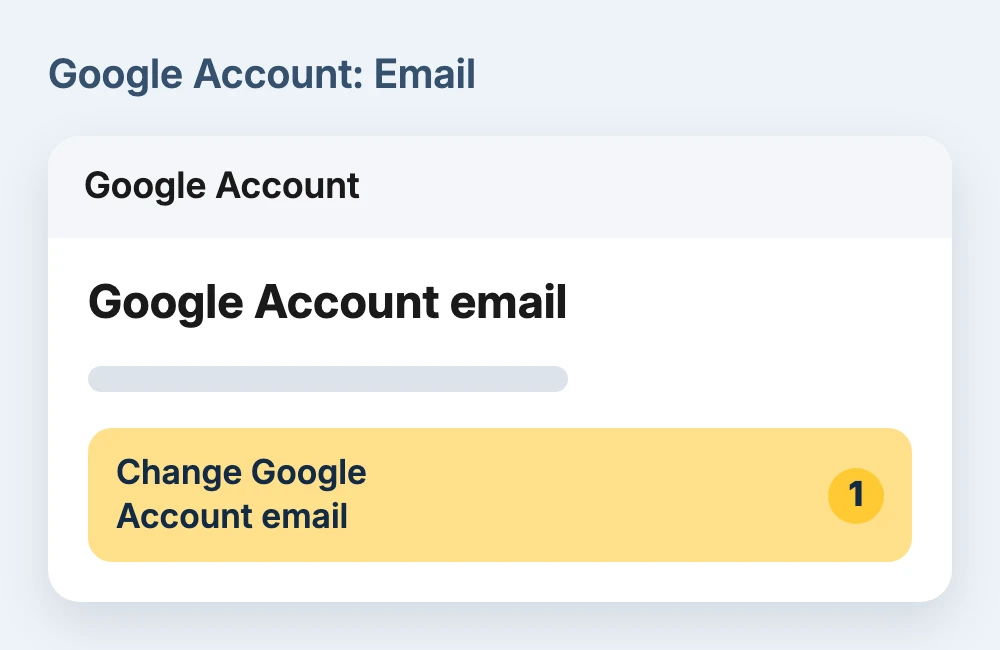
On a phone, open that same address and choose Personal info > Email > Google Account email. That avoids depending on a particular Gmail app layout. The account you select needs to show the change option.
If the option isn't there, it may not be possible to change that account's email. Switching browsers or reinstalling Gmail won't make the account eligible. Don't delete your mailbox trying to make the button appear.
For an address managed by work, school, or another group, contact its administrator. They manage the organization's email addresses and account settings, so the personal @gmail.com steps don't apply.
Decide whether you want a new address or a different name
Changing the address replaces the username people see before @gmail.com in your main account email. Changing your sender name only changes the name shown with outgoing messages. Those are separate settings.
If the name on sent messages is the problem, use Gmail on a computer. Open Settings > See all settings > Accounts and Import or Accounts, then choose Edit info in Send mail as.
Enter the name you want to show and select Save changes. That leaves the email address itself alone. It's useful after a name change when you still want people to reach the existing mailbox.
Adding or removing dots doesn't create a separate personal Gmail mailbox. The dotted and undotted forms already act as aliases for receiving mail. The account-email change tool doesn't let you change only that punctuation.
A recovery email helps you get back into the account if you lose access. Adding one doesn't rename Gmail or move the inbox to the recovery address. If access is the real problem, use the Google account sign-in checks for Android first.
Review the effects before choosing the new username
A successful Gmail-to-Gmail change keeps your account data, including messages, photos, and earlier emails. The old address becomes an alternate address, and incoming mail sent to either address reaches the account.
Both addresses can sign in to Google services. The old address also remains tied to you; another person can't claim it. You're renaming the account you already have, rather than moving it into a second mailbox.
The change has limits. A new @gmail.com account email can be created this way only once every 12 months and three times in total. You can return to an earlier address, but you can't delete the new address created by the change.
I'd choose the spelling for long-term use before pressing the final confirmation. A typo in a new address is more troublesome when creating another replacement is restricted for a year.
Back up important data before continuing, especially files stored locally on a Chromebook. Some app settings may reset, and you may need to reconnect services after changing the account email.
Check where you use Sign in with Google on non-Google services. Some apps rely on the email address to recognize an account. Before changing the address, check your access to those apps and keep their support details handy.
Make the change and check the account afterward
Select Change Google Account email, enter the new username, and follow the availability checks. A username already in use, previously used and deleted, or reserved by the service can't be chosen.
Choose Change email, then Yes, change email, and complete the remaining prompts. At the end, the new address should be your Google Account email and the previous one should appear as an alternate email.
Open Gmail and check your existing messages. Send a test message from another mailbox to the new address and check that it arrives. For an empty inbox, confirm the selected account before treating messages as missing.
With several accounts on one device, an app may show another account after the change. Tap its profile picture or initial and switch to the renamed account. The selected account, rather than its sender name, controls which inbox opens.
On a Chromebook, back up local data, then remove and add the account with its new address to update the connection. Just signing out and signing in may restore an empty home directory only temporarily.
For Chrome Remote Desktop, the host computer's remote connections may need to be disabled and turned on again. Follow the linked email-change troubleshooting steps for that connection and for affected third-party sign-ins.
Return to the old address or handle a missing change option
To return, open myaccount.google.com, choose Email > Google Account email, find the previous address, and select Make this your Google Account email. The newer address stays linked to your account.
Going back can help when connected services can't handle the rename. It doesn't undo the waiting period for creating a different new Gmail address, and it doesn't release either address for somebody else to use.
If the change option is missing, keep using the current account or create a separate Gmail account for a different address. A separate account has its own mailbox and data; it doesn't automatically become a renamed version of the old one.
Keep the old account available while deciding how to handle existing services and messages. On an iPhone that won't show a working mailbox, use the Gmail app and account checks rather than creating another address as a repair.
For a failed change, post the exact error in the email-change page's help community, leaving out private details. For a managed address, ask the administrator whether a rename or alias fits the organization's setup.
The Short Version
Check Personal info, Email, Google Account email for Change Google Account email. Eligible accounts can rename Gmail while retaining messages and the old address. Review the time limits and connected services before confirming.
Checked November 29, 2026.
 If you have any business, I can build it online