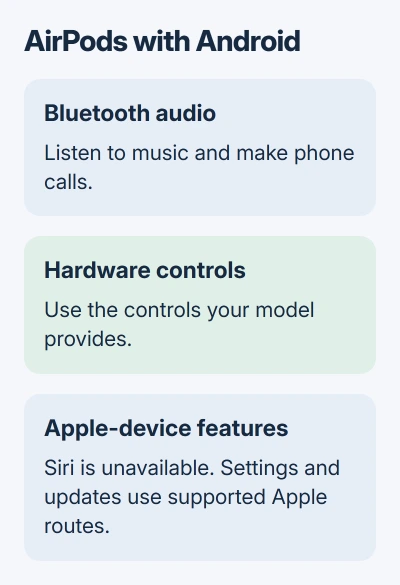
Yes, AirPods work with Android for music and phone calls over Bluetooth. Use Android's Bluetooth settings to pair them and select their audio output. Siri won't work through that connection.
AirPods can handle your everyday listening on Android, but you won't get every feature available on Apple devices. Changing their settings, updating them and using several connected features still need compatible Apple hardware.
In this guide
Start with the features you actually need
For listening to music, videos, podcasts and calls, an Android phone can use AirPods as a Bluetooth headset. Apple's non-Apple device instructions confirm that basic listening and talking work without Siri.
That means you can keep using a pair you already own after switching phones. Pairing doesn't turn Android into an iPhone, though, and it doesn't add Apple's AirPods settings page to your phone.
I'd connect a pair you already own before buying another headset. If you're choosing new earbuds specifically for Android, consider whether easy settings and updates on that phone matter as much as the sound.
Noise cancellation is a separate question from Siri. On models that have it, the listening controls on the earbuds or headphones can switch modes directly. Basic AirPods models without that hardware don't gain it through an app.
Don't judge compatibility only by the absence of an iPhone-style setup animation. On Android, a successful setup is the AirPods appearing as connected in Bluetooth settings and your audio playing through them.
Make the AirPods discoverable for the first connection
Open Settings > Bluetooth, or Settings > Connections > Bluetooth, depending on your phone. On a Pixel, look for Connected devices > Pair new device. Keep that screen open while making the AirPods discoverable.
The pairing control depends on your model. Look for a flashing white light; you don't need a full reset, which clears the saved setup, just to pair them.
- AirPods generations 1 through 3; Pro generations 1 and 2: put the earbuds in their case with its lid open. Keep the rear setup button pressed for around five seconds. Let go at the white flashing light.
- AirPods 4 or 5, and AirPods Pro 3: open the case with the earbuds inside, hold it near the phone, and double-tap the front so the light flashes white.
- AirPods Max: use a five-second press of the listening mode button. Stop holding it once the light starts flashing white.
Select the AirPods when their name appears in Android's available-device list. Complete the pairing prompt if your phone shows one. Keep the case open until the connection finishes for the in-ear models.
For a case that won't become discoverable, use the model-specific AirPods reset steps. Follow the reset procedure only after checking that the AirPods and case have charge.
Check music output and call audio separately
After pairing, play a recording you recognize. If the phone speaker plays it, find the player's audio-output control and select the AirPods there. The phone can remember your AirPods without using them for the audio that's playing now.
Raise the phone's Media volume while the clip is playing. That adjusts your music or video volume; the ringtone has a separate control. The AirPods volume guide for Android explains the phone sliders and model differences.
During a call, select Bluetooth or the AirPods in the call's audio menu if the sound stays on the handset. Adjust the volume during the call to change how loud the caller sounds, rather than your music volume.
Ask whether your caller can hear you too. Hearing them tells you the listening side works; a short conversation checks that your microphone is also working on the call.
The Bluetooth details screen varies by phone maker. If your phone offers separate switches for calls and media, enable the type of audio you want to use. This is especially useful when music works but calls don't.
Use the controls your AirPods model provides
AirPods 3, 4 and 5, and AirPods Pro, use stem presses for playback controls. A press can pause or resume playback; double and triple presses handle track skipping. These are different gestures from a long hold.
For noise-control models, press and hold the stem until the chime to switch listening modes. AirPods Max use the listening mode button. The available modes depend on the model and how its controls were configured.
The listening mode instructions cover those hardware controls. Customizing which modes the control cycles through uses settings on an iPhone, iPad or Mac, rather than an Android Bluetooth switch.
For older AirPods 1 and 2, what a double-tap does can depend on the action already assigned to it. An action assigned to Siri won't become an Android voice-assistant command just because you've paired the earbuds with a new phone.
Use the phone's playback and volume controls whenever a gesture doesn't perform the action you expect. That lets you keep listening while you check the particular model's controls, without resetting a working connection.
Plan for firmware updates and Apple-only setup
The AirPods' internal software is called firmware. Its update process is separate from updating Android or installing a music app, so changing a phone setting isn't the same as updating the earbuds.
Automatic firmware updates need the AirPods charging near their paired iPhone, iPad or Mac, with that device online over Wi-Fi. For the in-ear models, the update instructions include closing the powered case and waiting at least 30 minutes.
Apple's firmware instructions direct owners without Apple hardware to a store appointment or an authorized provider for update help. Pairing with Android alone won't let you update the AirPods that way.
Don't buy AirPods for Siri on an Android phone. Choose them for the features you can use with your phone, and plan how you'll get help with updates if you're keeping them for the long term.
If they won't connect anywhere after charging and following the pairing steps, request connection help through Apple Support. Report the model and light pattern so they can check pairing and charging separately.
The Short Version
Android supports AirPods music and calls over Bluetooth. Pair with your model's control and select the phone's audio output. Siri, configuration and updates have different Apple-device requirements.
Checked November 11, 2026.