

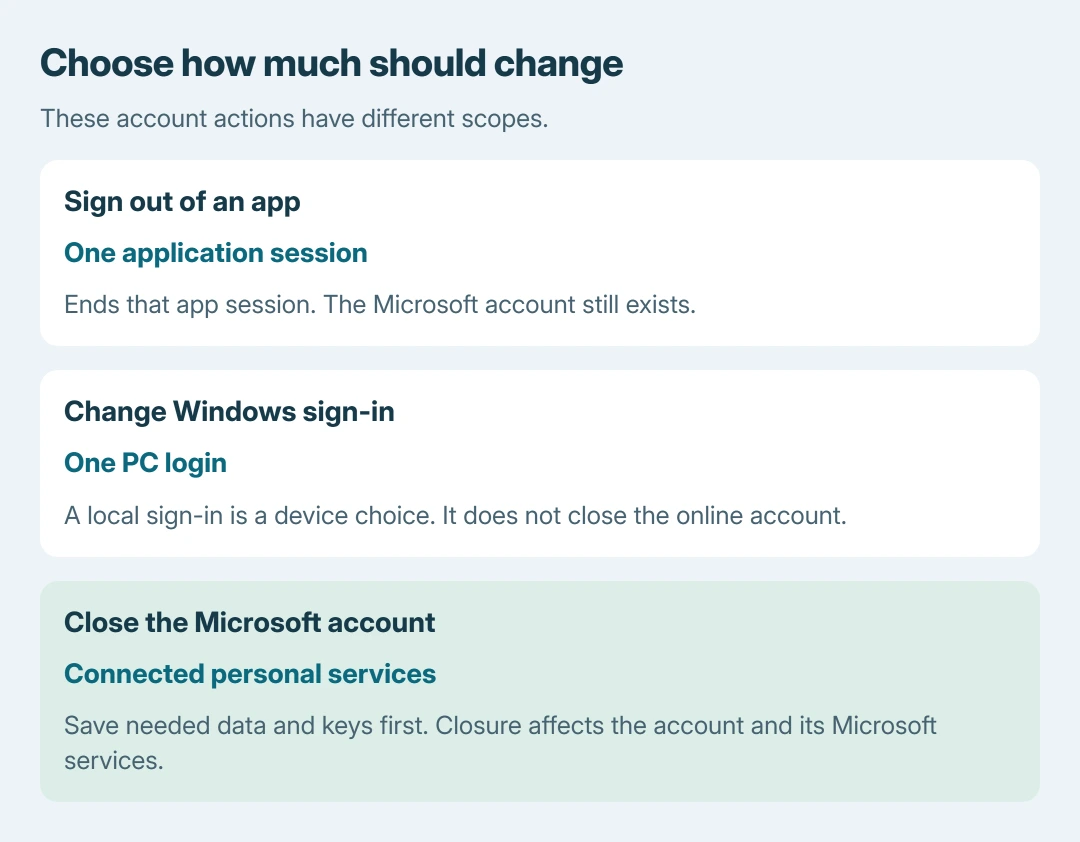
Deleting a Microsoft account closes the personal account across its connected Microsoft services. Start with Microsoft's account-closure page only after saving needed files, email and recovery information.
Removing an account from one Windows PC is a different task.
The final command is Mark account for closure. Microsoft offers a 30-day or 60-day reopening window; permanent deletion follows the selected period.
Decide whether the whole account should close
Account closure affects more than the device being used. Microsoft states that closing an Outlook.com mailbox requires closing the Microsoft account, and access to connected services such as OneDrive and Xbox is affected too.
Its Outlook.com closure warning also names saved BitLocker recovery keys. Preserve required keys securely before losing account access.
Status: Personal Microsoft account closure and reopening rules checked October 26, 2026. The 30-day or 60-day selection is documented by Microsoft. No account or subscription was changed.
For a change limited to Windows sign-in, review the local-account procedure. It is unnecessary to delete the online account simply to stop using it as that PC's sign-in.
Work and school accounts are administered separately. Give the organization the request instead of using personal-account closure to try to remove an employer's identity.
Save what will still be needed
Download needed OneDrive files and verify the saved copies outside the account. Preserve required email and contacts, and change the recovery address on other services that currently depend on this mailbox.
Those preparation checks are ours. They are practical consequences of losing the account, not a claim that closing it exports data automatically.
Review subscriptions while sign-in still works. Microsoft's subscription cancellation instructions use Subscriptions > Manage > Cancel, with labels varying by product.
A subscription bought through an app store follows that store's cancellation route. Check its final billing status before continuing rather than treating account closure as proof that every payment arrangement has been resolved.
For a Windows PC that will remain in use, confirm another suitable sign-in is ready. Review the license-account relationship if the closing account is needed for future hardware-change reactivation.
Submit the personal-account closure request
Open Microsoft's account-closure instructions, select Close account and sign in. Complete the identity checks requested by Microsoft.
Read the account address on the confirmation page. Continue only when it is the intended account; a browser may already have a different Microsoft session open.
- Select Next after confirming the account.
- Read the checklist and acknowledge each item that has been addressed.
- Choose the offered 30-day or 60-day reopening period.
- Select the reason for closure.
- Choose Mark account for closure to submit the request.
Record the resulting closure date. The request begins the selected waiting period rather than deleting all account data immediately.
Why will Microsoft not accept the request?
Closure requires signing in. For an authentication failure, use the Microsoft account recovery routes rather than repeatedly starting the closure form.
Microsoft says resetting all sign-in verification details requires a 60-day wait before closing the account. That prerequisite differs from the reopening period chosen during closure.
Follow the exact restriction shown on the closure page. Contact Microsoft account support if an unresolved condition prevents completion; do not remove recovery options merely to experiment with the form.
Reopen before the selected deadline
Microsoft documents reopening at account.microsoft.com during the chosen grace period. Sign in and complete the security-code verification to reopen the account.
Its reopening guide says subscriptions canceled separately may need reinstating. Reopening also does not refund subscription time that passed while closure was pending.
After the selected period expires, the closed account cannot be reopened. Preserve the recorded date and use the official account page promptly if the decision changes.
The Short Version
Prepare files, mailbox access, recovery keys and subscriptions before closing a personal Microsoft account. Confirm the correct account, read the checklist and submit Mark account for closure.
The chosen 30-day or 60-day window is the opportunity to reverse the request. A separate 60-day restriction can apply after replacing all verification details.

Isaac Smith is the founder and editor of PC Glance, a website that covers computers, laptops, and technology. He is a tech enthusiast and a computer geek who loves to share his insights and help his readers make smart choices when buying tech gadgets or laptops. He is always curious and updated about the latest tech trends.