
Is your Windows activated, or is that message on your new PC telling you something needs fixing?
I'll help you read the activation status, check the account link and choose the right next action. You can check this without buying anything or entering a product key.
Find the activation result in Settings
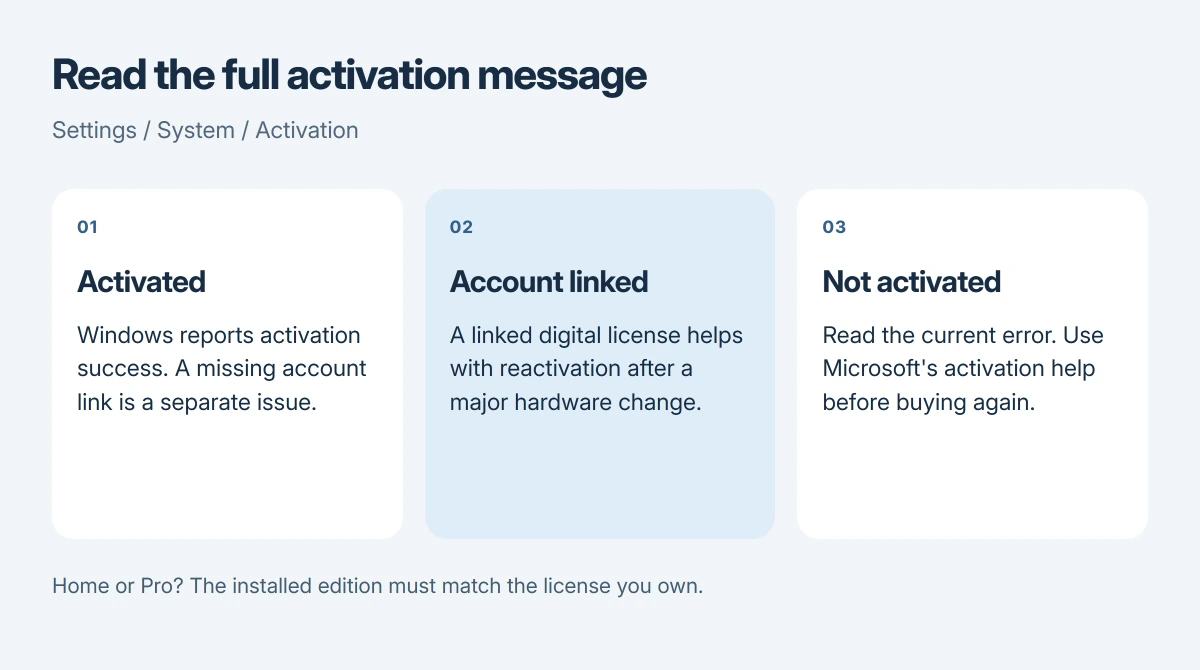
Open Settings, choose System, then Activation. Expand the activation details if needed so you can read the full message. Microsoft documents the Windows 11 route and explains the possible results in its Windows activation guide.
Look at the Windows edition here too. Home and Pro use different licenses, so that detail matters if Windows reports a problem.
Status: Microsoft activation instructions reviewed 17 October 2026. Checking activation and linking an account are separate jobs. No license was changed for this article.
Read what your particular status means
The short and long activated messages aren't competing grades of Windows, and your PC can be activated without an account link. The extra wording tells you about that link and the activation method.
| Message in the activation details | What you need to know |
|---|---|
| Windows is activated | Activation succeeded; Microsoft's status table says the account isn't linked. |
| Windows is activated with a digital license | Activation succeeded without needing a key entry, but the account link isn't present. |
| Digital license message that also names your Microsoft account | Activation succeeded and the digital license has the account link. |
| Windows is not activated | Read the error beside it before deciding what to do. |
A digital license doesn't need a key entry. I would leave a working activation alone and check the account link only if you need it.
Microsoft says activation itself does not guarantee that the installed copy is genuine. Its current explanation separates activation from validation, so don't treat this screen as proof of where a seller obtained Windows.
Link the account before changing important hardware
Microsoft's hardware-change instructions explain why linking helps: replacing a motherboard can break the connection between your hardware and its digital license.
First open Settings > Accounts > Your info. Check that you're using an administrator account, and look for your Microsoft account email. Those account types serve different purposes.
Return to Activation and use Add an account if offered. Enter the details for the account you intend to keep, then check the message for confirmation that it is linked.
That isn't a purchase or a Pro upgrade. Our Home and Pro comparison explains the edition differences if those labels are what confused you.
If Windows says it isn't activated
Connect the PC to the internet first. Microsoft states that activation needs a connection, and its activation error guide links directly to the automated troubleshooter in Get Help.
Use that official troubleshooter to work through the activation problem, then read the resulting message again when it finishes. The error can change after a repair attempt.
I would record the new code rather than keep searching for the old one.
When that code is 0x80004005, follow its activation route; the same number during file extraction concerns a different task.
If this followed a hardware replacement, follow Microsoft's hardware-change route using the account linked earlier. If it followed a Windows reinstall, compare the installed edition with the edition you actually own.
If support needs the model, memory or Windows edition while helping you, find those details with our PC model and specifications guide.
Keep the edition name with your error code when contacting support, since the model name alone doesn't identify the license.
A new PC sold with Windows deserves a conversation with its seller if activation fails. Don't assume you need another purchase.
The Short Version
Read the full result under System's Activation settings. An activated digital license can exist without an account link. If activation failed, use the official troubleshooter and follow the current error code before spending money.
Where to Next
Does your screen show an inactive result, or just leave out the account-link wording? Tell me the message and whether you reinstalled Windows or changed hardware recently. Keep your product key private.

Isaac Smith is the founder and editor of PC Glance, a website that covers computers, laptops, and technology. He is a tech enthusiast and a computer geek who loves to share his insights and help his readers make smart choices when buying tech gadgets or laptops. He is always curious and updated about the latest tech trends.