
Opening the lid is enough to start your MacBook, even after a full shutdown. It only needed moving or charging.
Apple provides a way to change this on an Apple-silicon laptop running Sequoia 15 or later. I'll explain what each choice changes and how you can put the original behavior back.
Check the Mac before choosing a command
Open About This Mac from the Apple menu. Apple says a Chip entry identifies Apple silicon, while a Processor entry naming Intel identifies the older hardware.
Check the macOS version there too. Apple's automatic-startup instructions require an Apple-silicon Mac laptop with Sequoia 15 or later, including Tahoe 26 and macOS 27.
These aren't instructions for an Intel Mac. I would leave the commands alone if either requirement doesn't match what your Mac shows.
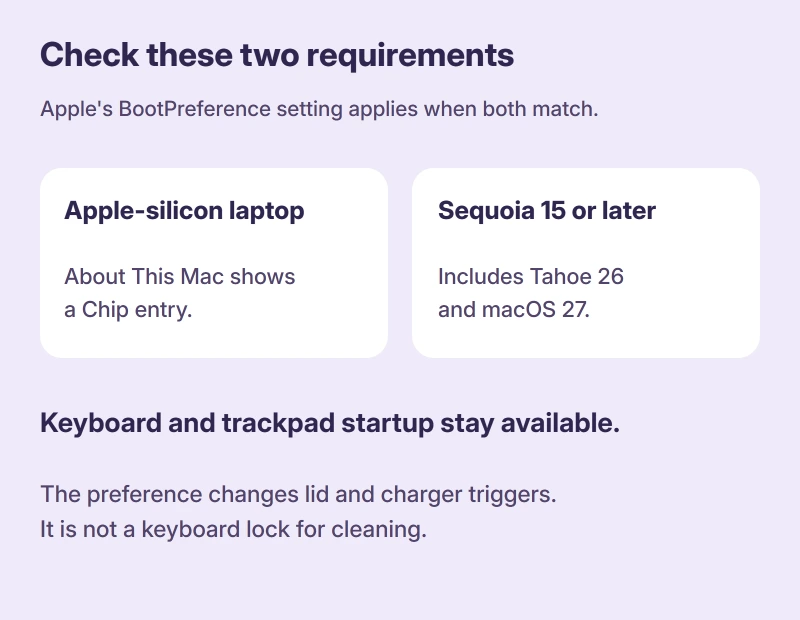
Status: Apple's reversible startup commands checked 17 October 2026. They change lid-opening and power-connection startup, while keys and the trackpad can still start the Mac.
Stop opening the lid from starting it
Open Terminal from Applications, Utilities. Enter this command exactly, then press Return:
sudo nvram BootPreference=%01Type your administrator password if prompted. Nothing appears as you type, which Apple documents as normal Terminal behavior; press Return when you have finished.
That's the lid-only choice. Connecting power can still start your Mac, so choose a different option in the next section if that bothers you too.
Prefer to change the charger behavior too?
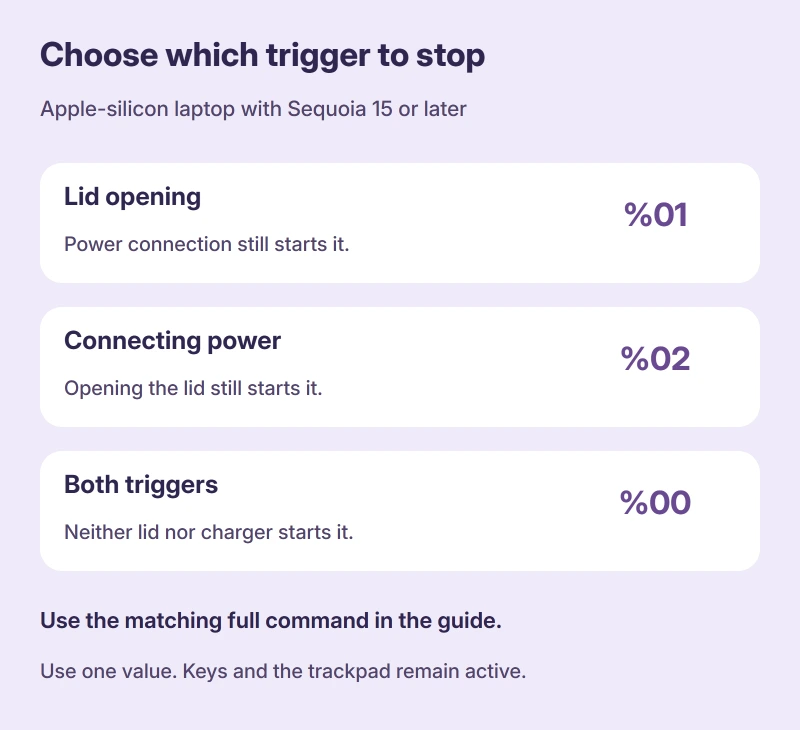
Pick the behavior you want to change. These are alternative settings, so you don't need to run all three in a sequence.
| Stop automatic startup when you… | Apple's command |
|---|---|
| Open the lid only | sudo nvram BootPreference=%01 |
| Connect power only | sudo nvram BootPreference=%02 |
| Do either of those | sudo nvram BootPreference=%00 |
The last choice covers both triggers. Use it if you want opening the lid and plugging in power to leave the laptop off.
I would choose the narrowest change that solves your annoyance. For example, keep charger startup available if you still find that useful at your desk.
Check it after a normal shutdown
Save your work, then open the Apple menu and select Shut Down. Apple's shutdown guide says to let the Mac finish shutting down before closing its display.
Once it is off, close the lid and reopen it to check your selected behavior. Try the power connection separately if you changed that trigger as well.
Keep clear of keys and the trackpad. Those can start the Mac and make a successful lid setting look as though it didn't work.
If the power button also produces no response, work through the MacBook power checks before changing any startup preferences.
This is about starting from shutdown. If your actual problem is a Mac that won't sleep, the powerd sleep guide covers that different situation.
For work that should continue after closing the lid, check caffeinate and the desktop setup before changing startup preferences.
Why does pressing a key still turn it on?
The keyboard remains available for startup. Apple states that changing these startup preferences leaves keyboard and trackpad startup available, so this isn't a way to lock the keyboard for cleaning.
An Ask Different question with 112,333 views began with that frustration on a 2018 MacBook Pro. Its owner had already stopped lid startup but still couldn't stop keys waking the machine from shutdown.
A later answer in 2025 described BootPreference for Apple-silicon MacBooks, with the same keyboard limitation. One reader welcomed it, but another pointed out that it didn't answer the keypress part.
That distinction matters for your Mac. The thread also contains an undocumented key sequence with mixed success reports, which I wouldn't substitute for Apple's narrower supported setting.
Put automatic startup back the way it was
Open Terminal again and enter Apple's undo command, then supply the administrator password if requested:
sudo nvram -d BootPreferenceThis removes that startup preference. Apple says it restores automatic startup for both opening the lid and connecting power.
You don't need a general NVRAM reset. The Mac NVRAM reset guide explains why the familiar Intel startup key combination doesn't apply to Apple silicon.
The Short Version
- Check the chip and macOS version before using the setting.
- Choose whether lid opening, connecting power, or both should stop starting the laptop.
- Keys and the trackpad still work as startup triggers afterward.
- Apple's delete command removes the preference when you want the original behavior back.
Where to Next
Did lifting the lid bother you, or was connecting power the problem? Tell me what you changed and which macOS release your MacBook runs.

Isaac Smith is the founder and editor of PC Glance, a website that covers computers, laptops, and technology. He is a tech enthusiast and a computer geek who loves to share his insights and help his readers make smart choices when buying tech gadgets or laptops. He is always curious and updated about the latest tech trends.