
WHEA Uncorrectable Error in Windows 10 means the computer reported a serious hardware error. Start by undoing a recent hardware or overclocking change, if there was one; otherwise check Windows Update before testing individual components.
The stop code alone cannot identify a failed processor, memory module or drive. Replacing parts without further evidence can leave the original fault untouched.
Check what changed before the crashes
Note whether the error occurs at startup, under load or while idle. Save important files while Windows is usable. If an external device was attached before the crashes began, shut down and disconnect it before comparing another startup.
Microsoft says heat, defective hardware and overclocking can cause bug check 0x124. It also allows for a driver-related cause.
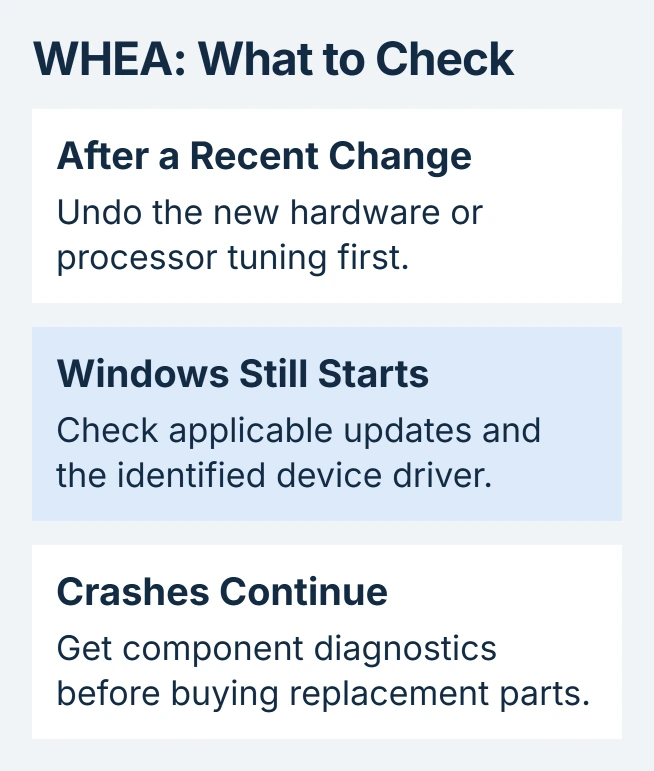
Status: WHEA guidance from Microsoft and Intel checked October 30, 2026. The stop code identifies a hardware-reported failure, not a particular broken component.
If processor overclocking was enabled, return that tuning to its standard setting using the computer or motherboard maker's instructions. Avoid resetting unrelated firmware options, especially storage mode, just to perform this comparison.
Check that air vents are clear and cooling fans operate. Stop demanding work if the cooling system has failed. A machine that still crashes at standard settings needs the driver and hardware checks that follow.
Use the Windows 10 update route
Open Settings > Update & Security > Windows Update, then select Check for updates. Install applicable updates and restart when requested. Microsoft documents this as an initial action in its WHEA repair guidance.
Windows 10's free support ended October 14, 2025. The updates offered depend on the edition and its servicing coverage; an empty update list does not certify the hardware as healthy.
If the crash information identifies a device, obtain its supported driver from the PC or component manufacturer. Match the package to the model and installed Windows edition. The Windows driver-update guide explains the available routes.
Repeat the activity that previously triggered the crash during normal use. Our comparison uses one relevant change per attempt, making it easier to recognize which change affects the crashes.
Recover access when normal startup fails
If the sign-in screen remains accessible, hold Shift while choosing Power > Restart. In recovery, open Troubleshoot > Advanced options > Startup Settings, select Restart, then choose 4 for Safe Mode.
Keep the encrypted drive's BitLocker key accessible for recovery prompts. Intel says Safe Mode can provide access for checking driver errors when a normal start is unavailable. Stability there does not prove every component is sound.
For crashes that began immediately after a software change, Microsoft's WHEA page also points to System Restore. In recovery, choose Advanced options > System Restore and use an available point dated before that change.
Review the affected programs before proceeding. System Restore changes system files, settings and installed software; it is not a repair for physically defective hardware.
Get a hardware result before buying replacement parts
Intel includes Windows Memory Diagnostic among its memory checks. Save work, search Start for Windows Memory Diagnostic, and choose the restart-and-check option. The PC restarts to run the test.
Record any reported errors. If its notification disappears, the memory-test result guide explains where the result can be found. A passing memory test does not clear the processor, power supply or storage.
For continuing WHEA crashes, send the PC model, crash timing and diagnostic results to its maker or a repair shop. Share an existing crash dump privately. Ask which component failed before approving a replacement.
The Short Version
Check recent changes and cooling, then applicable drivers and recovery options. Persistent WHEA errors need component diagnostics. The code by itself is not a reason to purchase a CPU or erase Windows.

Isaac Smith is the founder and editor of PC Glance, a website that covers computers, laptops, and technology. He is a tech enthusiast and a computer geek who loves to share his insights and help his readers make smart choices when buying tech gadgets or laptops. He is always curious and updated about the latest tech trends.