The iOS 26.3 update warning refers to a real security fix released on February 11, 2026. Get the compatible version now shown in Settings > General > Software Update rather than trying to find that older release now.
Check where the warning appears. An article about 26.3 describes a security fix. An alert inside Software Update needs its own checks. If a webpage claims your phone is infected, close it and check for updates in Settings instead.
In this guide
Understand the security warning behind iOS 26.3
Apple says this flaw may have been used against selected people in attacks of exceptional sophistication, on versions earlier than iOS 26. That report describes attacks aimed at particular people; it doesn't say every iPhone was attacked.
The entry is CVE-2026-20700, under dyld, which loads shared software for apps. An attacker who could already write to memory may have been able to run code. The update fixed a problem with how that memory was handled.
The 26.3 security bulletin also lists fixes in other parts of the system. The dyld attack report is the reason this version attracted particular attention, but it wasn't the release's only security change.
Notice the condition about memory access. The bulletin doesn't say that seeing a warning gives someone control of your phone. A normal update notification doesn't mean your phone is infected either.
Security notices explain why a release mattered when it arrived. To decide what to install today, check which updates your phone supports instead of following the version number in an old headline.
Check the version before choosing an update
Open Settings > General > About and read iOS Version. Then open Settings > General > Software Update and let it check. Read the version offered there before downloading anything.
If your installed version is later than 26.3, don't downgrade to deal with this old warning. Keep installing updates offered for the version your phone runs. Later updates contain extra fixes that weren't available in February.
If the phone still runs 26.3 or an earlier release, choose the compatible update offered by Software Update. The iOS release notes list later iOS 26 releases, so 26.3 isn't the end of that update line.
For context on another older release, the iOS 26.2 update guide separates historical features from today's installation choice. A familiar version number in a search result isn't a reason to stay on it.
Check Model Name in About if the expected update isn't offered. The 26.3 security bulletin lists iPhone 11 and later compatible models. An older phone needs the supported software offered for its own model.
Back up before installing through Settings
Back up to iCloud or a computer before installing. Use Wi-Fi and keep the charger connected. Open Settings > General > Software Update. Tap the download or installation button and enter your passcode if asked.
Leave the phone connected while the update finishes and the phone restarts. Then open About again to confirm the installed version. The new version should appear there; a finished download can still be waiting to install.
I'd use that version check as the finish line. A downloaded update can still be waiting for installation, which is why dismissing a notification doesn't tell you whether the security fix is installed.
If a later major upgrade and a smaller update are both offered, read both options. Pick from what the phone actually offers for its model. Don't install a profile or an old firmware file just to match the number in the warning.
The iOS 26.7.1 security guide covers a later advisory. Keep that separate from the dyld issue fixed by 26.3.
Treat an update error as an installation problem
An alert that Software Update can't check, download or verify an update means installation hasn't finished. Write down the alert and follow the check for that message. This is a separate problem from the security warning.
For a connection or verification error, retry on the same network first, then another Wi-Fi network. A VPN or proxy can interfere with update-server access too, so check those connections when the server can't be reached.
For a storage message, open Settings > General > iPhone Storage and review what's using space. Device storage is where the update needs room; extra iCloud storage doesn't expand the phone's internal capacity.
If the download repeatedly fails, open iPhone Storage, select the downloaded update entry, then choose Delete Update. Return to Software Update to download the available update again.
The update troubleshooting steps also offer updating through a computer when wireless attempts fail. Use that route if repeated network and download checks don't resolve the installation error.
Close browser warnings that demand a download
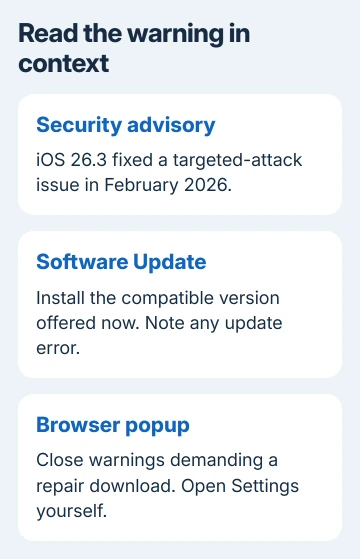
A webpage claiming to have scanned your iPhone for viruses isn't the Software Update screen. Close the tab and open Settings yourself. Don't call its phone number or install a profile to remove the warning.
The guidance on fraudulent popups explains why those warnings try to direct you to software, payment or personal-information requests. Open Settings yourself to check for updates without following the page's repair instructions.
If you already entered your sign-in or payment details, contact the account provider or bank through its own app or contact details you know are correct. Installing iOS doesn't undo information you handed over.
Get help when the phone still can't update
Use the Apple Support app and choose the iPhone's software-update issue. Give support the model, installed version, offered version and exact error. Include whether the failure happens on more than one Wi-Fi network or through a computer.
For an organization-managed iPhone, ask the administrator about update restrictions. Check with them before trying again, since the organization's rules may delay updates or control which ones you can install.
The Short Version
iOS 26.3 fixed a real security issue in February 2026. Use the compatible update offered now, handle Software Update errors by their exact message, and close browser popups that try to supply an iPhone repair download.
Checked November 11, 2026.
 If you have any business, I can build it online