
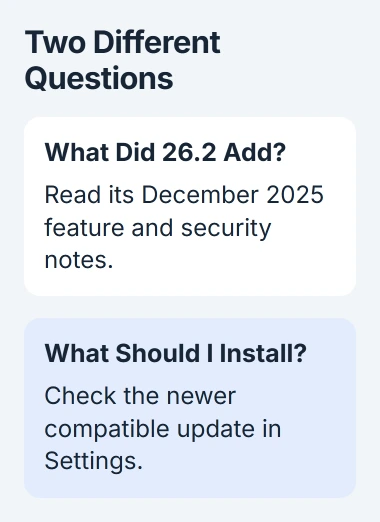
iOS 26.2 added useful iPhone features and security fixes, but it's an older release now. If your phone still runs it, install the newer compatible update offered in Settings instead of looking for a way to install 26.2 specifically.
Apple released iOS 26.2 on December 12, 2025. Its changes included offline song lyrics, urgent Reminders alarms, and AirDrop verification codes, while later updates added further fixes you won't get by staying on that version.
Check the version on your iPhone first
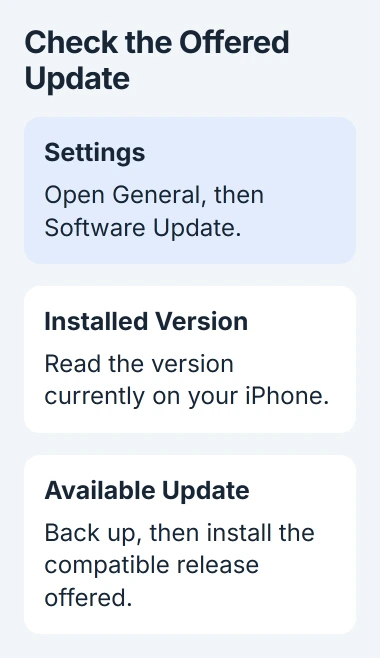
Open Settings > General > Software Update. Read the installed version and the available update before choosing anything. If you see a later version, that's why the phone isn't offering 26.2.
Apple says keeping software current helps protect your device. Its security release list includes updates newer than iOS 26.2, so there are later fixes to install.
Status: November 3, 2026. iOS 26.2 is a December 2025 release. Check Software Update for the supported version your iPhone can install now.
A later release includes those earlier features, so you don't need to go back to 26.2 to get them. Its release notes tell you when they arrived without requiring you to install the old version.
I'd make a backup, then choose the update Settings offers. Hunting down an old iOS file from a search result adds work and still doesn't tell you which release your phone supports now.
What changed in everyday use
Apple's iOS 26 release notes list the 26.2 additions by app and feature. These are the changes you'll see in familiar apps and controls:
- Apple Music: you could view lyrics for downloaded songs offline, and Favorite Songs gained a place in Top Picks.
- Podcasts: automatic chapters and links to podcasts mentioned in an episode made longer shows easier to navigate.
- Reminders: urgent tasks gained alarms, including snooze and Live Activity support.
- AirDrop: transfers involving unknown contacts gained a code-verification step.
- Lock Screen: a new control let you adjust how see-through the Liquid Glass clock looked.
- Accessibility: notification alerts could also flash the screen.
The release also improved Games library filtering and support for connected controllers. Freeform gained tables, and Apple fixed pre-release playback in Apple Music and a problem with how a privacy setting was managed.
If the Lock Screen clock is too large, use the clock-size controls. Changing its transparency affects its appearance, not how much space the digits occupy.
For a file transfer that now requests a code, the AirDrop transfer guide explains that extra verification. It doesn't mean the receiving phone has lost its connection.
The security fixes matter more than the feature list
Apple's 26.2 security bulletin lists repairs to several parts of iOS, including WebKit, the software that displays web content. Those protections go beyond the changes you see in the feature list.
Apple states that two WebKit issues may have been used in highly targeted attacks against people running versions earlier than iOS 26. The fixes address malicious web content that could run code or cause memory problems.
That report is a reason to keep installing updates after 26.2. It doesn't mean every phone running 26.2 was attacked.
When reading a security notice, check its release date and the affected versions. A support page can be revised later, so its update date may differ from the day the software came out.
Confirm your model can use the update
iOS 26 supports the iPhone 11 family and newer compatible models, plus the second-generation and third-generation iPhone SE. The older iPhone XR, XS, and first-generation SE aren't in Apple's iOS 26 compatibility list.
If you're unsure which SE or iPhone generation you have, look in Settings > General > About. Similar-looking phones can run different software, so check the model name rather than judging by the Home button.
If your iPhone can't run iOS 26, install the update Apple offers for that model. Checking again for 26.2 won't make it compatible.
Some features depend on your language, region, or hardware. A software update can't give an older phone newer hardware features, so check the requirements for any feature that's still missing.
Install the available update with a backup ready
Back up through iCloud or your computer before starting. Connect your phone to its charger and use a Wi-Fi connection, then return to Settings > General > Software Update.
Read the version offered and tap Download and Install, or the install button shown if it's already downloaded. Enter your phone's passcode when asked, and keep it connected until installation finishes.
Apple documents the wireless updating procedure. After your phone restarts, check its version in Software Update. That tells you the update has installed, rather than just finished downloading.
If your phone asks to remove apps temporarily to make room, read the prompt before accepting. Apple says those apps are reinstalled afterward. If you get a separate storage error, you may still need to clear some space.
If the update doesn't appear over Wi-Fi, Apple's guide links to the computer method. A VPN or proxy can also stop your phone reaching Apple's update servers, so check that connection if your phone can't check for updates.
Judge battery behavior after the update settles
Your phone can feel warmer or use more battery while it finishes work after an update. Apple explains that these background tasks can temporarily affect battery life and temperature.
Give your phone a few days to finish before deciding the battery problem is here to stay. Check Settings > Battery for activity and any information about the update; one early drop in charge doesn't tell you much.
If your phone stays hot, drains quickly, or keeps failing to update, give Apple its model, software version, and exactly what happens. Work through checks for that problem before trying another installation.
The Short Version
iOS 26.2 added features and security fixes in December 2025. Read its notes for those changes, then use Settings to get the compatible update available now. Back up your phone, install the update, and check the version afterward.

Isaac Smith is the founder and editor of PC Glance, a website that covers computers, laptops, and technology. He is a tech enthusiast and a computer geek who loves to share his insights and help his readers make smart choices when buying tech gadgets or laptops. He is always curious and updated about the latest tech trends.