iOS 26 adds Liquid Glass, call screening and useful changes in Messages, Photos and other everyday apps. Start with the features your model supports. Some tools shown in demonstrations need a newer iPhone that supports Apple Intelligence.
The biggest difference is between features built into the update and features that need newer hardware. An iPhone 13 can use the redesigned interface, for example, but it can't gain Apple Intelligence through a setting.
In this guide
Check your iPhone and installed version first
Open Settings > General > About and check iOS Version and Model Name. Those two entries help explain why a button looks different or a feature is missing. A feature can depend on both the phone and the particular iOS 26 release.
iOS 26 supports iPhone 11 models and newer, plus iPhone SE (2nd generation) and later. The iPhone XR, XS and XS Max aren't on its compatibility list. Don't buy an update service promising to add iOS 26 to an unsupported phone.
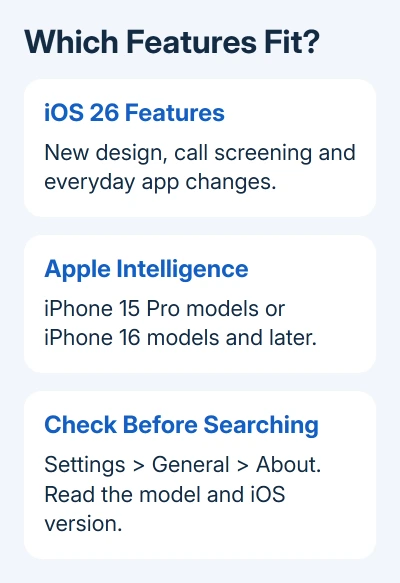
For Apple Intelligence, the iPhone 15 generation needs a Pro model. Any iPhone 16 model or later qualifies. That includes the iPhone 15 Pro Max. Language and region requirements also apply; the regular iPhone 15 doesn't qualify.
I'd check that distinction before looking for a missing AI control. Otherwise you can spend time searching for something the phone can't run. Open Settings > General > Software Update to see the release your phone offers.
Get comfortable with Liquid Glass and the new layouts
Liquid Glass changes the appearance of controls, navigation and the Lock Screen. Translucent surfaces and changing backgrounds are part of the design. They aren't, by themselves, signs that the screen or wallpaper is damaged.
Open the apps you use most before rearranging everything. Check where their navigation controls sit and whether the new layout gives content more room. Familiar tasks can remain available even when their buttons have moved.
Home Screen icons also gain updated appearance options. Hold a blank area between icons until editing starts, then tap Edit > Customize. Pick an appearance that keeps your wallpaper and app labels readable.
The icon appearance and the layout inside an app are separate things. Changing an icon won't return every app to its previous design. If moving icons isn't behaving, use the Home Screen app-moving fixes.
Set up call screening for unsaved numbers
Call Screening asks an unknown caller for their name and reason for calling before your iPhone rings. That gives you something useful to read before deciding whether to answer. It doesn't require Apple Intelligence hardware.
- Open Settings > Apps > Phone.
- Find Screen Unknown Callers.
- Choose Ask Reason for Calling where the feature is available.
Never lets unsaved numbers ring normally. Silence sends these calls to voicemail without ringing. Those choices do different jobs, so check the selected option if important callers say they can't get through.
With screening on, unknown callers who qualify for screening are asked for information before the call reaches you. Availability varies by language and region. Don't erase your phone or reset all settings to chase an unavailable option.
Hold Assist is another Phone feature in iOS 26. It can wait while you're on hold and notify you when a live person is available. It works separately from screening incoming callers, so switching one on doesn't set up the other.
Try the practical changes in Messages
Messages gains conversation backgrounds and polls. Backgrounds change a chat's appearance. A poll lets a group choose between options without sending a chain of separate replies, which is useful when you're making plans.
Open a conversation and review its controls. iMessage and carrier text messages don't have identical capabilities. A chat with Android users won't necessarily show every feature seen in an all-iPhone group.
For choices that never appear, check the receiving device's poll support and try a manual poll before chasing an AI suggestion.
Some additions need Apple Intelligence. Choosing an existing background is different from creating one with Image Playground. A phone that lets you choose a background can't necessarily create one.
Later iOS 26 releases add their own changes. The update notes list encrypted RCS as a beta that rolls out gradually with supported carriers. Installing an update doesn't mean every RCS conversation immediately gains that protection.
Find photos and use the simpler Camera layout
Photos brings Library and Collections into separate tabs. Use Library for your pictures, then Collections for grouped views and other ways of browsing them. Start there if the update has made an old browsing habit feel unfamiliar.
Camera's simpler layout puts Photo and Video first. Swipe to reach the other modes. Check the selected mode before recording an important clip. A changed layout doesn't mean that the extra capture modes were removed.
Some camera improvements need particular hardware. Lens-cleaning hints, for example, are listed for iPhone 15 and later. An older supported iPhone can receive the Camera redesign without receiving that specific alert.
Keep feature changes separate from faults. A camera that won't produce a picture needs troubleshooting; a moved control needs the new navigation. The iPhone camera black-screen guide covers the first case.
Check translation features against the hardware limits
Live Translation translates conversations in supported apps and languages. Messages translates text; Phone and FaceTime handle speech differently. Available languages vary between these uses.
On a compatible phone, open Settings > Apple Intelligence & Siri. Check that it's enabled and your language setup is supported. Follow any download instructions before expecting the tools to appear in apps.
Visual intelligence expands what a supported iPhone can do with screen content. Don't confuse it with taking a screenshot. Far more iPhone models can take a screenshot than can use AI to analyze what's in it.
Apple says some features vary by model or region in its iOS 26 update notes. Read the heading for your version. A feature listed somewhere on that page didn't necessarily arrive in the original release.
One later addition is offline Music Recognition: start listening without service and receive the match after reconnection.
When a promised feature still isn't available
Match a missing feature to your model, language, region and installed release before changing settings. Subscriptions and accessories have their own requirements too. An Apple Music feature isn't simply a new Home Screen control.
If all the requirements match, contact Apple Support with your model, iOS version and exact feature name. Explain which menu is missing and what appears instead. Support can then check the feature's availability.
The Short Version
Try the new design, call screening and everyday app changes first. Check hardware and language requirements before chasing Apple Intelligence features, and match later additions to your installed iOS 26 release.
Checked November 13, 2026.
 If you have any business, I can build it online