JBuds Air ANC earbuds won't appear as a new Bluetooth device until they're in pairing mode. Disable Bluetooth on their previous phone or computer, take both earbuds out of the case, and look for the blue-and-white pairing light.
Select JLab JBuds Air ANC in the new device's Bluetooth list. If they won't enter pairing mode, check charging, then try this model's seven-tap reset. Audio balance and volume won't make them appear in the list.
In this guide
1. Stop the earbuds reconnecting to the old device
Disable Bluetooth on whichever phone, tablet, or laptop last used these earbuds. Keep it off while pairing with the new device. A nearby saved device can take the connection before you finish looking at the new list.
Take both earbuds out of their charging case. JLab's setup instructions say they automatically enter Bluetooth pairing when adding a new device after Bluetooth is disabled on the previous one.
If they're off, press and hold both earbuds' power controls for at least three seconds to turn them on. Watch for an earbud blinking blue and white, which is the pairing signal described by the setup guide.
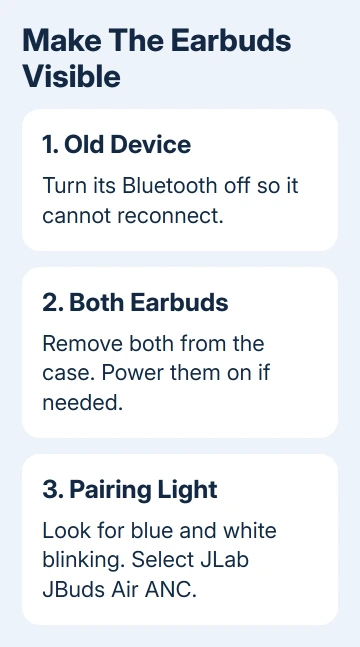
Keep the earbuds close to the device while scanning. After the available-device list refreshes, select JLab JBuds Air ANC. Once connected, you should hear the connected voice prompt and see solid white lights, as the setup page describes.
If the name appears but connection fails, remove a saved entry and continue to the reset section. If neither earbud lights up, check power before repeating scans on the phone.
2. Confirm both earbuds are powering on
Put both earbuds back inside the case, then plug its charging connection into power. Check that each bud sits properly against its contacts, especially if a replacement ear tip prevents it from seating.
On a new pair, remove any shipping protection covering the charging contacts as directed by the included setup sheet. An earbud can't charge through that protective material.
Inspect the contacts for visible dirt and gently wipe them with a dry, soft cloth. Don't force the earbuds down or scrape the metal contacts. They just need to sit properly against the contacts in the case.
Take them out again after charging and check each light separately. If one bud lights up and the other stays dark, check that bud's power and charging. That's different from two powered buds that won't pair.
A factory reset needs powered earbuds that respond to the touch controls. If neither responds, check case power and charging contacts again. More taps won't reset an unpowered bud.
If the case has power but the earbuds still don't light when removed, the factory-reset help page recommends asking support about possible warranty options. Keep that result for the final support request.
3. Open the right Bluetooth discovery list
For iPhone and iPad, use Settings > Bluetooth and leave the screen open. Look under Other Devices for the earbuds. Control Center's Bluetooth button doesn't show the device-discovery list.
On Android, open Settings > Connected devices > Pair new device. Some phones use Settings > Connections > Bluetooth, then Scan. Use the available-device list, not only the list of previously paired accessories.
In Windows 11, open Settings > Bluetooth & devices > Add device > Bluetooth. In Windows 10, use Settings > Devices > Bluetooth & other devices > Add Bluetooth or other device > Bluetooth.
Windows 11 also has a discovery control under Bluetooth & devices > Devices. If a powered pairing device remains absent, set Bluetooth devices discovery to Advanced when that option is available.
On a Mac, open System Settings > Bluetooth and look for the nearby device. For earlier macOS releases, the route is System Preferences > Bluetooth. Choose Connect beside the matching JLab name.
If Windows isn't detecting any accessories, our Windows Bluetooth guide covers the missing or disabled radio. If your phone sees other accessories but misses these earbuds, check that they're in pairing mode.
4. Forget the saved entry and reset both earbuds
Remove the old JLab pairing first. On iPhone, open its information control within Settings > Bluetooth, then Forget This Device. On Android, open that saved accessory's settings and select Forget or Unpair.
In Windows Bluetooth settings, open the saved device's menu and choose Remove device. On a Mac, open its Bluetooth details and choose Forget This Device. If no entry exists, continue without removing anything.
Keep both earbuds in the charging case. Quickly tap the touch control seven times on one earbud, then do the same seven taps on the other. Both earbuds need those seven taps to complete the reset.
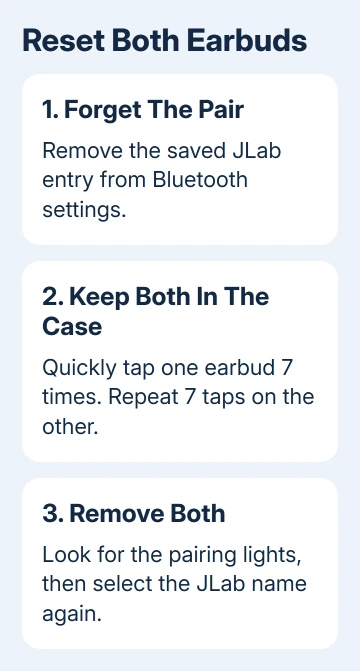
The dedicated factory-reset page describes four blue flashes from each bud after its taps. An older setup page describes three, so don't treat the difference alone as a failed reset.
Take both earbuds out together. The dedicated reset instructions describe one solid white light and the other blinking blue and white when the pair is ready. Select the JLab name again from the device-discovery list.
Use the instructions for JBuds Air ANC, not a reset for a similarly named GO Air, JBuds ANC, or another model. Their controls and indicators can differ even when the cases look familiar.
5. Compare another device and arrange the right repair
I'd try a second phone or computer before changing drivers. Leave Bluetooth disabled on the previous device while scanning. If that device sees the earbuds, focus on the first device's Bluetooth discovery and saved pairing.
On Windows, the Bluetooth troubleshooting steps cover its troubleshooter and adapter driver. Use those when the computer is the part failing to discover accessories.
If the earbuds pair but one side stays silent, our one-sided Bluetooth audio guide covers that later audio problem. Once the pair appears and connects, you've solved the problem of it not showing in Bluetooth.
If neither device detects them after the correct reset, contact JLab support through its help center. Give the exact model and describe each earbud's lights, whether it responds to charging, and what happened on both devices.
Ask about replacement or warranty service if one bud never powers on or neither enters pairing mode. Give support those results rather than resetting the phone's network when the earbuds aren't sending a pairing signal.
The Short Version
Disable Bluetooth on the old device, power both earbuds, and look for pairing lights before scanning. Forget stale entries and perform seven taps on each bud in the case if needed. No lights after charging needs JLab support.
Checked November 12, 2026.
 If you have any business, I can build it online