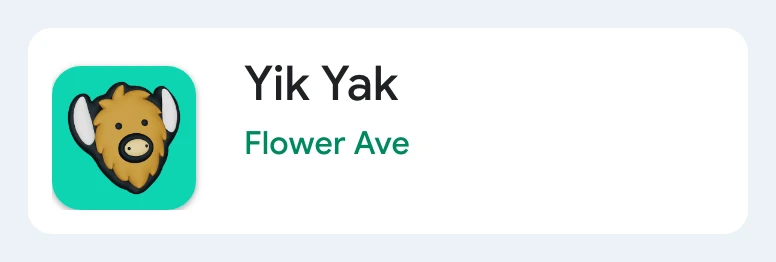
Yik Yak is on Android again, but access is through a beta for verified college students. Open the current Google Play listing from its official help page first; an old missing-app result doesn't describe the Android release available now.
Check which part fails: locating the app, installing it, or opening your campus feed. The store listing tells you whether the app is available. A failed download or a problem signing in needs a different fix.
In this guide
1. Open the current Android listing
Use the current Yik Yak listing on your Android phone. Its app identifier is com.flowerave.yikyak. That lets you check the current app instead of relying on an old bookmark.
The listing identifies the publisher as Flower Ave. Check both the publisher and app identifier before installing, especially if several results have similar names. Those details tell you more than a familiar yak picture.
Yik Yak's help page says the Android beta is for verified college students and that a full release is planned for 2027. For now, that means using the beta. The planned full release isn't something you can install yet.
I'd open this listing before changing phone settings. If it opens, use it to check availability instead of the earlier search result. Next, see whether the store lets you install it or says your phone isn't compatible.
2. Separate a missing search result from incompatibility
Google Play can leave incompatible apps out of search results. That means searching the store and seeing nothing doesn't always mean the developer has withdrawn the Android release.
Use your phone's usual Google account when opening the direct link. Check whether the store offers installation or explains that the app isn't available for that device. Let that store message guide your next check.
The app compatibility guidance explains that each developer sets the device requirements for its app. Device requirements and country availability can affect what the store offers.
If the listing says your phone isn't supported, check Settings for an Android update. An update won't necessarily give you access, though: your phone still has to meet the developer's requirements.
If Google Play itself is missing, restore or locate the Play Store first. That is a store problem affecting app installation generally, rather than evidence that Yik Yak has no Android version.
3. Get a stalled installation moving
If tapping Install starts a download that gets stuck, the problem is with installation. Check your connection and free storage space before trying the download again.
Open another page using the same connection. If it won't load either, restore the connection and retry the download. Compare working Wi-Fi with your cellular connection to check whether the network is stopping the download.
Check the phone's storage in Settings. A nearly full device may need space before an installation can finish. Delete unwanted downloads or copy large files elsewhere, then return to the app listing and try again.
If several apps won't download, close and reopen Google Play Store, then restart the phone. Work on the store first when other apps won't install either. Starting over with your Yik Yak account won't fix those downloads.
When asking for help, say whether you can't open the listing, the download stays pending, or installation ends with an error. Support will then know which stage failed.
4. Check college verification after installation
Installing the app doesn't automatically give an account access to a college community. You'll still need to meet the Android beta's verified-student requirement after the download finishes and the app opens.
Use the school account details requested during the app's own verification process. Check the address carefully, and check that you can receive email for that account. Your personal email account doesn't verify membership of a college.
For failed verification, send support the error text and your school name. If sign-in works but the campus feed won't open, ask them to check your account and eligibility. Reinstalling the app won't necessarily change your access.
Don't delete the account to repeat verification. Ask the app's support team to check the address and campus access first. They can then check the account you're already using without a second account complicating things.
School feeds and other communities are separate parts of the service. Follow the Android beta's current eligibility instructions, since features described for the wider service aren't necessarily open to every Android account.
5. Use public browsing when posting isn't available
The public web view is another route for reading public content in a browser. The official FAQ describes browsing there. Don't expect an Android browser to replace the app for posting.
Open it when you only need to read something while sorting out app access. If your goal is to post, comment, or vote, ask about the current Android beta rather than expecting the web page to unlock those account functions.
If the app installs but keeps closing, work on the crash instead. Follow the Android app crash checks if Yik Yak won't stay open. Keep account verification separate from an app that crashes before sign-in.
For a persistent beta problem, email support@yikyak.com. Include the phone model, Android version, app version if available, and the exact error. Explain whether installation, verification, or opening a particular feed fails.
If the store won't let you install it, send a picture of its message with personal account details hidden. It helps support check device or account eligibility. Reporting only that Yik Yak is missing leaves out the store's explanation.
The Short Version
Open the current Flower Ave listing, check device availability, and finish college verification if eligible. Repair a stalled download as a Play Store issue. Public web browsing is an option for reading while app access is being resolved.
Checked November 29, 2026.
 If you have any business, I can build it online