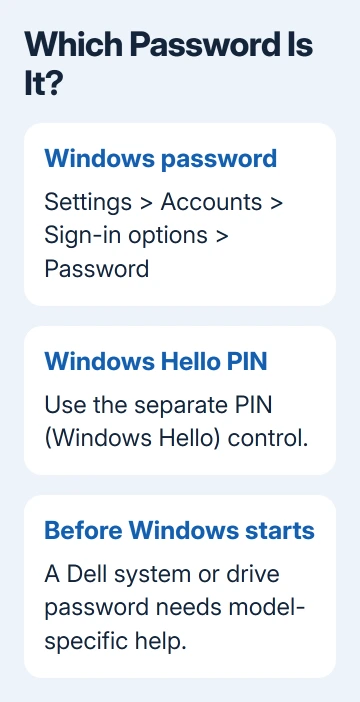
Change a Dell laptop's Windows password in Settings > Accounts > Sign-in options > Password > Change. Windows Hello PINs use a separate control. A password prompt before Windows loads needs the Dell model's own instructions.
Check which password or PIN you're changing before entering a new one. A Microsoft account password also belongs to your online account; a local account password belongs to that Windows account on the laptop.
In this guide
Identify the password on the screen
A prompt beside your Windows account picture is a Windows sign-in prompt. Select Sign-in options to see which method is active. A PIN box and a password box can appear on the same account, but they aren't interchangeable.
While signed in, open Settings > Accounts > Your info. Check whether the account uses a Microsoft account or is marked as a local account. This tells you which recovery route applies if you don't know its password.
IT may manage the Windows account on your work or school computer, including password rules and recovery options. Don't create a replacement personal account just to get around a managed sign-in problem.
Passwords requested before the Windows sign-in screen can be firmware or drive passwords. A blue BitLocker recovery screen is different again. Note the exact wording instead of treating every locked screen as the same password box.
Change a Windows password that you already know
Save your work, then press Windows-I to open Settings. Windows 10 and 11 share the Accounts > Sign-in options route. Expand Password and select Change.
Enter the current password when requested. Enter the new password twice when asked, then finish the on-screen steps. For a local account, Windows can also ask for a password hint.
Use a hint that reminds you of the password without spelling it out. Other people can see a hint at sign-in. The password itself should be saved somewhere you can reach even when this laptop is locked.
Microsoft documents the Windows password route, including the identity checks you'll need if you've forgotten the current password.
Changing your Microsoft account password also changes it for the other services that use that account. It isn't a Dell-only password. A local password change doesn't change your email provider's password.
Press Windows-L after finishing. Select the password sign-in method and check the new password. If Windows was showing a PIN box, switching to the password option matters before you judge whether the change worked.
If Password isn't available, identify the Windows account type and see whether a workplace manages sign-in. Passwordless accounts and Windows Hello-only sign-in settings can show different options.
Change the PIN when that is what Windows asks for
For Windows 11 or 10, open Settings > Accounts > Sign-in options > PIN (Windows Hello). Choose Change PIN. Enter your current PIN, then enter the new one as prompted.
Each device has its own Windows Hello PIN. Changing it doesn't change your online Microsoft password or another computer's PIN. An online password can work while the laptop still asks for its old PIN.
For a forgotten PIN while signed in, use I forgot my PIN. Complete the checks to confirm the account is yours. Microsoft accounts can also offer this link at the locked screen; local accounts don't.
For a local account without that link, open Sign-in options and use the account password for sign-in. Then change or reset the PIN in Settings. A remembered password gives you a way back without resetting Windows.
I'd try the other sign-in method before doing account recovery. It's common to remember the account password but mistake a PIN prompt for a demand to change it.
Reset a forgotten Microsoft account password
At the Windows sign-in screen, select I forgot my password if it's offered. Follow the prompts to verify your identity and set a new password. Keep the laptop online for this process.
Another route is the Microsoft password reset form on a phone or another computer. Enter the account used on the Dell, then complete the verification choices the form offers.
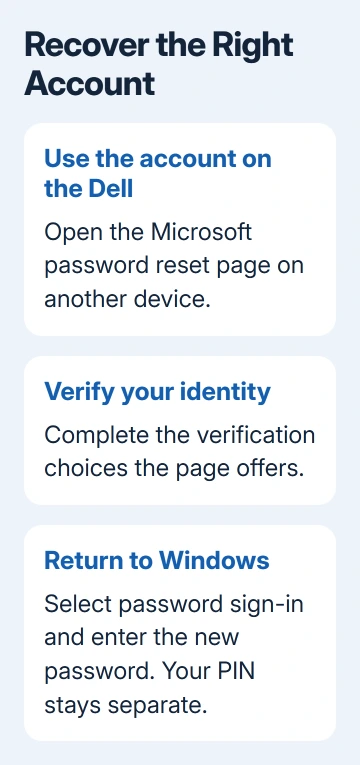
Use the account shown at Windows sign-in. Resetting a different Outlook or Microsoft address won't unlock this Windows account, even if both addresses belong to you.
If the registered recovery email or phone isn't available, follow the Microsoft account recovery options. Support can't bypass the identity checks or simply issue a password on request.
After the reset, return to the laptop and select the password method. Enter the new account password. Your PIN is separate, so resetting the password online doesn't replace it too.
Recover a forgotten local account password
For a local account, submit the password at sign-in, select OK, then Reset password when Windows offers it. Answer the security questions created for that account and enter the new password.
If you made a password reset disk earlier, it gives you another route: select Use a password reset disk. The disk must already exist for that account; making a new USB recovery tool after the lockout isn't the same thing.
These options depend on what was set up earlier. A missing Reset password link isn't an instruction to use Microsoft account recovery for a local account. Windows recovers a local password differently from an online Microsoft password.
Someone with an existing administrator account can help manage the local account. Have that person review the available reset method and its warning before proceeding, especially if the account uses encrypted files.
For separate people sharing the laptop, create separate Windows accounts after access is restored. Changing one shared password repeatedly makes it harder to tell whose files and settings belong to whom.
When Windows password steps don't apply
A system, administrator or drive password shown before Windows starts needs your Dell model's instructions. Give Dell Support the Service Tag and the prompt's wording. Windows password settings can't change that lock.
For a company laptop, give IT the account name and the screen where sign-in stops. For a personal Microsoft account, use the sign-in helper if password recovery fails. Keep recovery keys and verification codes private.
If local recovery doesn't work and you can't use another administrator account, you may need to reset Windows. Review backups and reset choices first. Reinstalling Windows is much more disruptive than changing a password.
The Short Version
Use Accounts > Sign-in options for a Windows password or PIN. Recover Microsoft accounts online; use security questions or an existing reset disk for local accounts. Preboot Dell locks need model-specific support.
Checked November 15, 2026.
 If you have any business, I can build it online