To download and install an itch.io game through the itch app, open the game's page in the app and choose Install. Choose a download for your operating system. A Windows build won't automatically run on a Mac.
A browser download works too, but the file may need extracting or installing before you can play. Some games run only inside the browser and don't offer a separate desktop download.
In this guide
Install the itch app for your computer
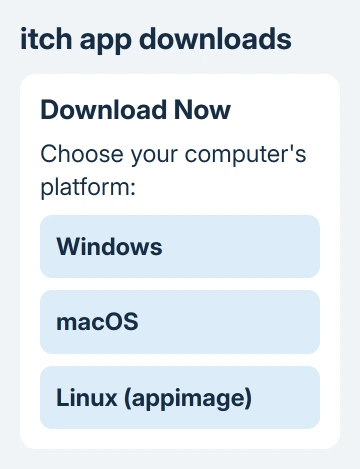
Open the official itch app download page and select your operating system. Download the Windows, macOS, or Linux installer that matches the computer you're using, rather than an individual game's file.
The app installs and updates the games it supports. I'd use it for a first download because it handles the unpacking that can make a ZIP download confusing.
On Windows, start the installer you downloaded, then complete its setup prompts. To inspect its publisher first, right-click the installer, choose Properties, and look at Digital Signatures. The app's installer is signed to itch corp.
On macOS, open the downloaded archive and then Install itch.app. The install instructions note that a second attempt can be needed if that installer doesn't launch the first time. Use the official download rather than a repackaged copy.
Linux has its own installer and instructions on that download page. Don't choose a Windows executable just because the game you eventually want is a Windows game; the client and the game's operating-system support are separate choices.
Find the game and check its platform
Sign into itch with the account holding any purchases or bundles you want to use. Browse the website inside the app, or use the search field to find a game you already own or have installed.
The search field suggests library items, collections, and bundles. To search beyond those items, choose Search itch.io for… at the end of the suggestions. That opens the wider website search.
On the game's page, check which platforms its downloads support. Windows, macOS, and Linux files are separate builds. A game may be available for just one of those systems.
The app normally lists compatible files in the install dialog, as explained in its download instructions. That filter saves you from choosing a file intended for another operating system.
If only a Windows download exists and you're using macOS, stop there and check the developer's requirements. The presence of the itch app on a Mac doesn't turn every Windows game into a Mac game.
Download and launch through the app
- Open the game's page inside itch.
- Select Install for a game available to your account.
- Choose a compatible download and installation location in the dialog.
- Confirm installation and let the transfer and unpacking finish.
- Launch the installed game from the app and check that its own menu opens.
If the button says Purchase, the app doesn't currently see ownership for that game. Check that you're signed into the account used for the purchase before buying the same copy again.
For a free game, follow the page's download or claim choices. Some creators accept an optional payment. Each creator chooses the available options, so a free download and a paid-only game won't show identical screens.
Wait until installation finishes before launching the game. A download notification means the file has arrived, but the app still needs to unpack it and get it ready to run.
Keep the computer awake during the transfer. The download and sleep explanation describes why turning off the display is different from putting a computer to sleep, even though that guide uses Steam's controls.
Use a browser download when you prefer the files
Open the game's itch.io page in your browser and use its download or purchase control. Choose the file labeled for your operating system. Read the creator's instructions beside the files before opening the download.
If the Windows download is a ZIP archive, locate it in File Explorer, right-click the archive, and select Extract All. Choose the destination, extract the contents, then open the extracted folder and start the game's executable.
Keep the extracted files together. Some games store graphics, audio, and other data beside the program, so moving only the executable to the desktop can stop it from finding what it needs.
The Windows archive instructions explain the built-in extraction controls. Windows can extract a normal ZIP without another paid utility.
On a Mac, double-click a ZIP archive to expand it and follow the included instructions for the app or installer. A disk image or another package type has its own opening steps; the game's download notes should identify them.
Only open games from creators you trust. If macOS blocks an unfamiliar app, Apple's own guidance says to verify the source before approving a blocked app.
When Install is missing or the game won't start
Show all downloads reveals files hidden by the app's platform filter. Choosing an incompatible one changes the button to Install anyway and warns that the game may fail to launch. That isn't a compatibility fix.
The app can use Wine, software for running Windows programs, when it's already installed and the app can find its command. That doesn't make every game work, and you don't need it for a game with a proper build for your own system.
If a game runs in the browser but has no desktop files, use its browser play control. Only the developer can supply a supported desktop version. Saving that webpage won't turn the browser game into one.
If installation fails, check the free space where you chose to install the game and copy the error message. If the game won't launch, note its name, the file you chose, your operating system, and any error message.
Use the game's support or community link for a problem limited to that title. Use the app's help option when several games fail to install inside itch. Tell support whether the same game also fails from its direct browser download.
The Short Version
Choose a compatible game, then install it through the itch app. For a browser ZIP download, extract the whole folder before opening the game. Check platform support before overriding the app's download filter.
Checked November 13, 2026.