
A hardware check on Windows 11 needs a test for the suspected part. Use the PC maker's diagnostics for component checks or Windows Memory Diagnostic for RAM. Windows Security's green health report covers a narrower set of issues.
Save open work before any test that restarts the computer. Record the model and the symptom first, so the result can be tied to the problem you are trying to solve.
Choose a test that answers the hardware question
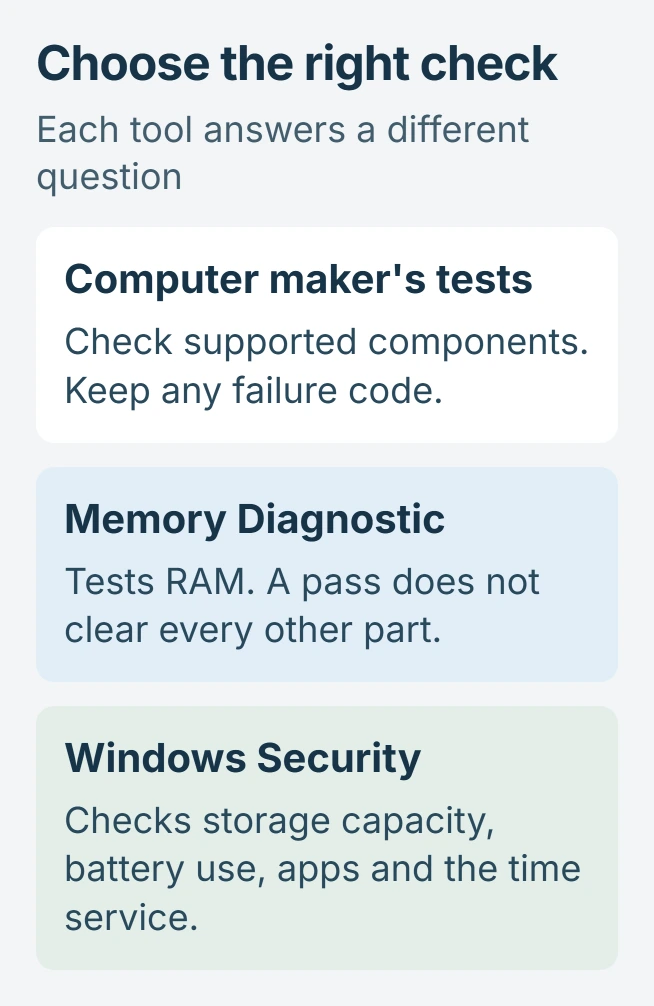
For crashes or a suspected faulty part, use the diagnostic tool documented for your exact PC model. A test that runs before Windows loads can still work when Windows itself will not start.
Microsoft documents System Information as a way to inspect the computer's configuration. Press Windows+R, enter msinfo32, then look for System Manufacturer and System Model in System Summary.
Status: Windows 11 diagnostic routes and Dell's startup-test instructions checked November 1, 2026. No restart, stress test or component diagnosis was performed on this PC.
The System Information reference describes configuration reporting. A device appearing in that list is not proof that it passes a hardware test.
Run the computer maker's diagnostic
On a Dell, restart and press F12 when the Dell logo appears. In the startup menu, choose Diagnostics, then press Enter. Stay with the computer and respond to any test prompts.
Dell says to retain both the error code and validation code if a test fails in its preboot diagnostic instructions.
Other manufacturers use their own keys, applications and test menus. Look up the model on its support site and follow its hardware-diagnostic instructions. F12 is the Dell route described here, not a universal Windows shortcut.
If the test reports a failed component, send the code and model to the manufacturer before buying a replacement. If it passes but the fault continues, ask which extended or component-specific test matches that symptom.
Check RAM with Windows Memory Diagnostic
Close your documents, press Windows+R, enter mdsched, then confirm. If Windows requests administrator permission, use an authorized administrator account.
Select the option to restart now and check for problems. Windows reboots into the memory test, runs it, and restarts again afterward. Microsoft describes this sequence in its memory-check instructions.
The standard test starts automatically. For the extended test, press F1 on the diagnostic screen, select Extended under Test Mix, then press F10. Allow more time for that broader memory check.
Read the reported result after signing back in. If the notification never appears, use the memory-test result lookup; silence alone does not establish a completed test.
A memory pass answers the RAM test, not the condition of the graphics card, power supply or every intermittent fault. Preserve the exact result alongside the original crash or failure details.
Use Windows Security for its narrower health report
Open Windows Security from Start and select Device performance & health. Microsoft states that opening this page runs a health scan and updates the displayed scan time.
Its health-report documentation lists storage capacity, battery life, apps and software, and the Windows Time service.
Select any yellow warning to read its recommended action. A green result covers those report categories; it does not replace the maker's component tests.
For a battery that runs down quickly, the laptop battery-capacity guide addresses wear separately from apps consuming power. A battery-use recommendation and reduced physical capacity need different responses.
Persistent failures with passing tests still belong with the PC maker or a repair technician. Provide the test name, result, model and conditions that trigger the fault, rather than describing the computer as fully healthy.
The Short Version
Use the manufacturer's diagnostics for component tests, Windows Memory Diagnostic for RAM, and Windows Security for its listed health categories. Keep the result alongside the symptoms that prompted the test.

Isaac Smith is the founder and editor of PC Glance, a website that covers computers, laptops, and technology. He is a tech enthusiast and a computer geek who loves to share his insights and help his readers make smart choices when buying tech gadgets or laptops. He is always curious and updated about the latest tech trends.