
A PC power supply check starts with its exact model and supported test, because a stopped fan does not always mean a dead supply. Check the outlet and power cable first, then use a built-in self-test if the computer provides one.
These checks concern a desktop's power supply unit, or PSU. A laptop's charging adapter and battery need different procedures. Keep the PSU's metal enclosure closed; internal electrical testing belongs with a qualified technician.
Identify the supply and check incoming power
Find the desktop model on its case label, then open that model's service manual. For a custom-built PC, use the PSU model from its purchase record or accessible label. A wattage figure alone does not identify its test procedure.
Shut the computer down before checking the external power lead. Seat the cable securely and try a known-working wall outlet. Stop using a damaged lead, scorched connector or supply that smells burned.
Status: Dell's PSU self-test and Corsair's fan/tester limitations checked November 2, 2026. Results are model-specific; no power supply was opened or tested.
If pressing Power produces no response, the desktop no-power checks cover the wider startup problem. Lights or a fan alone do not name the failed component.
Run Dell's self-test only on a supported model
The two procedures documented by Dell cover different PSU designs. Confirm which design the service manual shows before following either one.
With an accessible BIST button: turn the desktop off, leave its power cable connected, then press the PSU's test button. Watch the test light and fan together.
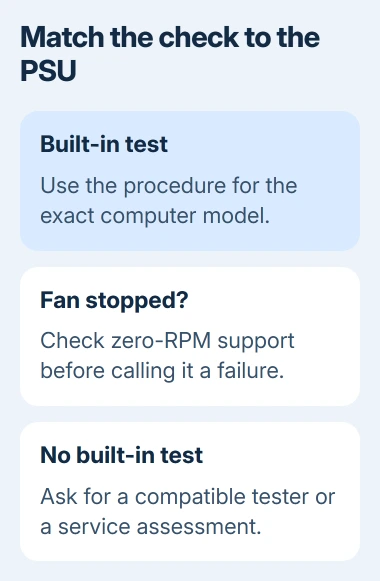
Dell says a steady light plus normal fan operation is a pass. An unlit indicator or a fan that fails to spin correctly is a failed test, even when the indicator lights.
Without a BIST button, on models supporting the cable-triggered test: shut down, disconnect the PSU's power cable, wait 15-20 seconds, then reconnect it. The indicator should illuminate for roughly three seconds and go out.
Dell states that a failed test should be repeated once after disconnecting and reconnecting the power cable. If it fails again, contact Dell for service. Do not apply this timing to an unrelated PSU with no documented test light.
A pass shows power delivery during that test. If the computer still cannot start, report both results rather than declaring the whole computer healthy.
Interpret a stopped fan using that PSU's instructions
Some retail PSUs deliberately stop their fans under light demand. Corsair says zero-RPM models run the fan only when needed. A quiet fan during ordinary use can therefore be normal.
This does not override the fan requirement in Dell's BIST procedure. Idle cooling behavior and an active self-test have different pass conditions. Use the instructions for the installed supply rather than another brand's fan rule.
Do not block a fan or force a heavy workload simply to see whether it spins. If fan behavior disagrees with the model's documentation, ask its manufacturer to assess the symptom.
Treat tester warnings and Windows reports carefully
When no built-in test exists, the PSU maker can specify a compatible tester or service check. Connector shape and a generic tester's display are insufficient to establish compatibility.
Corsair's PSU testing guidance warns that some testers misreport the optional -12 V output and PG timing on newer supplies. An alarm needs interpretation against the supply's specification.
Microsoft's Windows Security health report covers storage, battery use, software and the time service. It does not list a desktop PSU electrical test.
Use the Windows hardware-test choices for other suspected components. A green software report cannot settle a supply that fails only during startup or heavier use.
For repeated shutdowns or an unresolved no-power fault, give a repair technician the PSU model, PC configuration and exact test result. Ask for a compatible supply comparison or electrical assessment before buying a replacement.
The Short Version
Check incoming power, identify the PSU and follow its supported self-test. Interpret fans and tester alarms using that model's specifications. A failed test needs service; a pass with continuing symptoms still needs further diagnosis.

Isaac Smith is the founder and editor of PC Glance, a website that covers computers, laptops, and technology. He is a tech enthusiast and a computer geek who loves to share his insights and help his readers make smart choices when buying tech gadgets or laptops. He is always curious and updated about the latest tech trends.