

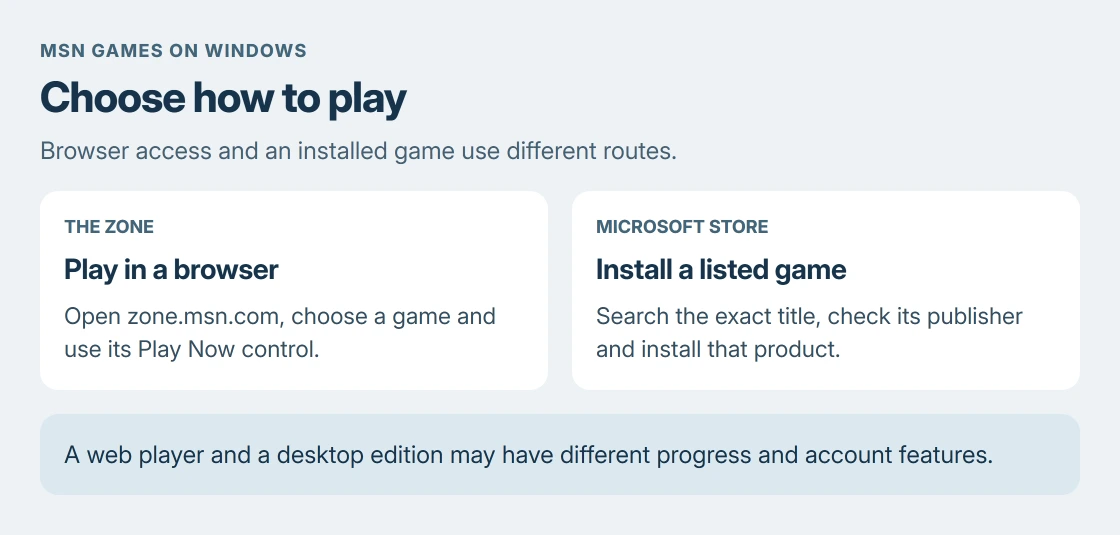
MSN Games for Windows 10 can be played through Microsoft's The Zone website. Open zone.msn.com, choose a game and select Play Now. The browser route gets you to the games without installing a separate MSN Games package.
The current site includes Microsoft Solitaire Collection, Jewel and word games. Start with its free online games section when the goal is to play on a Windows laptop or desktop.
Open The Zone and choose a browser game
Enter https://zone.msn.com/ in your browser's address bar. The page identifies itself as Microsoft Casual Games, The Zone. Choose a game from the home page, or use its categories to narrow the selection.
Select the game's Play Now control. Wait for its player to load, then follow the instructions inside that game. Reaching an interactive board or puzzle confirms that the browser game has started.
Status: The Zone's game catalog and Microsoft's Edge troubleshooting instructions checked 24 October 2026. This guide covers browser access; no game was played on this laptop.
Use the game's own sign-in controls if it offers saved progress or account features. Do not assume that progress from an installed Windows game will appear in its browser version; check that game's account and progress instructions.
Choose the website or an installed game deliberately
The Zone opens games inside the browser. A Microsoft Store listing installs the particular product named in that listing. Those are separate ways to access a game, even when their names look similar.
For an installed game, open Microsoft Store, search its exact title and inspect the publisher and device requirements. A download offered elsewhere on the page is not needed just to use The Zone's online player.
An installed Solitaire app with a failed Xbox login has a different problem. Our Solitaire sign-in error guide addresses the account failure, which an MSN installer would not resolve.
A game stays on its loading screen
First reload the game page. If it still stalls, close other game tabs and retry with one player open. Microsoft says a browser can run short of memory when it is also handling other tabs, extensions and programs.
Next open Edge's Settings and more menu, choose Help and feedback, then About Microsoft Edge. Let any offered update finish and restart the browser when requested. Microsoft documents that update check in its browser repair steps.
If the fault remains, follow Microsoft's Edge loading checks. Its cache-clearing procedure can help with damaged page data, but it does not guarantee a repair for every game.
Microsoft states that temporary internet files are saved to speed up page loading. Clear cached files through Edge's browsing-data controls before considering a browser reset. Selecting cookies as well can sign you out of websites.
Check whether one game or the whole service fails
Try a second game on The Zone. A working second game narrows the report to the first title or its player. If unrelated websites also fail, deal with the connection before changing game settings.
For failures across devices or networks, use our service-versus-device comparison. The comparison helps decide whether local browser changes are useful; it does not establish an outage by itself.
Use Support in The Zone's footer if the game remains unavailable. Include its title, the page address, browser version and what happens after Play Now. Those details distinguish a player failure from a login or connection problem.
The Short Version
Open The Zone, select a title and start its online player. An installed Store game is a separate option. For a stalled player, check the browser update, cached files and whether other games load before contacting support.
Where to Next
Keep the failing game's address with the report. A title-specific loading problem needs that detail more than a screenshot of the Windows desktop.

Isaac Smith is the founder and editor of PC Glance, a website that covers computers, laptops, and technology. He is a tech enthusiast and a computer geek who loves to share his insights and help his readers make smart choices when buying tech gadgets or laptops. He is always curious and updated about the latest tech trends.