
The mywifiext NETGEAR setup page opens through the extender's connection. Join its Wi-Fi first, then enter the setup address in the browser. Searching while connected to another network can lead somewhere else.
A new extender can show no internet during this stage. That is expected until its setup connects it to the router.
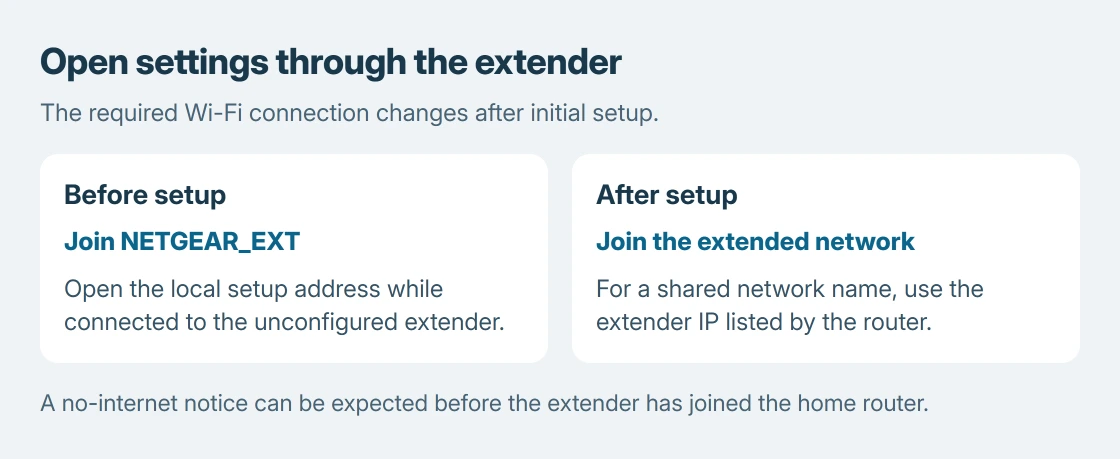
Connect to the extender before opening its page
Plug the extender into an outlet near the router. If it has an Access Point/Extender switch, select Extender for wireless extension. Wait for its power indicator to settle as the model's guide describes.
Open the laptop or phone's Wi-Fi list and join NETGEAR_EXT for an unconfigured extender. NETGEAR says this initial network may be open or use password as its default key; check the model's instructions.
Status: NETGEAR's browser setup, local-address troubleshooting and later-login instructions checked October 25, 2026. No extender was configured here.
Keep the device on that connection if it warns that internet is unavailable. The local setup interface must be reachable before the extender can supply internet access.
The home router installation guide covers a different starting point: a router that has not yet established its own internet service.
Complete the browser setup and reconnect
NETGEAR's current browser setup instructions specify mywifiext.com. Its older mywifiext.net address is also covered by the manufacturer's local-access help.
- Type the documented address into the browser's address bar while connected to the extender.
- Choose NEW EXTENDER SETUP if offered. Some interfaces start searching for networks immediately.
- Create the extender's administrator login and complete any recovery questions. This login protects its settings; it is separate from the household Wi-Fi password.
- Select the router's network, supply its wireless password and choose the extended network names when prompted.
- Let the settings apply. Join the resulting extended network, then return to the setup page and complete CONTINUE if requested.
The final network can have its own name or share the router's name on supported models. Use the setup summary rather than assuming every extender adds the same suffix.
Page unavailable? Check the connection and address
The connection requirement is documented by NETGEAR: mywifiext addresses open a local interface, and the computer must connect to the extender by Wi-Fi or Ethernet.
Check the selected Wi-Fi name again. A phone that switched away from an internet-free setup network will lose access to the extender even though ordinary websites now work.
Try a different browser next. For initial access, NETGEAR also lists 192.168.1.250 as the default address. A configured extender can acquire a different address, so that number is not a universal later login.
For an installed extender sharing the router's network name, use its current address from the router's connected-device list. NETGEAR's post-installation login guide makes that distinction.
The reset decision is ours: confirm direct access before considering a factory reset.
Resetting an extender already in service removes its configuration and requires setup again. Use the exact model's recovery instructions if its login cannot be recovered.
Verify coverage after setup succeeds
Move the extender only after setup finishes. Use the model's router-link indicator to choose a location that still receives the router. Our extender coverage guide explains placement and speed limits.
If the local page remains unreachable on the correct connection, contact NETGEAR with the model, indicator states and attempted address. A paid login-unlock service is not part of this setup.
The Short Version
Join the extender's network before opening its local setup address. Complete the wizard and reconnect to the resulting network. For later access, a shared network name may require the extender's assigned IP address.

Isaac Smith is the founder and editor of PC Glance, a website that covers computers, laptops, and technology. He is a tech enthusiast and a computer geek who loves to share his insights and help his readers make smart choices when buying tech gadgets or laptops. He is always curious and updated about the latest tech trends.