
Without internet, a Windows 11 PC cannot fetch the network adapter driver it needs, so your driver download has to come another way.
I'll help you identify the right package, bring it across on a USB drive, and install it offline. You'll need another connected computer.
Identify the offline computer before downloading
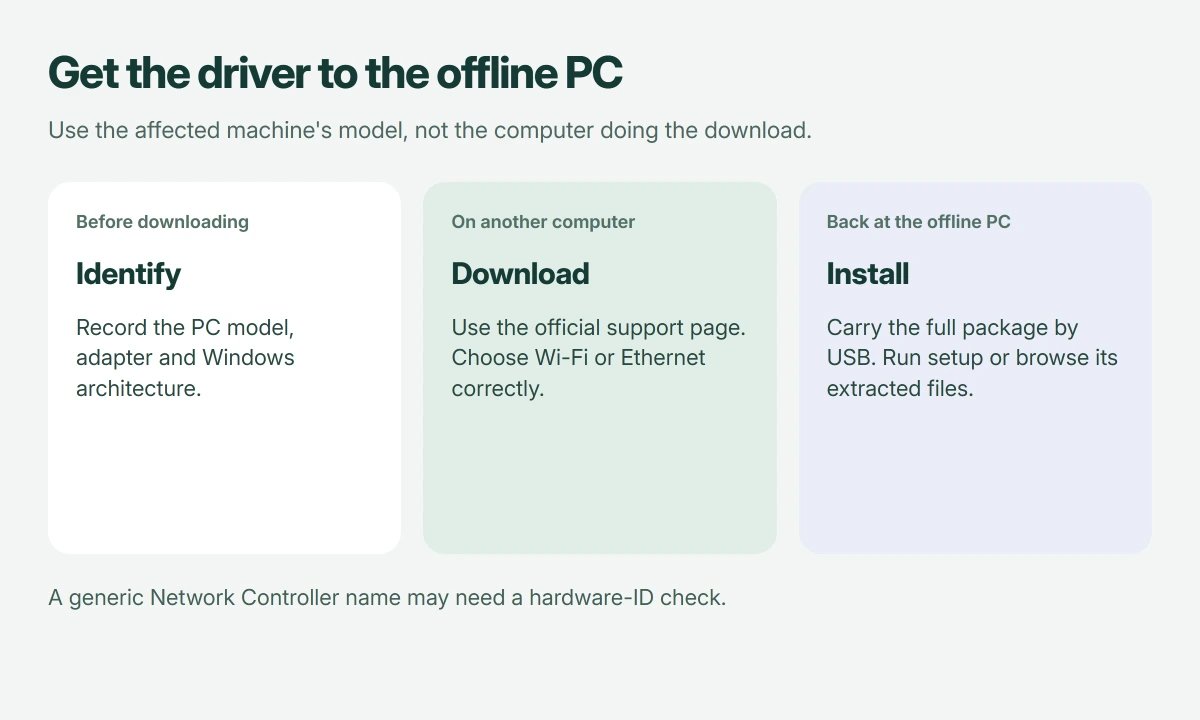
Write down your PC's manufacturer and full model number from its label or support information. For an added USB or PCIe network adapter, use that adapter's model too.
Microsoft documents downloading a replacement on another PC and transferring it by USB in its Wi-Fi repair guidance. It specifically calls for the correct PC manufacturer and model.
Status: Offline driver download and installation routes verified 18 October 2026. Microsoft documentation covers desktop installation and Windows setup separately. No adapter was changed here.
I would gather those details first. A support site's automatic detection tool identifies the computer running the tool, which may be completely different from the offline one.
Match Wi-Fi, Ethernet, and Windows architecture
On the connected computer, open the affected PC maker's official support site, manually select the exact model, then filter its downloads for Windows 11.
Choose the wireless or WLAN package for Wi-Fi, and the LAN or Ethernet package for wired networking. For a separately purchased adapter, check its maker's model-specific download page.
Microsoft says the package must match your Windows version and architecture in its manual installation instructions. On the offline desktop, Settings > System > About > System type identifies the architecture.
Those architecture labels need to match. Also, downloading a router firmware file won't install a driver for the network device inside your PC.
On a B550M AORUS ELITE AX, choose the package for the board's revision before copying it to the offline PC.
Only Network Controller appears? Copy its hardware ID
Open Device Manager on the offline PC. A device lacking its driver may appear under Other devices instead of Network adapters, with a generic name such as Network Controller.
Open its Properties > Details, then select Hardware Ids from the property list. Copy the first identifier to your notes for the manufacturer's support search or support team.
Microsoft states that hardware IDs help Windows match a device to a driver package in its hardware-ID documentation. That generic name isn't enough.
Don't choose between several packages by guessing. I would ask the manufacturer to match that ID when its download page doesn't make the choice clear.
Transfer the whole package and install it locally
Copy the downloaded package onto your USB drive and then onto the offline PC, keeping all its supplied files together, including anything accompanying an INF file.
Run the maker's EXE installer, if supplied. If it supplies a ZIP, extract it first and read any included installation notes.
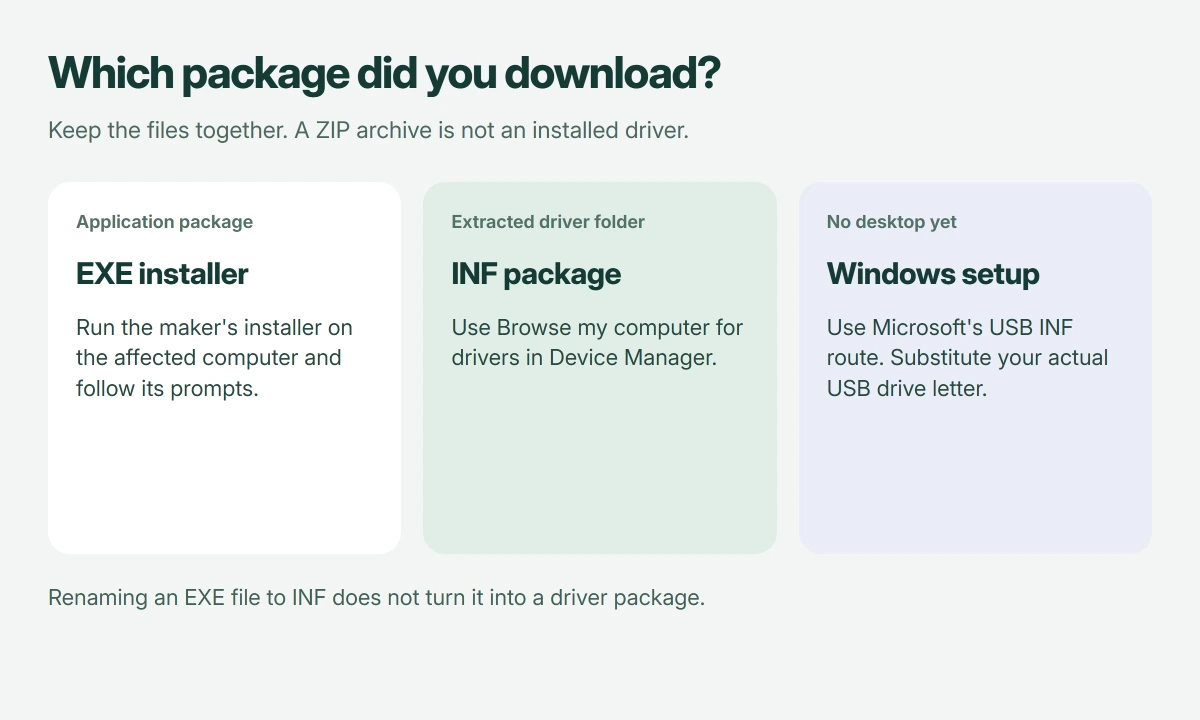
In Device Manager, right-click the affected device. Select Update driver > Browse my computer for drivers, choose the extracted folder, include its subfolders if needed, then continue with Next.
Restart if prompted. Check whether your Wi-Fi networks appear or the Ethernet connection becomes available, then test opening a website.
For a previously working adapter that stopped after Windows changed, try the update-specific driver repair with your replacement package ready.
If an HP laptop still has no Wi-Fi control, check its wireless key and adapter state before downloading a second driver.
If the adapter returns but one network still rejects you, our connection-rejection guide takes over. That is a different result from Windows having no driver for the adapter.
Still on the Windows setup screen?
If you can't reach the desktop yet, Microsoft's setup connection guide provides a separate route when setup cannot find Wi-Fi.
For its extracted-driver method, place the package's INF and accompanying files at the USB drive's top level. Insert the drive and press Shift + F10 to open Command Prompt.
Use diskpart, then list volume, to find the USB drive letter. Leave DiskPart by typing exit.
For a USB drive assigned D:, Microsoft's example is pnputil /add-driver D:\*.inf. Substitute your actual drive letter, then use pnputil /scan-devices if detection needs refreshing.
Return to setup and check for networks. An EXE-only package needs the manufacturer's installation instructions; renaming it to INF doesn't convert it.
When installing the matching package changes nothing
Record any error shown in Device Manager. For wired networking, our Ethernet cable-link checks help separate a missing physical link from a driver problem.
A successful installer isn't proof of internet access. The adapter, local connection, and internet service each still need to work, so report which part remains missing.
When the adapter works but browser downloads stop partway, the failed download checks test the Wi-Fi side first.
The Short Version
Download for the offline machine's exact model, adapter, and Windows architecture. Carry the complete package by USB, then run its installer or select its extracted folder. Windows setup has a separate INF installation route.
Where to Next
What name or error appears for your adapter, and can you reach the desktop yet? Include your computer model and the missing connection type, either Wi-Fi or Ethernet. Please leave serial numbers out of your comment.

Isaac Smith is the founder and editor of PC Glance, a website that covers computers, laptops, and technology. He is a tech enthusiast and a computer geek who loves to share his insights and help his readers make smart choices when buying tech gadgets or laptops. He is always curious and updated about the latest tech trends.