A OneNote page link that opens your browser may have lost its app address during a plain-text paste. Paste into OneNote with Keep Source Formatting first, then inspect the link's Address field if it still opens online.
Office repair fixed copying for the original owner, but later owners said both repair modes failed. The internal page picker and formatted-paste methods kept links opening in the desktop app for several of them.
In this guide
1. Check which address OneNote copied
Right-click the destination page tab, select Copy Link to Page and paste into Notepad. Look at the beginning of the address. A web address starts with https:, while a desktop OneNote link starts with onenote:.
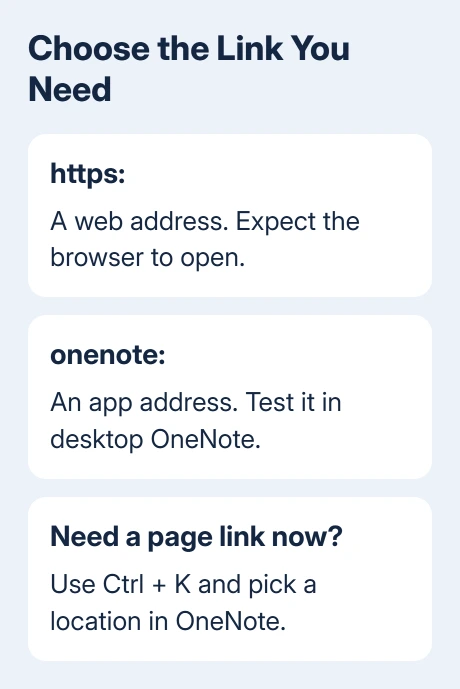
An onenote: link can open a notebook stored on OneDrive. It selects the app, not the notebook's storage location.
Don't edit the original note while doing this check. Notepad is simply a way to inspect what was copied, without a rich-text editor displaying a page title in place of the actual address.
The original owner saw newly copied links begin with a OneDrive web address, while older links used the onenote: app address. They reported the change in Microsoft 365 version 2505 on Windows 11.
If the new address is HTTPS and opens a browser, it's following the web address you pasted. Changing the handler for OneNote app links doesn't turn every OneDrive website address into an internal page link.
If the copied address already starts with onenote: but launches the wrong app, follow the OneNote app-default checks. That differs from a copied address containing only the web form.
2. Build a page link with the internal location picker
For a link between pages in desktop OneNote, highlight the text you want to make clickable and press Ctrl + K. You can also right-click the selected words and choose Link.
In the Link dialog, use Or pick a location in OneNote. Expand the notebook and section, select the destination page and confirm with OK. You don't need to paste the copied web address into the Address field.
Click your new link and confirm its destination page inside OneNote. A notebook can contain several pages with the same title, so confirm its section and contents rather than stopping at a familiar name.
An owner in that discussion confirmed this route worked. It takes you to a page, though, not the exact paragraph inside that page. A long page still requires scrolling to the relevant passage.
I'd use this for a contents page or a short note when getting the link working matters more than keeping the old copy-and-paste workflow. For a link to a specific paragraph, use the next method instead.
The normal page-link procedure is still to copy a page tab's link and paste it into notes. The internal picker gives you another route when that copied address no longer behaves as expected.
3. Recover a paragraph app link from rich text
Right-click the destination paragraph and choose Copy Link to Paragraph. Paste it temporarily into a OneNote page or Word document, keeping the source formatting so the pasted item remains a hyperlink.
Right-click that temporary hyperlink and choose Edit Link. Inspect its Address field. If it begins with onenote:, copy the complete address from that field.
Return to the words that should carry your finished link, select them and press Ctrl + K. Paste that complete app address into Address, confirm and test that the link reaches the intended paragraph.
Delete the temporary hyperlink after saving the finished one. It was a way to get the app address from the rich-text paste, rather than a second note you'll need later.
Several replies confirmed this workaround, including a variation that pastes directly into OneNote with Keep Source Formatting, then edits the displayed text. For those owners, the paste location and paste option changed the result.
If Edit Link still contains only an HTTPS address, stop there. Don't build an app address by adding onenote: to an arbitrary URL. The method depends on recovering the complete app link that OneNote actually supplied.
Also check where you'll use the link. OneNote for the web supports links within a notebook at page level, not paragraph level. A browser opening the page without jumping to the same paragraph isn't the same test as desktop OneNote.
4. Repair the Microsoft 365 installation
The original owner said Office repair solved it, without naming the repair mode. Later owners reported that neither repair mode helped. Keep using formatted pasting if that route works.
Save open Office documents and copy any unsynced OneNote notes somewhere safe before repair. Confirm that the recent pages are available online, or copy the desktop-only work somewhere separate before closing the app.
In Windows 11, open Settings > Apps > Installed apps, find Microsoft 365, open its three-dot menu and choose Modify. If the suite is named Office instead, select that installed entry.
In Windows 10, open Settings > Apps > Apps & features, choose your installed Office suite, followed by Modify. Approve the Windows prompt when the repair tool asks to make changes.
For Click-to-Run, Quick Repair replaces damaged files; Online Repair handles more extensive repair and requires internet access. An MSI installation has a different Repair screen. Follow the option offered by your installation.
After repair, reopen OneNote and create a fresh page link for the test. An older hyperlink you already pasted still contains its old address, so clicking only that old link won't tell you whether copying is fixed.
Paste the new link where you plan to use it and test it there. If page copying works again but paragraph copying doesn't, keep those results separate when reporting the remaining problem.
Report a copied-link fault that remains
Open OneNote's Help > Feedback route or contact Microsoft support for Office. Include the version from File > Account > About OneNote, the copy command used and whether the address changes when pasted into Notepad versus OneNote.
Remove notebook identifiers and private page details from any sample address you share publicly. Tell support whether your link starts with HTTPS or onenote: and where clicking it takes you. Keep private note contents out of the report.
If a link works for you but not another person, check notebook access separately. The OneNote sharing invitation guide covers getting the recipient access; switching to an app address doesn't grant permission.
The Short Version
Inspect the HTTPS or onenote: address. Use the location picker for a page or a formatted paste to recover a paragraph app link. If new links still use the wrong address, try Office repair.
Checked November 22, 2026.
 If you have any business, I can build it online