An existing Hotmail account opens through Outlook.com with the same full email address and Microsoft account password. Hotmail's name changed, but an active @hotmail.com address doesn't need replacing just to read its mail.
For a brand-new mailbox, choose the free account-creation option instead. Keep those two jobs separate: creating another account won't bring back messages from an old Hotmail inbox.
In this guide
Open the Hotmail inbox you already have
Enter outlook.com in your browser and select Sign in. Use your full Hotmail address, including the part after the @ sign. Continue with your password or the other sign-in method offered for that account.
Complete the verification request when one appears. A new device or travel can trigger an extra check, so a code request doesn't automatically mean the address has stopped working.
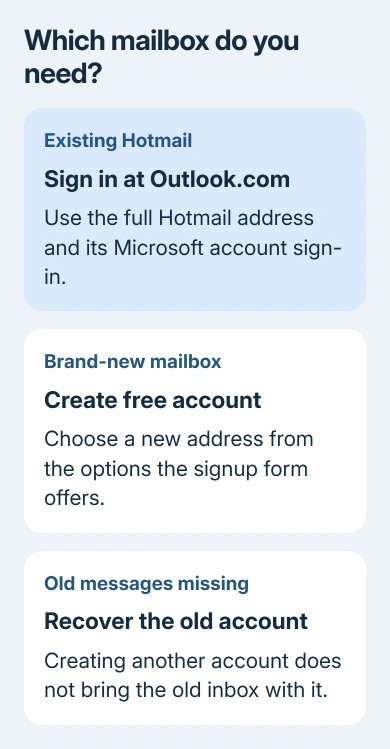
Microsoft's Hotmail sign-in instructions confirm the Outlook.com route. Browser access doesn't require Microsoft 365 or desktop Outlook.
Once the inbox appears, check the address through the profile menu. If the displayed mailbox belongs to someone else, sign out of that account and sign in with your Hotmail address.
Don't select Create account simply because the browser remembered the wrong person. The existing account has the mailbox you want; signing up again creates a separate account.
The personal mailbox site also differs from your employer's Outlook website. For a work or school address, follow the organization's sign-in route. A personal Hotmail account belongs on Outlook.com.
Create a free mailbox when you need a new address
Start from outlook.com and select Create free account, or open signup.live.com. Choose the new-email option when your goal is a mailbox, rather than an account that uses an existing address from another provider.
Pick an available address from the choices the form offers. Don't expect a particular ending just because an older tutorial shows it. The current account-creation guide offers new Outlook.com addresses.
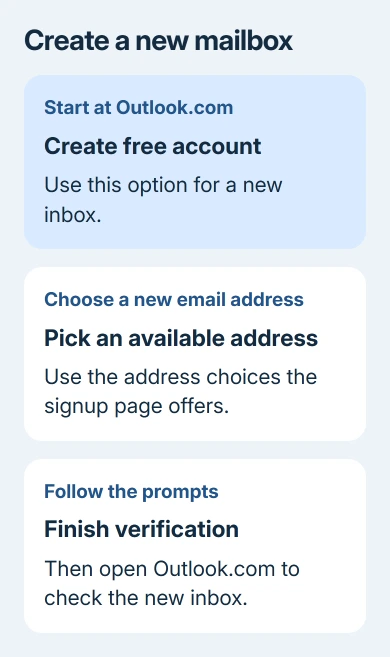
Follow the requested details and verification screens. The order can change, and not every signup offers the same password or phone-number choices. Follow the prompts for your account rather than trying to match an old video.
Use accurate details, including the birth date. A child's account needs the appropriate parent or guardian process. Keep access to the verification method you choose so future sign-ins don't depend on a device you no longer have.
After signup, return to Outlook.com and confirm the new address opens its own inbox. Send one message to another account you can check, then reply to it. That checks that you're using the mailbox you meant to create.
Our Microsoft account creation guide explains the existing-email choice. Using a Gmail address as your Microsoft username doesn't create a Hotmail inbox for that Gmail address.
I'd recover an old mailbox before creating a replacement. Otherwise, it's easy to spend time setting up a working new address and still have no access to the mail you came for.
Add an existing Hotmail account to a phone
Browser access works on a phone too: open Outlook.com and sign in as described earlier. Use that route first if you only need to check a message and don't want another app.
For a regular phone setup, install the official Microsoft Outlook app from your device's app store. Use its Add Account option, enter the Hotmail address, and finish Microsoft's sign-in and verification prompts.
If Outlook already has another mailbox, look for the add-account control in its settings. Don't replace that mailbox's address with Hotmail unless you're intentionally removing the original account.
Once setup finishes, use Outlook's account selector to check the Hotmail inbox. If the app has more than one account, confirm the sending address before composing a message.
The Gmail mobile account steps are another choice for Android or iPhone users who already use Gmail. That adds the Outlook mailbox to an app; it doesn't turn the address into Gmail.
If the phone app refuses the account but Outlook.com opens it, keep the app's exact error. The working browser sign-in means you should check that app's setup rather than create another Microsoft account.
Recover an old account instead of starting again
A forgotten password needs the sign-in screen's recovery option. Hotmail uses the sign-in details for that address's Microsoft account. It doesn't have an additional Hotmail-only password.
For a forgotten username, a blocked account or an unexpected rejection, use the sign-in troubleshooter linked from the Hotmail help page. Choose the problem it describes and follow the account-specific route it gives.
An old account can have a different outcome. The current help page warns that more than two years without signing in means the account may have been deleted. It doesn't say every account disappears on the same schedule.
Creating a new account can't restore a deleted inbox. If the address is rejected, first check spelling and any other sign-in address linked to the account, then use the troubleshooter before deciding what happened.
If sign-in works but the mailbox itself fails, check the service status link on the help page. During an incident, wait until service recovers instead of changing a working password.
For a persistent account problem, record the error wording and which sign-in step shows it. Use Get Help or the support route offered by the sign-in tool. Don't include passwords or verification codes in a support message.
Sign out on a shared device
The browser can keep you signed in automatically. On a computer that other people use, open Outlook's account picture or initials and choose Sign out when you're finished. Closing the tab alone isn't the sign-out step.
For a one-time visit, use the browser's private browsing mode and finish by closing its private windows. Check that your inbox isn't still open in a separate normal window from an earlier visit.
On your own device, staying signed in can be convenient. Think about who can use that browser afterward, especially if your inbox contains password resets or personal documents.
The Short Version
Existing Hotmail mail opens at Outlook.com with its original address. Create a free Outlook.com mailbox only when you need a new one. Recover the old account for old mail, and sign out when using a shared browser.
Checked November 16, 2026.
 If you have any business, I can build it online