A computer under warranty should go through its maker's repair service first. Outside warranty, compare the manufacturer's quote with an independent shop, especially when keeping your original storage drive matters.
A Mac, a Surface, and an HP computer don't all use the same repair network. Start with the brand and the fault, then ask what happens to the computer and its files before approving work.
In this guide
Match the repair route to the computer
Read the brand and model from the computer's label, receipt, or order record. Give the repair team your serial number privately. The exact model helps a shop check parts and whether the computer qualifies for service.
For a work-issued or school-issued computer, contact the organization's IT team first. It may have a service agreement, a loan device, or data rules that determine who can open the machine.
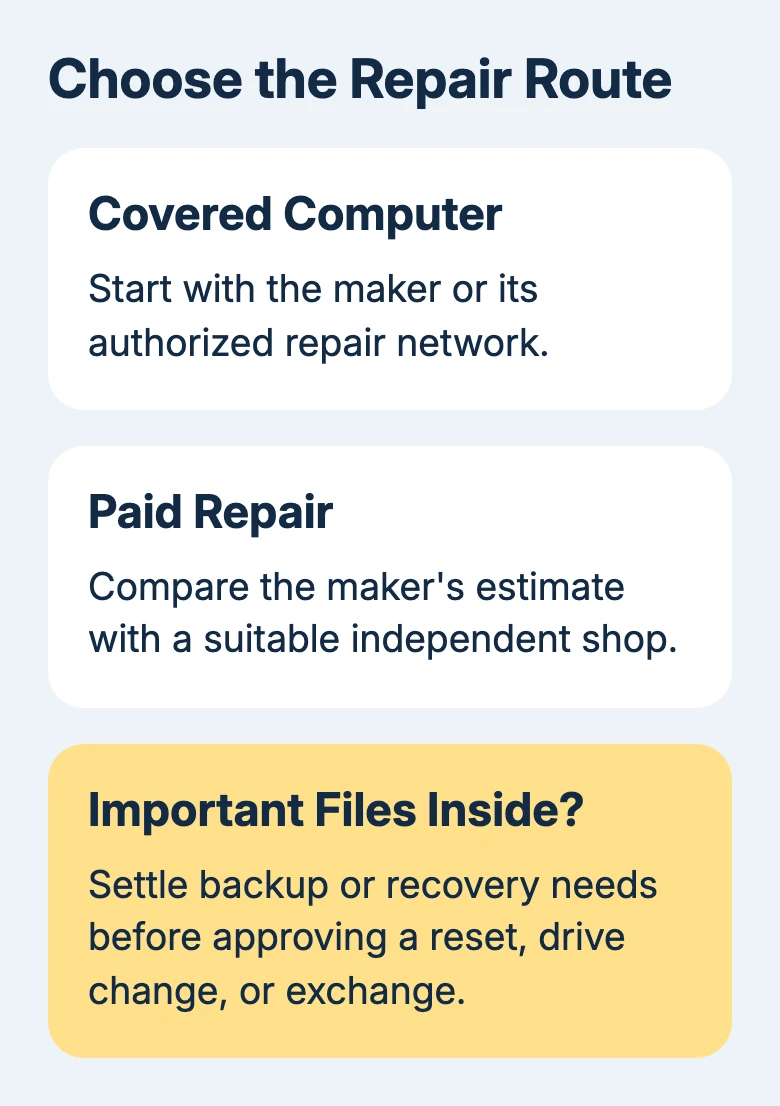
For a personally owned computer, check your warranty and any accidental-damage plan before paying for a local repair. Damage and an ordinary hardware failure can have different coverage, so describe what actually happened.
I'd get the coverage decision before agreeing to open up the computer. That gives you a clearer choice between a covered service route and a paid repair, instead of paying a diagnostic charge before learning another option was available.
Choose the Mac service network
Apple Authorized Service Providers and Genius Bar appointments offer Mac inspection and repair options. Depending on your location, mail-in service may also be available when traveling with the computer is inconvenient.
Apple describes those routes on its Mac repair service page. An authorized provider can set its own service fees, so ask the specific location for its estimate rather than assuming every location charges the same amount.
Bring the model details and receipt, and describe the symptoms. For an intermittent fault, describe when it appears: on battery, while charging, after waking, or with an accessory attached. That helps the technician recreate the problem.
For a broken display, compare the MacBook Air screen replacement considerations before approving a quote. The complete repair cost matters more than the price of a loose replacement panel.
An Independent Repair Provider is different from an authorized provider. These businesses can access genuine parts and repair resources for certain out-of-warranty Mac repairs, but may provide their own repair warranties.
Verify a Mac provider before booking
Use the repair-provider verification form to check a business that claims access to genuine parts. Enter the Provider name, choose the Country / Region and City, then select Verify provider.
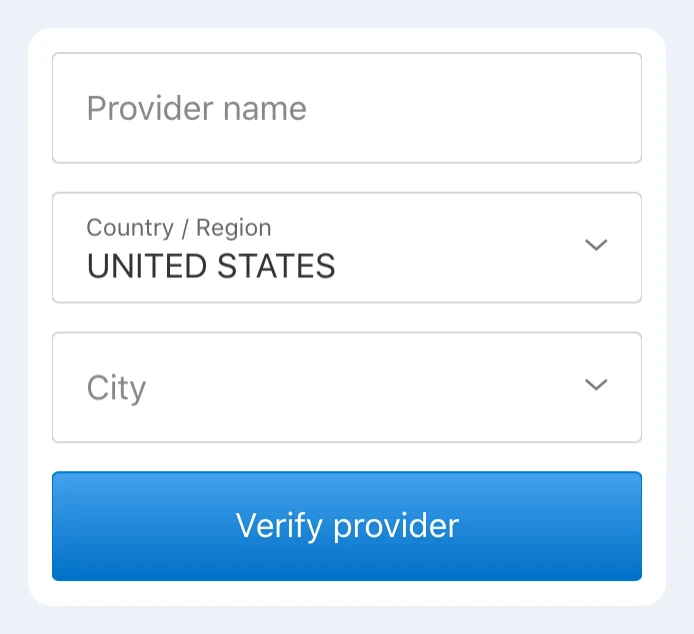
Read the matching record's type: Apple Authorized Service Provider or Independent Repair Provider. The distinction matters when you need a repair covered by the limited warranty or an AppleCare plan.
If the business name or city doesn't match, ask the shop to explain the listing before making an appointment. A familiar logo in a search result isn't the same information as a matching provider record.
An independent computer shop outside that program can still be an option for paid work. Ask it directly what parts it uses, what work it performs in-house, and who handles a problem if the same fault returns.
Use the Surface service process for a Surface computer
A Surface is Microsoft's hardware, so its service request belongs to the Surface repair process. A Windows PC from another maker doesn't become eligible for Surface hardware repair just because it runs the same operating system.
For a Surface, the maker offers a signed-in service request and, in some regions, in-person support through authorized providers. Have your device details and proof of purchase ready if the warranty information needs correcting.
Ask whether the offer is a repair or a replacement. An out-of-warranty or damaged Surface may be replaced with a refurbished device. That choice is especially important when you were expecting to receive the exact same computer back.
Service availability varies by product and country. Confirm the current offer for your model before planning a trip or sending the device. A local shop's ability to examine it doesn't mean every replacement part is available there.
Start an HP repair with its hardware support team
For an HP computer, give the support team your product details and describe the fault. Its repair guidance separates issues that support tools can check from broken parts, such as a damaged hinge or cracked screen.
A broken hinge or cracked screen doesn't need a software reinstall to show the damage. Ask how to send that model for repair and if parts are available. For startup or performance trouble, support may ask you to run a hardware test first.
Keep any diagnostic failure code with the case number if a test has already run. It helps the next person continue the same repair request. Don't replace a part solely because a general symptom resembles another computer's fault.
For other brands, use that manufacturer's hardware service team or a shop that confirms it services the model. A store that sells a brand isn't automatically its authorized repair location.
Ask these questions before approving a paid repair
Ask for the diagnostic charge, the repair estimate, and whether diagnosis is included if you approve the work. Have the shop explain which part it believes has failed and whether the quote includes parts, labor, and tax.
Ask whether it will request permission before extra work. If the machine needs both a screen and a damaged hinge repaired, a screen-only estimate won't describe the final cost. Give the provider the chance to quote the complete fault.
For replacement parts, ask whether the part is new, refurbished, or used and what warranty covers the completed work. Also ask what happens if the repair doesn't resolve the reported symptom.
Keep a copy of the intake description and the approved estimate. Record the accessories you leave with the computer. That record helps when you collect the computer, especially if a different technician or counter employee returns it.
Protect the files before handing over the machine
Create a backup while the computer can still access its files. A repair can require erasing or replacing storage, and a replacement service can return a different machine. An agreement to repair hardware isn't a promise to recover files.
For a working Mac, make a MacBook backup before the appointment. For a PC, save needed files on another drive or with your backup service, then try opening those copies on another device.
If your only copies are trapped inside a computer that won't start, say that before approving a reset, drive replacement, or exchange. Ask whether data recovery needs a separate specialist before the hardware service proceeds.
Follow the provider's preparation and shipping instructions. When it comes back, ask what was repaired and check for the fault you brought it in for. If it remains, use the case number and repair warranty to request another assessment.
The Short Version
Check coverage with your computer's maker first. For paid work, compare its offer with an independent shop. Verify the provider, get a written estimate, and settle what happens to the files before approving work.
Checked November 29, 2026.
 If you have any business, I can build it online