Mendeley's citation or bibliography wrongly placed in index area error can mean a Word field is damaged. Owners repaired stray ADDIN fields, broken citations, or conflicting index entries.
Work in a copy and check the field near the error first.
This is a document repair, so deleting the entire bibliography isn't the first move. First work out which field triggers the message. A long thesis can contain citations, graphs, and an abbreviation index, and each needs a different repair.
In this guide
1. Save a separate repair copy
Use File > Save As to save the document under a new name before editing its fields. Keep the original closed while you work on the copy. That gives you a reliable way back if a change removes something the document needs.
Try the citation action that causes the error and note where Word places the cursor or moves the view. One owner found that Word pointed toward the troublesome citation even though it didn't highlight it.
A field is a small instruction stored inside Word, used for things such as references and index entries. The displayed citation can look normal while the instruction behind it causes trouble.
The owners in the original thread were using the older Mendeley tool for Word. Don't assume every current Mendeley Cite problem uses the same fields. Note which Mendeley tool and version you have before making changes.
If the error follows one document but a small new document accepts a citation, keep working on the repair copy. If every document fails, send that result to Mendeley Support before deleting fields from several files.
2. Look for a stray ADDIN field
In desktop Word for Windows, press Alt + F9 to show the field instructions instead of their displayed results. Microsoft lists this as the switch between field codes and results.
Some laptop keyboards use F9 for a hardware control. Yours may need Fn added to the Word shortcut. Check that the document now shows field instructions before searching; a brightness change hasn't switched Word's view.
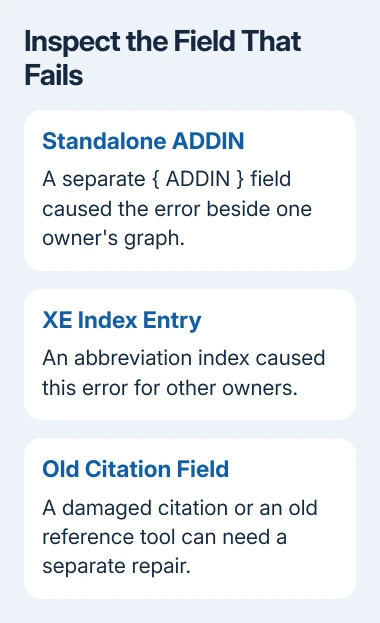
Press Ctrl + F and search for ADDIN. Start near the place Word pointed to when the error appeared. One owner found that a Prism graph had a separate field containing only { ADDIN } appended to it.
That owner deleted the standalone field and could use the document again. They repeated the repair in a backup copy with the same result. Other ADDIN fields contained more text and were part of working citations.
In the repair copy, select the entire stray field, including its braces, and press Delete. Don't replace every ADDIN match or delete every field with that word. The search term can also find the reference information you need to keep.
Restore normal text with Alt + F9, then refresh through your Mendeley tool. Retry the citation action that originally failed. It should finish without displaying the index-area error.
If you can't find a standalone ADDIN field, leave the populated fields in place and check the other cases. Without a match like the one described, don't delete another field just to try it.
3. Check an abbreviation index or other XE fields
Several owners fixed the same error by removing linked entries in an abbreviation index. Word's XE fields mark entries for an index, which differs from a reference bibliography.
Show the field instructions and inspect the abbreviation or index area associated with the error. If the repair copy contains XE entries there, test removing the suspect entry or small group, then retry the citation action.
One reported workaround used Ctrl + H, searched for ^d XE, and replaced all matches with nothing. That removes index-entry fields across the search range, so it can also remove the information needed to rebuild your index.
I'd test a small suspect area before using that document-wide workaround. A working citation tool isn't enough if the repair quietly destroys an index your thesis must include.
After a successful test, check the index as well as the bibliography. Decide whether to recreate the removed index entries or ask your university's document-support team to repair the conflict while preserving both features.
For an ordinary bibliography created with Word's own tools, follow the built-in reference workflow. Its Source Manager isn't a repair control for the older Mendeley plug-in.
4. Repair a broken citation or mixed reference fields
Another owner solved the error by identifying and deleting a corrupted citation, then rebuilding the bibliography. They tested portions of the text in a new document to find which portion carried the problem.
When Word doesn't point to a location, test portions in new documents. Try the failing action after copying each section. Compare which sections work before rebuilding a bibliography containing hundreds of references.
If one citation causes the failure, remove it in the repair copy and insert it again with the reference tool you intend to keep using. Then refresh the bibliography and inspect the surrounding references for missing entries.
An owner who had switched from EndNote reported that old EndNote field instructions remained after uninstalling it. Removing those old fields and replacing the citations through Mendeley restored their workflow.
Don't remove mixed reference fields just because two tools have been installed. Use this branch when the failing document actually contains old fields from the previous tool, and keep enough information to rebuild any citation you remove.
Get help before stripping a whole thesis
If the error remains, contact Mendeley Support with the Word version, Mendeley version, exact error, and a nonconfidential sample that still fails. Say whether a standalone ADDIN, XE entries, or references from another tool were present.
Ask a university library or document-support team for help when the repair must preserve a complex index or hundreds of references. If you've also lost unsaved edits in Word, deal with document recovery before changing more fields.
The Short Version
Use a repair copy and reveal its field instructions. Check a standalone ADDIN, then suspect index entries or citations. Verify both the bibliography and index after each individual edit.
Checked November 16, 2026.