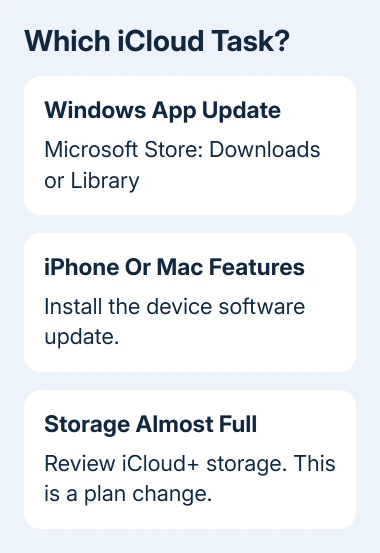
iCloud updates through the Microsoft Store on Windows, while its built-in features on iPhone, iPad, and Mac update with the device's software. There isn't a separate iCloud app update to install on an iPhone.
An iCloud Storage Almost Full message means something different: the account needs more free cloud space or a larger storage plan. Updating the software won't increase that allowance. Match the instructions to your device or message.
In this guide
Update the Windows app through Microsoft Store
Open Microsoft Store from Start. Open Downloads or Library, depending on the Store version, and check for app updates. Install the update for iCloud if one is offered, then let the installation finish.
Apple says to update current Windows apps through Microsoft Store. Installing an iTunes update or an Apple Devices update doesn't replace updating iCloud itself.
If the Store shows Open instead of an available update, open iCloud and check whether the original problem remains. Don't keep downloading installers simply because the app hasn't changed appearance; an update can leave its layout familiar.
Microsoft Store normally handles eligible app updates automatically. If you paused them, you can still run a manual check. An employer or school may manage the update schedule on its computers.
If iCloud isn't installed, search the Store for iCloud and check that Apple is the listed publisher. Use that official download listing. Similar names can belong to other storage or file-management apps.
Check the requirements before trying again. The latest iCloud for Windows needs Windows 11 or later. Its Outlook integration requires Outlook 2021 or newer. A Store update can't make an older Windows installation meet those requirements.
An old installation may also include Apple Software Update. That tool still updates certain older Apple apps and Boot Camp components, but use Microsoft Store for the current Store version of iCloud.
If the Store refuses the update, write down its exact error code and your Windows version. Ask Microsoft Store support about that installation error. If the app updates but can't connect, use the iCloud connection error checks.
Bring iPhone and iPad iCloud features up to date
Back up the device before installing a system update. Plug the device into a charger, join a Wi-Fi network, and open Settings > General > Software Update. This screen shows the installed version and any available update for that device.
Choose Download and Install when it's offered and follow the prompts. Enter the device passcode if requested. Leave the device connected while it downloads and installs, then return to Settings after it restarts.
The same route works on an iPad under iPadOS. Older iPads with Home buttons use that same menu. They don't have a separate iCloud updater.
An up-to-date message means the device isn't currently being offered another system update. It doesn't mean every iPhone in the family must have the same version; supported versions depend on the model.
Leave your Apple Account signed in during a normal update. The system update includes the built-in iCloud features. Signing out changes which account data you can access on the device, so leave that out of a normal update.
A not-enough-space alert during installation refers to storage on your device. A full iCloud storage alert refers to space in your cloud account. Buying iCloud+ doesn't directly create free local space for the installer.
Install the Mac's compatible software update
On a current Mac, choose Apple menu > System Settings > General > Software Update. Wait for it to check, then install a compatible update if one is offered. Make a backup before starting.
For a Mac that has System Preferences instead, open its Software Update panel. Search Spotlight for Software Update if the panel is hard to find rather than looking for an iCloud download in the App Store.
The Software Update route applies to both Intel processors and Apple silicon. Your Mac's compatibility determines which release appears. Neither processor type needs its own separate iCloud update.
Allow any requested restart to complete. Once you're signed back in, open System Settings > your name > iCloud to check the feature you use, such as Drive or Photos. Completing the installation doesn't instantly upload every pending file.
For a separate backup app that stopped including cloud files, the Backblaze and iCloud Drive checks explain the file-download and backup-app issue. That's different from installing a macOS update.
Upgrade storage when that is the actual request
Getting more iCloud storage means changing your subscription. Review the plan and recurring price before confirming it. I'd check whether the message says storage or software first, because only one of those tasks should lead to a purchase.
On iOS 27 or later, an existing subscriber uses Settings > your name > iCloud > Manage Plan under iCloud+ Features. For a first plan, open iCloud > Storage or Almost Full, then choose Get More Storage.
On iOS 18.4 through iOS 26, an existing subscriber opens Settings > your name > Subscriptions > iCloud+ > See All Plans. For a first subscription, open your name > iCloud, then scroll to Upgrade to iCloud+.
On iOS 18 through 18.3, use Settings > your name > iCloud > Manage Plan. On iOS 17 or earlier, use iCloud > Manage Account Storage > Change Storage Plan. Pick the plan you want, then review and confirm the purchase.
On Mac, open System Settings > your name > iCloud. Existing subscribers use Manage Plan > Change Storage Plan; a first purchase uses Upgrade to iCloud+. In Windows iCloud, use Manage, then the storage-plan option offered for your account.
These steps change how much cloud storage your account has. If a confirmed change fails, give Apple billing support the account, selected plan, and purchase error. Don't buy another plan to force the first transaction through.
The Short Version
Update Windows iCloud in Microsoft Store. Update iPhone, iPad, or Mac software for their built-in iCloud features. For a full-storage warning, review the iCloud+ plan controls for your software version instead.
Checked November 11, 2026.