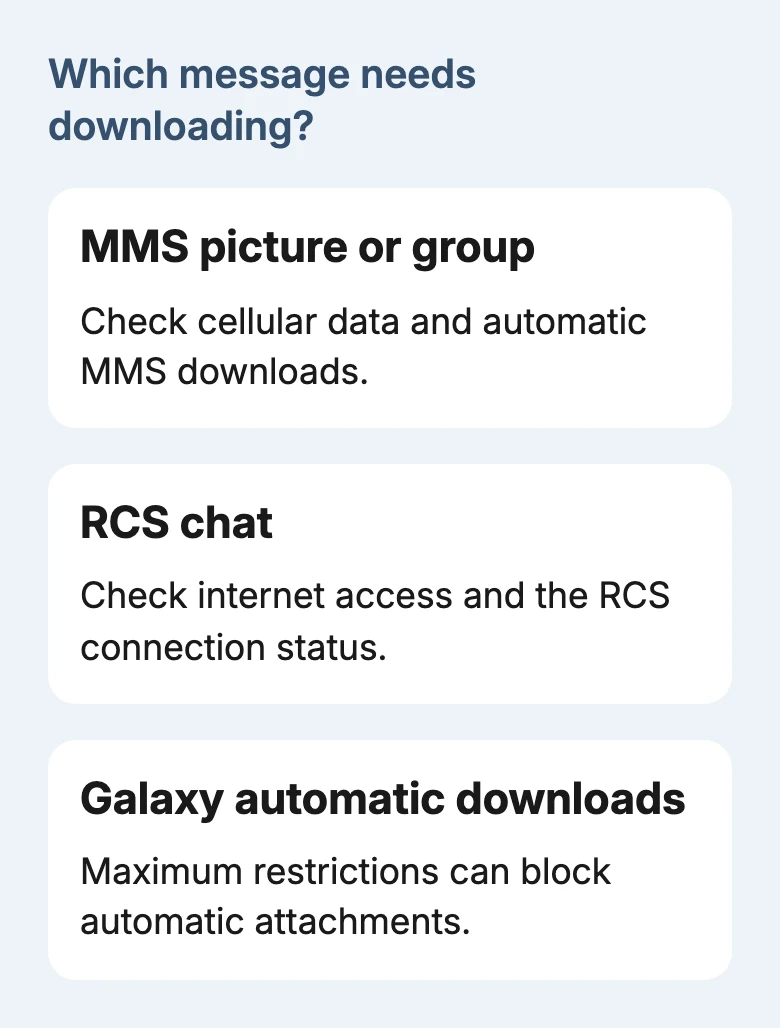
Android messages stuck on Download often need cellular data or automatic MMS downloads enabled. Switch cellular data on and retry a trusted message, then check whether this conversation uses MMS or RCS.
MMS carries carrier picture messages and some group texts. RCS uses an internet connection instead. On Samsung phones, Maximum restrictions can also stop attachments from downloading automatically, even when the connection is working.
In this guide
1. Retry a known message with cellular data connected
Turn on cellular data using the phone's quick settings, then retry the attachment. Disable Airplane mode if necessary and check the signal. With two SIMs installed, confirm which line is active for this message.
If downloading stalls on Wi-Fi, switch Wi-Fi off briefly and retry over cellular data. This checks whether downloading works through your carrier. Even with working home Wi-Fi, your phone may not be able to download every message type.
If the picture downloads now, focus on cellular data and download settings. If webpages also fail on cellular data, the trouble extends beyond Messages. Restore that connection before retrying the attachment.
A short text arriving successfully doesn't rule out an MMS problem. A picture or group message can need a different service from a one-to-one SMS. That's why a phone can receive plain texts while leaving picture messages waiting.
Use a message from a known sender for these checks. Unexpected attachments from an unknown number don't need to be opened to work out why downloads are failing. Keep those separate from a picture or group reply you were actually expecting.
2. Restore automatic downloads in the messaging app
In Google Messages, open your profile picture or icon, then Messages settings > Advanced. Turn on Auto-download MMS, then ask a known contact to send a small picture or retry the pending download.
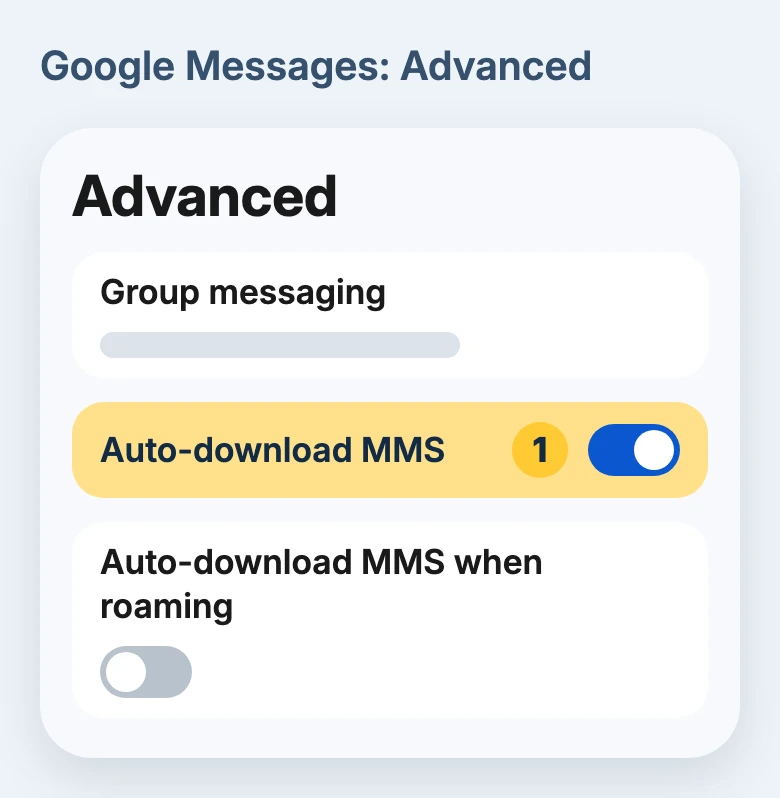
Google lists a separate Auto-download MMS when roaming option. Leave that choice tied to your carrier plan, since roaming can add charges.
In Samsung Messages, open More options > Settings > More settings > Multimedia messages, then turn on Download automatically. Use the path for the app you're actually using, because Galaxy phones can have more than one messaging app.
This setting lets the app download pictures automatically. If tapping Download works but new pictures wait for a tap, check this switch. If manual downloads also fail, changing the switch alone won't repair the connection.
Test a newly sent message after changing the setting. That tells you whether downloads are still failing or just one old attachment won't arrive. Keep the sender available in case that particular picture needs to be sent again.
3. Check Maximum restrictions on a Samsung phone
On Galaxy phones with Auto Blocker's Maximum restrictions enabled, automatic attachment downloads are blocked. That protection can explain why pictures wait for manual action even though other messaging features work.
Try tapping an attachment from someone you trust first. This lets you keep the extra protection while opening a message you expected. A missing automatic download isn't always an app fault that needs a reset.
If you want automatic attachment downloads instead, open Settings > Security and privacy > Auto Blocker > Maximum restrictions and turn that option off. Then check the automatic-download switch in your messaging app.
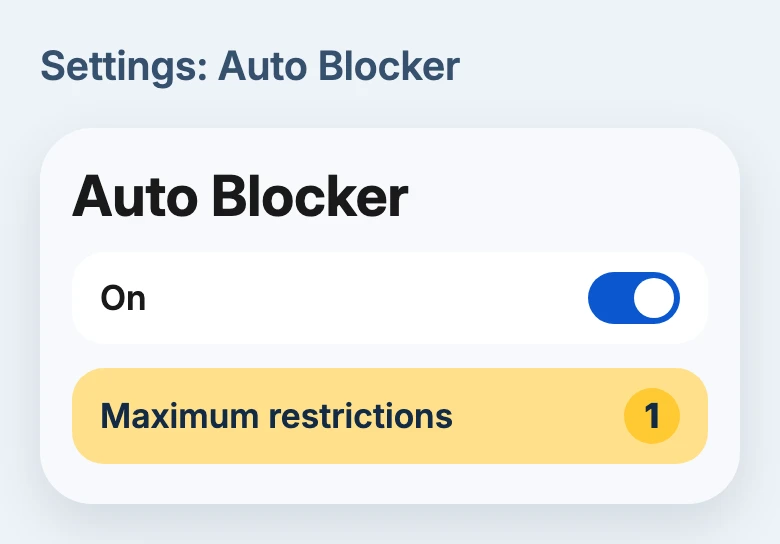
Changing Maximum restrictions reduces protection, so decide whether automatic downloads justify that change. Manual downloading remains an option, and Auto Blocker itself can stay on.
For attachments that open while links don't, inspect the app's separate link setting. Link access and MMS retrieval have different controls. Test the picture itself to keep those two problems separate.
4. Check RCS when an internet chat is the problem
Open Google Messages > profile picture or icon > Messages settings > RCS chats and inspect the status. RCS needs an internet connection, and the phone also needs to be able to receive SMS for setup.
If the status is Connected and other conversations work, focus on the conversation or attachment that won't download. If RCS isn't connected, address the status shown there first, rather than changing MMS settings for an RCS problem.
If the page reports that your carrier disabled RCS, contact the carrier and ask them to restore RCS support on the line. After they resolve it, use Retry if offered. If connection still fails, choose Details > Submit feedback.
Update Google Messages through its Play Store listing if Update is available, and check that Google Play services is current. Have your contact update their messaging app as well when the trouble occurs only between the two phones.
For a different failure where texts stopped after leaving an iPhone, use the iPhone-to-Android texting checks. An old iMessage registration needs its own fix; it isn't an MMS download setting.
5. Check app setup, space, and the carrier's MMS settings
Confirm that Google Messages is your chosen default SMS app. Update it and restart, then look for a low-storage warning. Messaging can stop when the phone runs out of free space.
If MMS still won't download, find Access Point Names in the phone's mobile network settings. Compare the values with your carrier's instructions. APN settings connect your phone to carrier data and messaging services. Menus vary by phone.
Use only values supplied for your carrier and plan. The Samsung cellular-data guide explains the SIM and APN checks on Galaxy phones. A copied configuration for a different carrier can make service worse.
Don't clear the messaging app's storage just to retry one download. Keep your conversations while you work through these checks. Ask your carrier about MMS provisioning, which enables picture messaging for that line.
Tell the carrier whether SMS arrives, whether you can browse with Wi-Fi off, and whether every MMS fails or just one sender's pictures. Those details help the carrier check the failing service rather than a general signal problem.
If new pictures arrive but an old attachment still fails, ask the sender to resend it. If all new MMS downloads fail after the carrier checks the line, send app feedback with the phone model, app version, and exact download message.
The Short Version
For MMS, check cellular data and automatic downloads. Galaxy phones also need Maximum restrictions checked. Use the RCS status page for internet-chat failures, then ask the carrier about a continuing service problem.
Checked November 27, 2026.
 If you have any business, I can build it online