An Apple Music Family subscription shares music with up to five other people through Family Sharing. Set up the family group, choose the Family plan, and have each person accept the invitation with their own Apple Account.
An Individual or Student plan won't share the subscription. Sending a playlist doesn't share paid access either: each person needs to join the family group, and the group needs a shareable plan before they can listen on their own.
In this guide
Start with the plan, then build the family group
Check whether someone already pays for Apple Music Family or an Apple One plan that includes family access. A second family subscription isn't needed when the group already has one.
Apple's family subscription instructions confirm that each member gets a personal library and recommendations. Members use separate accounts, so your saved albums don't become somebody else's collection.
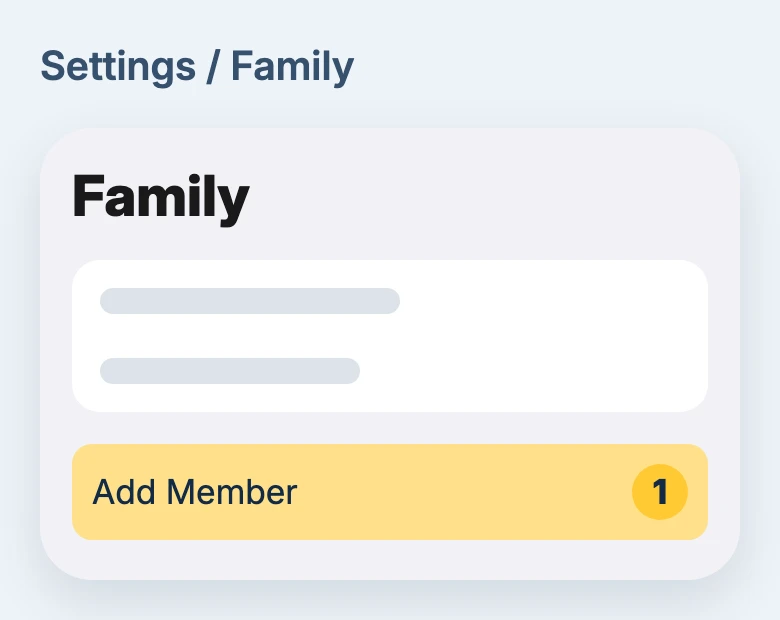
For a new group on iPhone or iPad, open Settings, tap your name, then Family > Continue. Follow the setup prompts. The person setting up the group becomes its organizer and can invite the other members.
For an existing group, open Settings > Family instead. Check the people already listed before adding someone. The six-person limit includes the organizer; it isn't six extra invitations.
I'd check the current plan before sending invitations. A completed family group can still leave members looking at a subscription offer if its only music subscription is an Individual plan.
Choose Family without buying separate subscriptions
For a new subscription, open Apple Music > Home. Select the trial offer, choose See More Plans, then select Family. Follow the billing and account prompts and finish with Join.
The offer allows one trial per person or family. Check the payment confirmation, since creating a new group doesn't mean you'll get free access.
If you already subscribe on iPhone or iPad, open Settings > your name > Subscriptions, select Apple Music, and choose the available Family plan through See All Plans. Review the change before confirming it.
Check the resulting subscription entry. It should identify the Family plan, rather than leaving the old Individual or Student plan selected. That confirms you've changed the subscription, rather than just opened the list of plans.
A member's Individual or Student renewal is automatically canceled when the organizer subscribes to Family. Check any unexpected charge against its billing date and account before starting another subscription to fix access.
Apple One can also supply family music access when its plan supports sharing. Check the actual plan name in Subscriptions. The Apple One Individual plan isn't a way to turn one person's music subscription into six accounts.
Invite the right account and finish acceptance
From the organizer's device, open Settings > Family, tap Add Member, and choose Invite Others. Send the invitation through the offered Messages or email route.
Choose Create Child Account when the child doesn't have an account. A child who already has one can be invited through Invite Others. Using the organizer's account on the child's device isn't the same as adding the child to the group.
The person you invited can respond from the invitation. On iPhone or iPad, a missed invitation is also under Settings > your name > Invitations. Follow the onscreen steps to accept it; opening the message alone doesn't finish joining.
Return to Settings > Family on the organizer's device and tap the person's name to check their invitation status. Use Resend Invitation if needed. A sent invitation alone doesn't mean the person has joined.
An account can't join two family groups at once. Switching to another group is allowed only once a year, so don't leave a current group just to test an invitation. Check the recipient's membership first.
Open Music with each person's own account
Once a person has joined and the Family subscription is active, they get access automatically. Open Apple Music on the member's device using that member's account, then try playing a catalog song.
If the song streams without asking them to buy another subscription, their access is working. If a member sees somebody else's library, check the account in Music. Joining the group doesn't require signing in as the organizer.
Family access also doesn't combine the members' music in the organizer's library. Members keep their own listening choices. Share a playlist separately when the purpose is to send a collection of songs rather than the subscription itself.
If music access works but purchased apps are missing, check Family Sharing purchases. Purchase Sharing has its own controls; changing those isn't a substitute for choosing a music Family plan.
Join from Android or manage the group on a Mac
Android members can participate without an iPhone. Download Apple Music using Google Play. On the Android phone, open the invitation email and tap its link. Choose Apple Music in Open with, then Accept, and sign in.
Sign in with the invited member's Apple Account. The Play Store's Google sign-in doesn't replace the Apple Account used for joining the group and listening through Apple Music.
For an Android organizer, the app's More > Account > Manage Family > Add Family Member route sends invitations. Fill in the recipient's name or email, then tap Send.
The Apple Music Android setup covers installation and ordinary playback separately. Use it when the app itself needs setting up before you can accept the invitation.
On a Mac, start in Apple menu > System Settings > Family to manage Family Sharing. The same family membership and Family subscription give you music access on Mac. The Mac needs no extra family music plan.
When a member still sees a payment offer
Compare three things: the subscriber's plan, the recipient's accepted membership, and the account used in Music. If those don't match, reinstalling the app won't fix the account or plan.
Open Settings > your name > Subscriptions > Manage Family Access and turn on Share Eligible Subscriptions when access is missing. Compare the account used in Music with the person listed in Family.
For a member still without access, ask Apple Support about Apple Music subscription sharing. Give the plan name and say whether all members fail or just one. Keep passwords and payment details out of screenshots.
The Short Version
Choose Apple Music Family, set up Family Sharing, and finish each invitation with the member's own account. Then open Music and stream a song. Check the plan and invitation status before buying another subscription.
Checked November 29, 2026.
 If you have any business, I can build it online