For the total in a Google document, open Tools > Word count on a computer. For a section total, highlight that passage before opening the counter.
The normal document total leaves out headers, footers and footnotes, so check what your assignment requires before reporting the number.
The Google Docs phone app has its own Word count command under More. For a counter that stays visible while you write, use the computer version's Display word count while typing option.
In this guide
Read the document total from Tools
Open the file in the Docs editor. Click once in an ordinary paragraph so no text is selected. Choose Tools > Word count from the top menu.
The window shows counts for your document, including words and characters. Read Words when the requirement is a word limit. Use the character count for a different limit, such as a form that only accepts a certain number of characters.
Google's word count instructions distinguish the normal document total from counting a selected section.
That distinction matters when you're checking a chapter or essay inside a larger file.
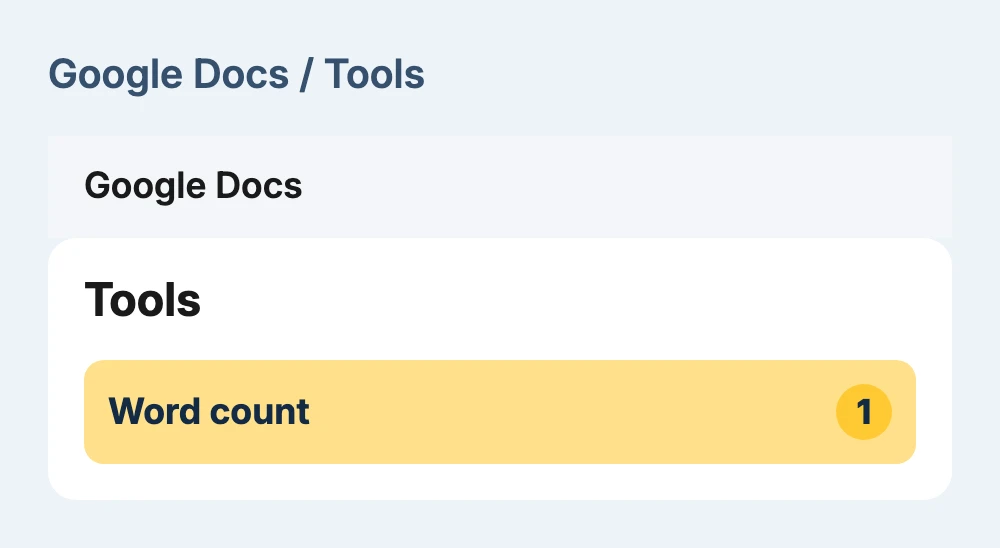
Once you've read the total, click Done to close the window. Opening it doesn't add the number to your document or send it to anyone.
If a submission asks for a written word count, enter that number where the instructions require it.
Make sure you're editing a Google document rather than viewing a PDF in Drive. The Docs counter is a document-editing feature, not a counter for everything stored in your Google account.
For a Word file, convert a copy to Google Docs with File > Save as Google Docs. Word count isn't available in Microsoft Office Compatibility Mode.
Count just the essay or selected passage
Select the passage you want to count, then choose Tools > Word count. Use this when a file contains an assignment brief, title material and the essay, but only the essay belongs in the required count.
Check the first and last highlighted words before opening Word count. Missing a paragraph or including the reference list changes the answer even when the counter works perfectly.
For a short passage, drag across the words. For a long selection, take time to check the highlighted range rather than assuming the whole chapter was included when the page scrolled.
After closing the dialog, click in the document to clear the selection before checking the whole-document total again. Otherwise, a second count can still be measuring the passage you highlighted earlier.
I'd use a selected passage for an assignment with a strict scope. You can see exactly which text you're counting, without having to subtract several unrelated parts from the total afterward.
Keep the number visible while typing
On a computer, open Tools > Word count and check Display word count while typing. Confirm with OK. A small count box appears in the document's lower-left corner.
That box lets you watch the length as you edit without reopening the dialog each time. It's useful for a school essay or short article where you need to know when you're approaching the limit.
Click the count box to choose among Pages, Words, Characters, and Characters without spaces. If the number suddenly seems too large, check which count you've selected. It might show characters rather than words.
To remove the box, click it and choose Hide word count. That hides the display without deleting any writing. You can still reopen the detailed count from Tools later.
For long documents such as novels or screenplays, the help page recommends the dialog; for shorter work, it suggests the typing display. Choose whichever view helps you keep track of your writing.
Find Word count on Android
On Android, open Google Docs and choose your document. Tap More, the three-dot control, then Word count.
The mobile count includes words, characters and characters without spaces. Use the Words entry for an essay's length. The phone app's instructions don't use the computer menu bar, so there is no Tools menu to hunt for.
To measure only a passage, select that text before opening Word count. Inspect the selection handles carefully on a phone; it's easy to include a neighboring paragraph when adjusting the endpoint.
On Android, reopen Word count for each fresh check. The phone gives you a total when you open Word count, rather than the computer's display that stays visible while you type.
Check the total on iPhone or iPad
For iPhone or iPad, open Google Docs, then open your document. Open More and choose Word count. The listed measures are words, characters and characters without spaces.
Select part of the document first when you need a section total. Tap outside the selection afterward if the next count should cover the whole document.
A changed total after clearing the highlight usually reflects the different amount of text being counted.
For a file that looks different on the tablet and computer, compare the actual text and the selected range before blaming the counter. Both devices need to be looking at the same document content for the totals to be useful.
Check what the submission wants counted
The normal total excludes headers, footers and footnotes. It doesn't automatically know an institution's rule about reference lists, quotations or appendices. Read that requirement and select the appropriate main-text range when necessary.
If your assignment counts footnotes, you'll need to account for them separately. Don't report the default total as though it includes them. A note's location on a printed page doesn't make it part of the normal body count.
For an assignment finished in Word, use Word's own word count to check the final file there.
Count the version you're submitting, especially after adding or removing text during export review.
If the command is missing from a Google document, use the Help menu in Docs and tell support which device and view you're using. Include whether the file is editable or only a preview so support can address the missing control.
The Short Version
Use Tools > Word count on a computer or More > Word count in the Google Docs mobile app. Select a passage first for a partial count.
The normal total excludes headers, footers and footnotes; enable Display word count while typing on a computer for a live display.
Checked November 29, 2026.
 If you have any business, I can build it online