
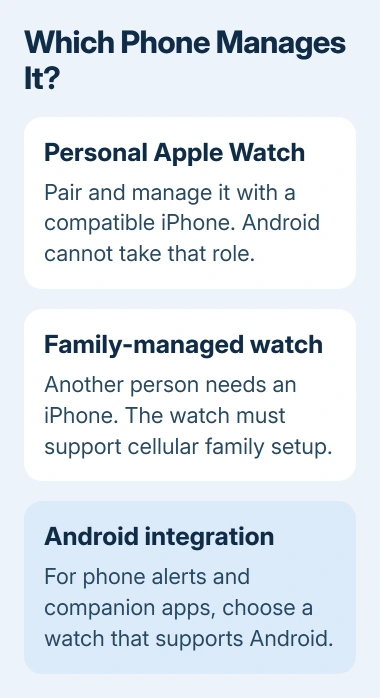
An Apple Watch cannot pair with an Android phone. Setup and phone integration require a compatible iPhone, including on cellular models. Paying for a watch data plan does not make Android notifications or apps sync to it.
There is a limited alternative for a family member without an iPhone: another person can manage a supported watch through their iPhone. That arrangement still depends on Apple's family setup system and has fewer features.
Check the iPhone requirement before buying
Apple documents the required iPhone and iOS version for each watch in its compatibility table. Match the exact watch model, since an older spare iPhone may not meet a new watch's requirements.
Status: Apple Watch compatibility and Apple Watch For Your Kids instructions checked November 3, 2026. Apple provides no Android pairing procedure.
Moving an existing watch to another iPhone is supported through Apple Watch migration. The Android Bluetooth device list cannot perform that migration or replace the iPhone Watch app.
With a personal iPhone pairing, Unlock with iPhone can remove the need to type the watch code during ordinary nearby use.
Decide whether family setup fits
Apple Watch For Your Kids, previously called Family Setup, lets someone without their own iPhone use a watch managed by a family organizer or parent/guardian. Both people need separate Apple Accounts in the same Family Sharing group.
Apple says this route requires a cellular Apple Watch Series 4 or later, or a cellular Apple Watch SE, running watchOS 7 or later. The managing iPhone must also support that particular watch. A GPS-only model cannot use family setup.
The organizer needs two-factor authentication. Availability varies by country, region and carrier, so check Apple's family watch requirements before buying a watch or arranging service.
On the managing iPhone, open Watch > All Watches > Add Watch, then choose Set Up for a Family Member. Follow pairing and account selection, then configure the offered features and cellular service.
A cellular subscription is not required just to complete setup, but some features need one. Later management remains in the organizer's Watch app under All Watches > Family Watches; it does not move onto the wearer's Android phone.
Family setup also removes features available in ordinary personal pairing. Apple's list includes ECG, Sleep and Medications, plus credit or debit card payments through Apple Pay. Check the full list against the features you need.
An iPhone staying home is a different arrangement
A watch already paired to an iPhone can do some jobs away from it. Apple states that an internet connection through Wi-Fi or cellular lets supported watch features operate without the phone nearby.
That does not redirect the watch to an Android handset. For a normally paired watch, Apple still requires the paired iPhone to be powered on and online for SMS/MMS and third-party push notifications, even when it is elsewhere.
Offline, the watch can still record workouts, keep time and play music already downloaded to it. Those standalone functions are useful, but they do not supply Android call, message or health-data integration.
Choose around the phone you will keep
For everyday Android notifications and companion apps, select a watch whose manufacturer supports your exact Android phone. Ask the manufacturer about any model-specific restrictions before purchase.
If an iPhone will remain available, decide whether personal pairing or family setup suits the wearer. Using two watches with one iPhone is another arrangement, intended for switching the same user's watches.
For an existing Apple Watch, give Apple Support its model and the managing iPhone model before erasing it. A reset cannot add Android compatibility, and it may remove a working setup you still need.
The Short Version
Android cannot replace the iPhone that pairs and manages an Apple Watch. Family setup can serve a wearer without an iPhone, but another person's compatible iPhone, a supported cellular watch and reduced features are part of that choice.

Isaac Smith is the founder and editor of PC Glance, a website that covers computers, laptops, and technology. He is a tech enthusiast and a computer geek who loves to share his insights and help his readers make smart choices when buying tech gadgets or laptops. He is always curious and updated about the latest tech trends.