
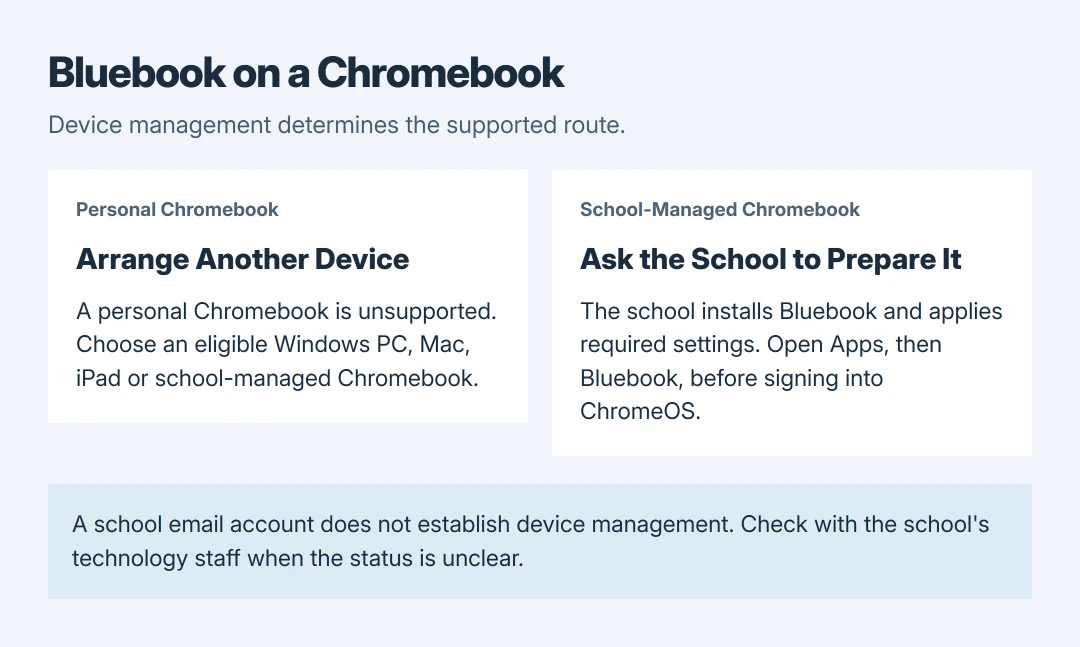
Bluebook cannot be used for testing on a personal Chromebook. College Board supports school-managed Chromebooks, where the school installs the app and applies the required settings.
Signing in with a school email address does not make a personal device eligible.
Check whether the Chromebook itself is managed. If it is personal, arrange a supported device rather than looking for another download link. If it is school-managed, Bluebook opens from the Chromebook's sign-in screen.
Check device management, not just the account
Sign in to the Chromebook and open the clock area in the lower-right corner. Look for the managed-device symbol or a message naming the school or district. Google says to check this indicator in its management instructions.
College Board distinguishes a managed student account from a managed Chromebook. A school can control the account without managing the physical device through Google Admin. Ask the school's technology staff when the status is unclear.
Status: College Board's Chromebook eligibility, launch and preparation instructions checked October 28, 2026. School management is required. No app or device configuration was tested.
Google states that a managed Chromebook's administrator can restrict features and install apps. A student cannot fix missing administrator permissions by signing into the same device with a different account.
Personal Chromebook: arrange a supported alternative
College Board's approved-device list includes qualifying Windows and Mac devices, iPads and school-managed Chromebooks. It excludes personal Chromebooks and mobile phones.
Choose an eligible device before downloading Bluebook. Check that model's current operating-system, storage and battery requirements on the list; having the right brand or operating system name is insufficient.
For SAT Weekend, College Board's personal-device preparation says to request a loan device at least 30 days before test day when an eligible device is unavailable.
That loan process is specific to SAT Weekend. For AP Exams, SAT School Day or PSAT assessments, ask the school or test coordinator which devices it permits and how to obtain one.
Once a suitable device is available, install Bluebook through College Board's official download route and run Test Your Device. Practice on the intended testing device so a requirement failure appears before exam day.
School-managed Chromebook: ask the school to install it
Bluebook runs as a kiosk app, separate from an ordinary signed-in Chrome session. School management and verified mode are mandatory, as documented by the vendor.
The checked requirements specify ChromeOS 144 or later, with stable-channel releases supported, and exclude ChromeOS Flex. An administrator must also ensure the device meets the other listed requirements.
If ChromeOS is too old, check its update and restart status. On a managed device, send an unavailable update or policy message to the school instead of changing its update channel yourself.
Ask technology staff to install Bluebook and apply its required settings. If the device says it is disabled by an administrator, the organization must resolve that access problem first.
College Board tells students using a shared Chromebook for SAT Weekend to complete exam setup on the same device they will use for the test. Arrange access to that Chromebook before completing setup.
Open the installed app before signing in to ChromeOS
Save open work and sign out of ChromeOS if already signed in. At the Chromebook's sign-in screen, choose Apps > Bluebook in the lower left. Then sign into Bluebook using the credentials required for the exam.
College Board's Chromebook launch instructions specify a College Board student account for AP Exams and SAT Weekend, or the sign-in-ticket credentials for SAT School Day and PSAT-related assessments.
If Apps is absent or Bluebook is missing from its list, return to the school: College Board says that means the app is not installed. An installation prompt inside a signed-in session can instead mean it was opened from the wrong place.
Resolve readiness problems before test day
Run Test Your Device in Bluebook and follow the school's preparation instructions. For a message that verified mode is configured incorrectly, College Board directs students to school staff; it is not a student-side repair.
Ask the school to confirm that the Chromebook can connect at the actual testing location. College Board warns that school network auto-connect settings can prevent use at another school or a SAT Weekend test center.
If Bluebook still cannot open, give the school or College Board support the model, ChromeOS version, exact message and whether it appears in the sign-in screen's Apps list. Arrange another eligible device if needed.
The Short Version
A personal Chromebook is unsupported for Bluebook testing. Arrange an eligible device, or request a SAT Weekend loan at least 30 days ahead.
On a school-managed Chromebook, ask the school to install Bluebook and open it from Apps before signing into ChromeOS.

Isaac Smith is the founder and editor of PC Glance, a website that covers computers, laptops, and technology. He is a tech enthusiast and a computer geek who loves to share his insights and help his readers make smart choices when buying tech gadgets or laptops. He is always curious and updated about the latest tech trends.