A child's Apple ID birthday can be corrected at account.apple.com under Personal Information > Birthday. Setting the age under 13 needs Family Sharing and organizer approval; that age threshold varies by country or region.
Apple now calls an Apple ID an Apple Account. Correcting a child's birthday and undoing an adult account's accidental conversion to a child account are different jobs. Choose the route that matches whose account it really is.
In this guide
Start with the account whose birthday is wrong
Open the child's Settings and tap their name to check the account signed in. Compare its email address or phone number with the account you're about to use on the web. Changing your own organizer account won't change the child's birthday.
Use the account's real date of birth. Birthday information affects Family Sharing and age-appropriate experiences, so changing it just to remove a restriction can create a different account problem.
Apple recommends editing a child's birthday on the web. Use that route even if you can see personal information on the child's iPhone or iPad.
Check that the family organizer is available before changing the birthday to a child's age. They'll handle approval. A relative who can help with the phone isn't necessarily the person who can approve this account change.
If the account address is unfamiliar, find the Apple Account used on the device before editing anything. A browser may still be signed in to another family member from an earlier session.
Correct a child's date of birth on the web
Go to account.apple.com and sign in with the child's account details. Complete any sign-in checks shown. Signing in as the family organizer won't let you edit the birthday on the child's account.
Select Personal Information, then Birthday. Read all three parts of the current date before replacing them. A swapped month and day can look plausible while still leaving the wrong birthday saved.
Enter the correct date and select Save. Follow any additional prompts rather than assuming the first button finishes the change. Depending on how the account was created, you might need to supply more information.
The screen might ask you to change the account's primary user name from a mobile phone number to an email address. Do that only if prompted; it isn't a step every family needs to take first.
For a date that sets the account's age under 13, the account must belong to a Family Sharing group and the organizer must approve. The exact child-age threshold depends on the country or region, so 13 isn't a worldwide rule.
Read the approval instructions shown for that request. After approval, return to Personal Information > Birthday in the same account and check the saved date. Sending a request and having the correct birthday saved are separate stages.
If the date doesn't change, note the message shown after Save and whether approval is still pending. Give support the message and approval status so they can check the family requirements and account access.
Convert an account that was given an adult birthday
Sometimes a child's existing account has an adult birthday because it was entered incorrectly during setup. Correcting it can convert the account to a Child Account. Use an iPhone, iPad, or the web for that conversion.
On an iPhone or iPad using that account, open Settings > [name] > Personal Information, tap the birthday, enter the correct date, and tap Done. Continue through the conversion instructions when they appear.
On the web, sign in and use Personal Information > Birthday. Because you're changing an adult account to a child account, it needs to meet the conversion and family requirements. Read the prompts before confirming.
An account being converted can't be the organizer or a parent/guardian in a Family Sharing group. It must join a family group if prompted. Repeatedly saving the same birthday won't remove one of those blockers.
Don't replace the account just to dismiss that message. Keep purchases and account history attached to the existing account, and ask support how to resolve a family role that blocks the correction.
Our guide to setting up an Apple Account explains the account-creation choices, but a new account is a separate identity. It doesn't repair the birthday attached to the existing one.
Undo an adult account accidentally made into a child
An adult who saved a child's birthday by mistake has a different recovery route. Sign in to account.apple.com, choose Personal Information > Birthday, enter the adult's correct birthday, and select Save.
The next message can offer Revert Account or Request Update. After more than 14 days since the accidental conversion, Request Update is the only option. Don't interpret a missing Revert button as an instruction to invent another date.
With Revert Account, follow the prompts to verify that you're an adult. The process uses a credit card, which won't be charged for the check. Enter those details only as part of the account's own verification steps.
With Request Update, send the change to the Family Sharing organizer, who receives an email notification to review it. If the account is in a family and the conversion happened more than 14 days ago, their help may be needed.
The 14-day rule applies to undoing an accidental conversion. It isn't a deadline for correcting every child's birthday, and a parent's request won't turn a real child's account into an adult account.
I'd check the conversion date before looking for Revert Account. Knowing which option should appear makes a missing button easier to explain and avoids repeating a route that the account no longer offers.
Get help when the request or approval won't finish
For an ordinary adult birthday correction on a Mac, open System Settings > [name] > Personal Information, then the birthday. A conversion from adult to child needs the iPhone, iPad, or web route instead.
If the correction stays blocked, open support.apple.com/102473 and choose Get suggestions. Explain which task failed: correcting a child's birthday, converting an incorrectly adult account, or reverting an adult's conversion.
Include the error wording, account country or region, family role, and whether the organizer received an approval request. Never share your password or a sign-in code. Support needs the failed stage, not the information used to sign in.
If signing in fails, recover access before trying to edit the account's personal information. You'll need to complete sign-in and verification before you can save a corrected birthday.
The Short Version
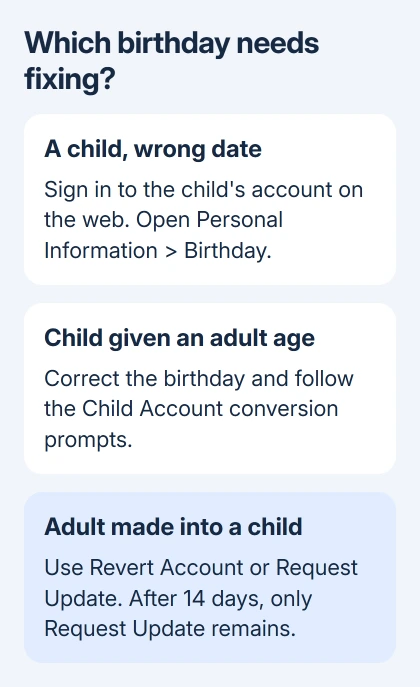
Edit a child's birthday in their account on the web, with Family Sharing approval for a child age. An adult converted by mistake uses Revert Account or Request Update; after 14 days, only the request option remains.
Checked November 13, 2026.