
A new Apple ID uses the name Apple Account in current menus. Create one at account.apple.com using Create Your Apple Account, or select Create a Free Apple Account during iPhone setup. Existing Apple IDs still work.
Use an email address and phone number that can receive verification. A forgotten sign-in should go through account lookup or recovery before creating another account.
Check whether an account already exists
Look for a signed-in name at the top of iPhone Settings. The Apple ID lookup guide also covers other signed-in devices, remembered addresses and Family Sharing.
Apple says the change from Apple ID to Apple Account does not require a replacement login. The existing email address or phone number and password still apply.
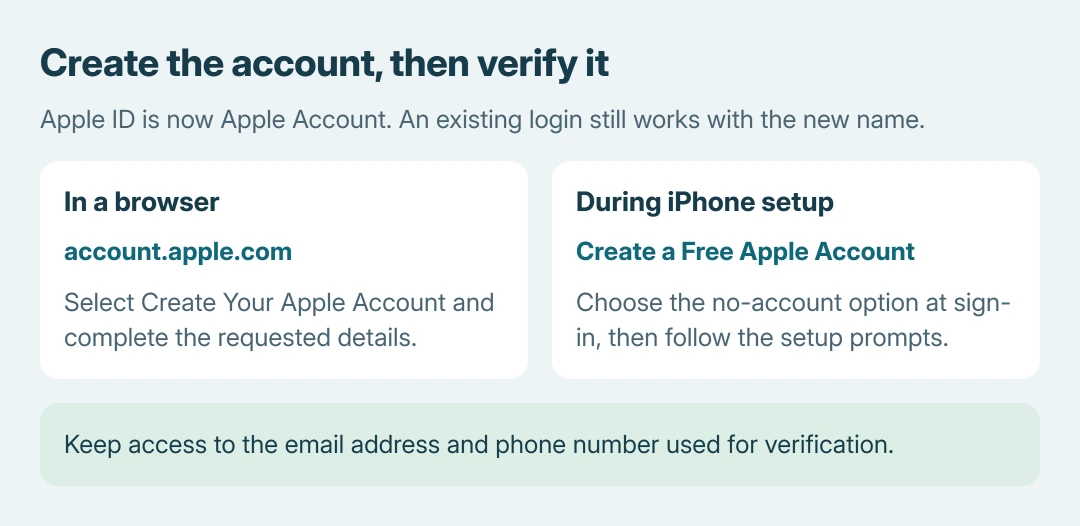
Status: Apple's new-account and creation-error documentation verified October 26, 2026. Website and iPhone setup routes are documented; no Apple Account was created.
For a known account with a forgotten password, use the Apple Account password options. A second login cannot recover access to the first.
Create the account in a browser
Apple documents the website route in its new Apple Account instructions. It works without signing the current iPhone out of iCloud just to expose a creation button.
- Type account.apple.com into the browser and select Create Your Apple Account.
- Enter the requested account details, including an email address, a strong password, region and birthday.
- Supply a phone number that will remain accessible. Complete the optional Apple Updates choices as desired, then select Continue.
- Follow each prompt to confirm access to the email inbox and the supplied number. Keep verification codes private.
Finish verification before using the new credentials for Apple services. Save the actual sign-in address; the display name alone cannot identify which email was used.
Create one while setting up an iPhone
At the Apple Account sign-in stage, tap Forgot password or don't have an account?, then Create a Free Apple Account. Enter the name and birthday and follow the prompts for email, password, region and security setup.
Apple states that the setup route can offer a free iCloud email address when no email address is available. Use its Don't have an email address? option rather than entering an address that cannot receive mail.
The App Store also offers Create New Apple Account through its account button. Apple says that choice can be absent while iCloud is signed in. Use the website route without disrupting that working session.
In the App Store route, None is an available payment choice in Apple's instructions. Adding payment information does not itself make a purchase. Country or region requirements can affect the prompts.
Match a failed signup to Apple's next step
An unavailable address or number can mean another account uses it. Apple's signup troubleshooting directs owners toward password recovery or a different identifier.
For a temporary creation failure, update the device or Apple app, check internet access and try again later. Apple also suggests another working connection and checking System Status for an outage.
A child's account uses Family Sharing and Apple's child-account process. Do not enter an invented adult birthday to get past that requirement.
Keep a working signed-in device available while resolving the error. That recommendation is ours; repeated signups do not establish what happened to the earlier attempt. Contact Apple if its documented alternatives still fail.
The Short Version
Create the account at account.apple.com or during device setup, then complete both contact checks. Apple ID and Apple Account are the same login system; recover an existing account when that is what is missing.

Isaac Smith is the founder and editor of PC Glance, a website that covers computers, laptops, and technology. He is a tech enthusiast and a computer geek who loves to share his insights and help his readers make smart choices when buying tech gadgets or laptops. He is always curious and updated about the latest tech trends.