
Deleting an Apple ID permanently closes what Apple now calls an Apple Account. Request it at privacy.apple.com, after saving independent data copies and signing out of devices. Completed deletion cannot be reversed.
For a forgotten password or an unwanted sign-in on one device, use recovery or sign-out instead. Closing the account affects its services and data across devices, not just the iPhone in hand.
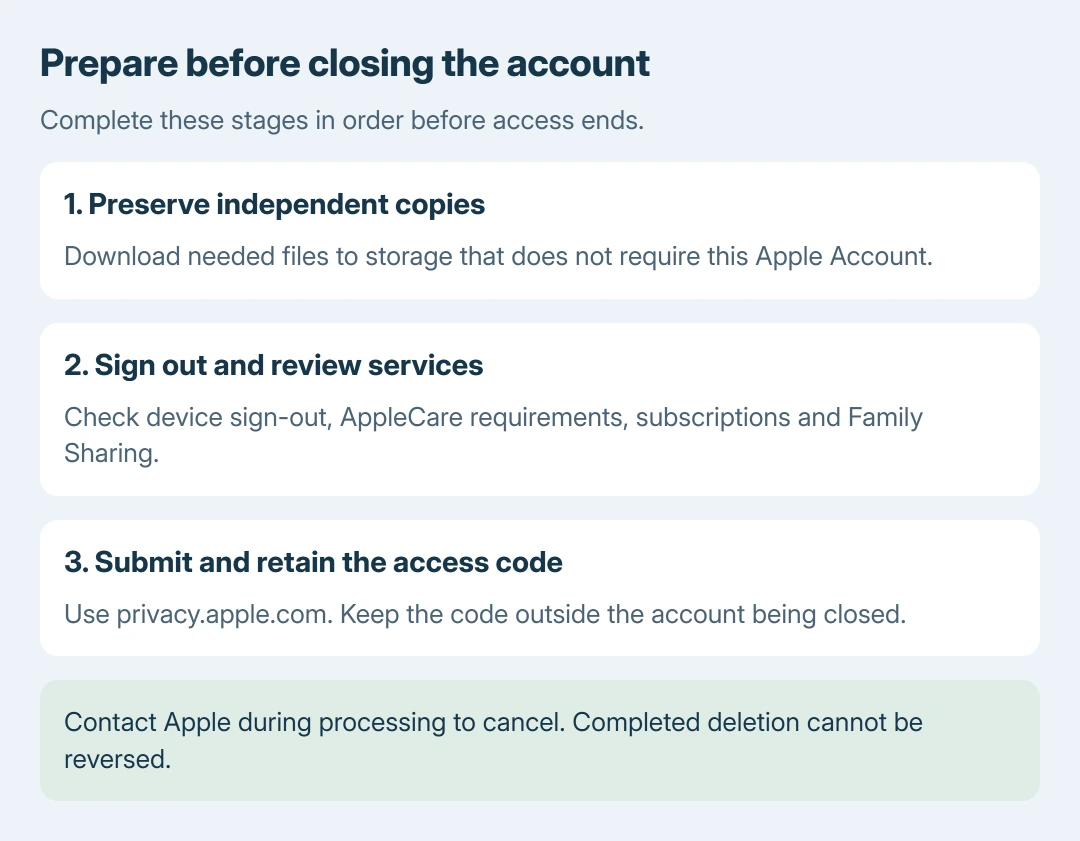
1. Save files outside the account
Copy needed photos, documents, contacts and other iCloud content to storage accessible without the account being deleted. Open the copied files there before proceeding. An iCloud-only backup still depends on that account.
Apple documents requesting an export through its account-data download process. At privacy.apple.com, choose Request a copy of your data, select the available categories and continue.
Status: Apple's account deletion, data export and sign-out guidance checked October 28, 2026. Permanent deletion and temporary deactivation differ. No account was accessed or closed.
Wait for the export to be ready and download it before requesting deletion. Apple says ready exports remain available for 14 days. An export's purchase records do not replace usable copies of the purchased media.
For an account address that is uncertain, identify the existing Apple ID first. Confirm which account is being closed before exporting or signing devices out.
2. Sign out of devices and review dependencies
On an iPhone or iPad, open Settings > your name > Sign Out. Apple's current sign-out instructions distinguish Sign Out But Don't Erase from Erase this Device. Read the data prompts and authenticate.
On a Mac, open System Settings > your name > Sign Out and review the options for keeping local copies. Sign out of other devices and Apple apps using the account as well.
Apple states in its deletion guidance that devices left signed in can become unusable because account deletion prevents later iCloud sign-out and removal of Find My Activation Lock.
Review AppleCare, subscriptions, outstanding balances and Family Sharing before submitting. The deletion page gives different requirements for those services.
Apple's deletion page says a family organizer's request includes the group's child accounts. Transfer a child's account to another family before submitting if that account needs to remain active.
If a remaining dependency is unclear, stop and ask Apple Support about it while the account is still active. Deleting the account to test a device or billing repair can cause permanent losses.
3. Submit the deletion request in a browser
Open privacy.apple.com directly on a phone, tablet or computer. Sign in to the intended Apple Account and complete its authentication prompts.
Choose Request to delete your account, read the consequences and follow the confirmation screens. Keep the unique alphanumeric access code supplied with the request in a safe place outside that account.
Our recommendation is to save that code with the independent files prepared earlier. That storage choice is ours; it avoids relying on an iCloud note that will become inaccessible.
Apple verifies the request before completing deletion. If the request is blocked, retain its exact message and contact Apple. Do not assume that repeatedly submitting it clears an unresolved account requirement.
Decide before deletion finishes
While processing is still underway, contact Apple Support with the access code to ask to cancel. After deletion is complete, Apple cannot reopen the account or restore its data.
For a temporary break, Apple's deactivation option, where available, preserves the account for later reactivation through support. It still interrupts access to services and also requires device preparation.
Creating another login is a separate process. The new Apple Account instructions do not transfer old purchases or recover the deleted account. Do not plan around immediate reuse of its former email address or number.
The Short Version
Preserve independent data copies, review account dependencies and sign out of devices first. Submit deletion at privacy.apple.com and retain the access code. Contact Apple during processing to cancel; completed deletion is permanent.

Isaac Smith is the founder and editor of PC Glance, a website that covers computers, laptops, and technology. He is a tech enthusiast and a computer geek who loves to share his insights and help his readers make smart choices when buying tech gadgets or laptops. He is always curious and updated about the latest tech trends.