
Fingerprints on a MacBook screen usually need a clean cloth dampened with water. Shut the MacBook down and disconnect its charger before wiping; apply moisture to the cloth rather than the display.
Check whether the MacBook Pro has the optional nano-texture display first. Apple gives that surface its own cloth guidance, and its current instructions allow more cloth choices than the older supplied-cloth-only advice.
Prepare the screen and the cloth
Save open work, choose Apple menu > Shut Down, and unplug the charger and connected accessories. Use a clean cloth with a soft, lint-free surface. Keep moisture away from the MacBook's openings.
Apple documents the shutdown and water-dampened cloth procedure in its Mac screen-cleaning guide. A sleeping MacBook is still powered on, so finish shutting it down before cleaning.
Status: MacBook cleaning advice reviewed October 26, 2026. Apple's live nano-texture page now permits several cloth types. No screen was cleaned or tested.
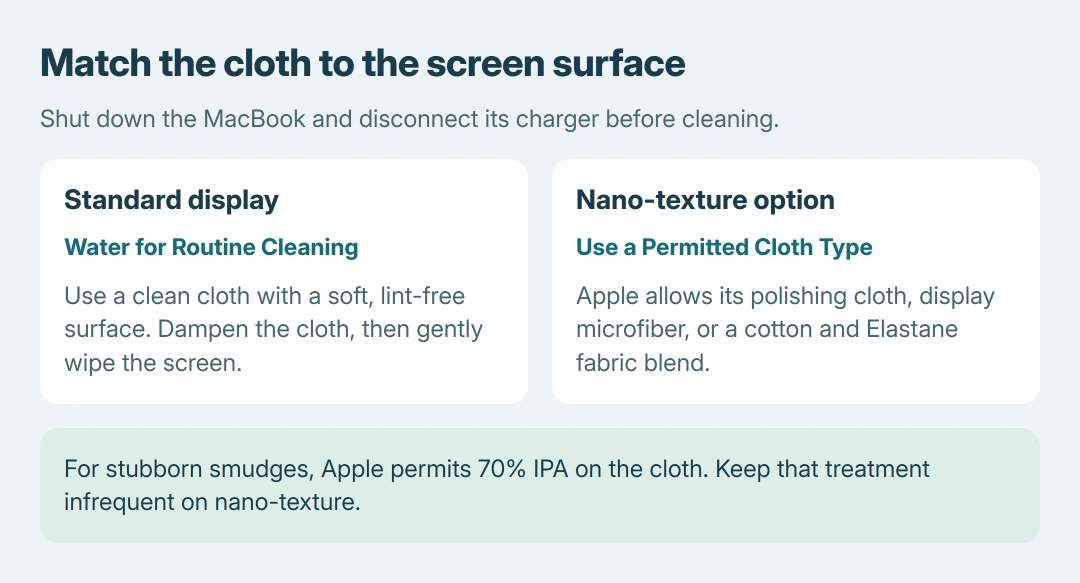
For a standard display, dampen the cloth with water and gently wipe away the marks. It should carry enough moisture to clean the surface without leaving liquid collecting along the screen's edges.
Check the mark after that pass. More pressure or stronger chemicals are not the next step for a scratch, crack or patch that is part of the screen itself.
Use 70 percent IPA only for persistent smudges
Apple says a cloth moistened with 70 percent isopropyl alcohol (IPA) can remove stubborn display fingerprints in its MacBook cleaning instructions. Start with water for ordinary cleaning.
Apply the solution to the cloth and wipe gently. This specific permission does not make household glass cleaner or an unidentified cleaning wipe suitable for the display.
The same Apple page directs water-dampened cloth cleaning for a MacBook's Touch Bar and Touch ID sensor. Keep those controls separate from the screen area being wiped, without spraying either surface.
Follow the current nano-texture cloth list
For a nano-texture MacBook Pro, Apple states that its current nano-texture instructions permit an Apple Polishing Cloth, microfiber intended for electronic displays, or fabric blending cotton with Elastane or SPANDEX.
That is a change from the older instruction to use only the cloth supplied with the display. The current page does not limit routine dust and smudge removal to that single cloth.
Use one of those permitted cloth types to remove dust or smudges. For occasional marks that resist cleaning, Apple allows moistening the cloth with 70 percent IPA. Keep that stronger treatment infrequent.
Wash a reusable polishing cloth by hand with dish soap and water, rinse thoroughly, then leave it to air-dry for at least 24 hours. That time is for the washed cloth; it is not a required screen-cleaning timer.
Check the purchase specification if the display type is uncertain. A MacBook Pro name alone does not show whether its buyer selected the nano-texture option.
Stop before a cleaning job becomes screen damage
Apple's screen guide excludes acetone, ammonia, window cleaners, household cleaners, aerosols, abrasives and cleaners containing hydrogen peroxide. Never spray cleaning liquid onto the display; it can enter the assembly.
Directions for a different laptop can permit different materials. The Dell-based laptop cleaning advice covers that maker's instructions; use Apple's material choices for this MacBook.
If a fixed line or damaged-looking patch remains, stop rubbing and arrange an assessment through Apple Support or its repair network. Cleaning removes surface dirt; it cannot confirm that a display defect is repaired.
For a desktop Mac with a persistent image problem, the iMac display checks address settings, startup and diagnostic tools. Give support the device model and whether the mark remains when the screen is off.
The Short Version
Power off and unplug the MacBook. Clean standard glass gently with a water-dampened cloth; use Apple's current cloth list for nano-texture. Keep 70 percent IPA for stubborn smudges and stop rubbing fixed defects.

Isaac Smith is the founder and editor of PC Glance, a website that covers computers, laptops, and technology. He is a tech enthusiast and a computer geek who loves to share his insights and help his readers make smart choices when buying tech gadgets or laptops. He is always curious and updated about the latest tech trends.