Yes, Google Pixel phones use Android. A Pixel doesn't need a separate Android download to run Android apps: open the Play Store to install them, and check Settings when an app asks which Android version your phone has.
The model name and Android version tell you different things. A Pixel 8 isn't running Android 8 because of its name, and two Pixel phones can have different software versions even when they look similar.
In this guide
Find the Android version on your Pixel
Open Settings > About phone > Android version. Read the number beside Android version, rather than the security-update date or build number. Compare that number against the minimum version the app requires.
Google's version-check instructions also show where to find security and Google Play system updates. These describe different parts of your phone's software, so their numbers aren't interchangeable.
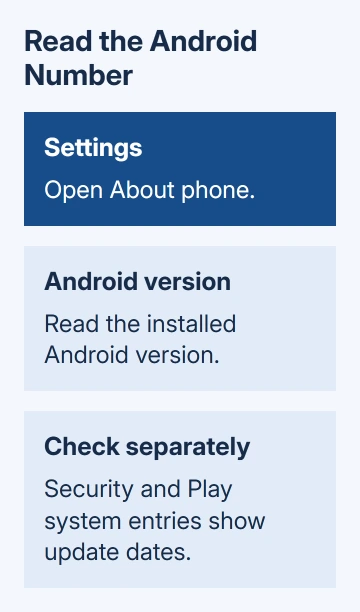
For example, an app that asks for Android 12 or later is asking about the operating system, the software that runs the phone. A recent security date doesn't turn Android 11 into Android 12.
Note the exact number when asking for help. Saying the phone runs Android is correct, but support needs its version and model to give you the right menu path or check whether an app can run.
Look in About phone for the model information too. Use the full name, including an a, Pro, or Fold ending when present. Those letters distinguish devices with different hardware and update schedules.
A screenshot can make those details easier to share. Our Pixel screenshot steps cover the buttons and where the image goes. Crop out account details before sending it to someone.
Install Android apps through the Play Store
Open Play Store, search for the app, and select the result from its actual developer. For a free listing, tap Install. Review the purchase price when the app costs money. Open it when installation finishes.
Android apps from Google Play run on Pixel phones when the app supports that device and software version. Being an Android phone doesn't mean every app is available for every Pixel, country, account, or age group.
If a search doesn't show the app you expected, check the developer's official website for its Play Store link. That helps separate a missing listing from a similarly named app made by someone else.
If an app is marked incompatible, check its requirements rather than looking for another copy of Android. Compare them with the Android version you just read. Reinstalling the store won't make an unavailable update appear.
I'd check that requirement before paying for an accessory or subscription that depends on the app. The phone's brand alone doesn't answer whether a particular banking app, game, or connected device will work.
Downloading a Windows installer or an iPhone App Store app won't give you the Android edition. Return to the app developer's download choices and choose its Android or Google Play option for your Pixel.
Update the phone's Android software
Use Wi-Fi for the download, with the battery charged to 75% or more. Open Settings > System > Software updates, then follow the update screen. Some Pixel versions label the entry System update instead.
The update page reports whether software is available, downloading, installing, or waiting for a restart. Follow its final prompt, because downloading alone doesn't always complete the update.
Once the phone restarts, check its Android version again against the app's requirement. A security update doesn't always change the main Android version. The new patch date is still useful, but answers a different question.
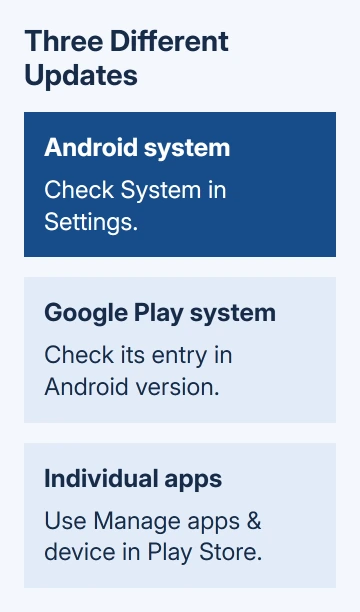
An app update is separate. In Play Store, tap your profile picture, then Manage apps & device, and use the available updates. Updating a single app doesn't replace the phone's Android operating system.
Google Play system updates maintain a separate part of Android. Check their date in the Android-version information and follow any update prompt. Your phone can need system and app updates, even after you've just finished one.
If a restart is difficult because the screen has stopped responding, use the Pixel restart instructions for your model. A restart is a recovery step, not an Android upgrade.
Check how long your model receives updates
The update period starts when that model first goes on sale through the US Google Store. Buying a used phone or old stock from a shop doesn't start that period again.
Pixel 8 and later phones receive seven years of operating-system and security updates from that availability date. New and upgraded features may also arrive through Pixel Drops, but that doesn't promise every feature on every model.
The Pixel 6 and Pixel 7 families, including their a and Pro models, and the original Pixel Fold receive five years of operating-system and security updates from that same starting point.
Check the exact model on the official update-support page before buying a used Pixel. A listing that just says Android doesn't tell you how many updates remain or which version is installed.
An older Pixel still runs Android after version updates end. Eventually, a new app can require software that phone won't receive. It's still an Android phone, but its update support has ended.
Keep Pixel phones separate from other Google devices
These instructions apply to Pixel phones. A Pixel Watch uses Wear OS, and a Chromebook uses ChromeOS. A Google logo or the Pixel name on an accessory isn't enough to choose phone setup instructions.
Likewise, a Samsung Galaxy is also an Android phone, but its menus and extra features can differ from a Pixel's. Follow the Pixel directions when a guide gives separate steps for each brand, so you aren't hunting for a Samsung-only control.
A secondhand Pixel can also have modified software installed by a previous owner. If the software doesn't resemble the standard menus, ask the seller what was installed before following reset or software-replacement instructions.
If an app or update still won't work, open Settings > Device health & support > Tips & support, or Tips & support on older software. Choose the help option and give your model, Android version, app name, and exact message.
The Short Version
Pixel phones run Android. Check the installed version in About phone, get compatible apps from Google Play, and use System settings for Android updates. Match advice and remaining update support to the exact Pixel model.
Checked November 16, 2026.
 If you have any business, I can build it online