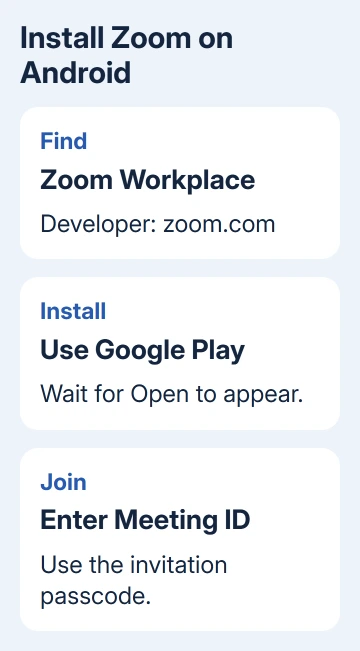
The Android app is called Zoom Workplace in Google Play. Find the official app, tap Install, and wait for Open. Install it before the meeting invitation arrives so you're ready when the host sends a link.
Zoom currently supports Android 9.0 or later. If Google Play says your device isn't compatible, check its Android version before trying another download of the same app.
In this guide
Find the official Zoom Workplace app
Open Google Play Store on the Android phone or tablet where you want Zoom. Search for Zoom Workplace, then open the app's full listing. Check that the developer is zoom.com so you don't choose another app with a similar title.
Tap Install. The download and installation can take a little time, especially on a slow connection. Leave the connection active while the progress indicator runs; the button changes to Open when it's done.
If the listing shows Open, Zoom is installed. Update offers a newer version of that copy. An invitation saying Zoom Meetings can still refer to the same meeting service, so you don't need another app.
Google's app download instructions describe installation through Play Store. Android phones from different makers use the same basic flow when they include Google Play.
Don't choose a modified APK from a download site to get around an error. Start with the exact message in the official listing. A compatibility restriction and a stalled download need different next steps.
Check Android compatibility before retrying
Open Settings > About phone > Android version on a Pixel or a similar Android layout. On a Galaxy, open Settings > About phone > Software information and read Android version. A tablet can use About tablet instead.
Compare that number with the app's current requirements. Zoom supports Android 9.0 or later. A phone running Android 8 won't become compatible just because the download is restarted or the Store cache is cleared.
If your phone maker offers a supported software update, install it through the phone's own system update settings. Use the version available for your exact model; another Galaxy or Pixel model's update doesn't apply to this device.
On an older device that can't reach a supported Android version, use a supported phone, tablet or computer for the meeting. An old app file can leave you unable to join when the service requires a newer version.
For a Windows computer instead, the Zoom for PC download guide explains the correct installer. Windows installers ending in .exe or .msi won't install the Android app.
Open Zoom and choose joining or signing in
Tap Open in Play Store, or find Zoom Workplace in the app drawer. Opening the app confirms installation finished. Seeing a download notification isn't enough to confirm that Zoom is ready to open.
The first screen offers ways to sign in, create an account or join a meeting. Choose Join meeting if you have an invitation and don't need to sign in, then enter the meeting ID and passcode requested by the app.
Zoom's mobile getting-started instructions separate joining from signing in. You don't need to register another account just because you've received an invitation.
Some hosts require authenticated participants. If the meeting asks for a particular work, school or other account, sign in using the account the host expects. Reinstalling won't change the host's sign-in requirement.
To start your own scheduled meeting or use account features, choose Sign in. Follow your organization's sign-in method if it uses one. Joining as a guest is different from signing in to the account that hosts the meeting.
Use the invitation and allow meeting permissions
After installation, reopen the original invitation and tap its meeting link. Allow it to open Zoom Workplace when Android offers a choice of apps. Check the displayed meeting details before entering a session you didn't request.
If the link doesn't open the app, use Join meeting inside Zoom and enter the invitation's meeting ID. Enter the passcode when asked. Copy it carefully, since a missing character can look like an app problem.
Allow microphone access when you want to speak and camera access when you want video. A denied permission can leave the meeting connected while your microphone or camera remains unavailable.
For an invitation that reaches a waiting room, wait for the host to admit you. If you're still waiting, contact the host and give them the name you joined under. Reinstalling Zoom won't admit a participant from the waiting room.
If the meeting opens but your own video is missing, use the Zoom Android self-view checks. That is a camera or layout issue after installation, rather than a download failure.
Clear a stuck download without starting over blindly
Check that other pages load over the phone's current connection. Switch to a working Wi-Fi connection if cellular data is unreliable, then return to the Play Store listing and retry the installation.
Check available storage in Settings. Free space by deleting unneeded downloads or unused apps, then try Install again. If your phone has no room for the app, even a strong connection won't finish the installation.
Restart the phone and retry. If unrelated apps also get stuck, use the Play Store download checks for connection, storage, updates and Store problems.
I'd check whether another app installs before changing Zoom settings. If nothing downloads from Play Store, the failure started before Zoom had a chance to run.
On a managed work phone, ask IT whether Zoom Workplace is approved and which version the organization distributes. A blocked installation can be a device policy rather than a fault in your personal Google account.
Keep the installed app ready for the next meeting
Return to the official Zoom Workplace listing in Play Store and tap Update whenever an update is offered. If Open is the only action, that listing isn't currently offering a newer compatible release to your device.
Avoid copying a version number from another person's phone as a required target. Store availability can vary, and your app still has to meet the meeting service's minimum version requirements.
If Zoom alone won't install, give Zoom Support your Android version, phone model and exact installation error. If the app opens but a meeting rejects entry, send the details to the host or Zoom administrator.
The Short Version
Install Zoom Workplace through Google Play on Android 9.0 or later. Join with the invitation or meeting ID and allow the permissions you need. Treat download errors separately from the host's sign-in and waiting-room rules.
Checked November 12, 2026.
 If you have any business, I can build it online