
Excel's object libraries missing or damaged message can come from an add-in or conflicting Office component. On Office 2010, check a recently added Access Database Engine and Excel's COM add-ins before rebuilding Windows.
Pay attention to what happens at startup: Excel may run its configuration process every time it opens, and Word may do the same. That pattern points toward the installed Office software rather than damage to one workbook.
In this guide
1. Check for a conflicting Access Database Engine
For a 32-bit Office 2010 installation, a separately installed 64-bit Access Database Engine is a confirmed cause in several owner reports. Windows being 64-bit doesn't mean Office is 64-bit. They are separate choices.
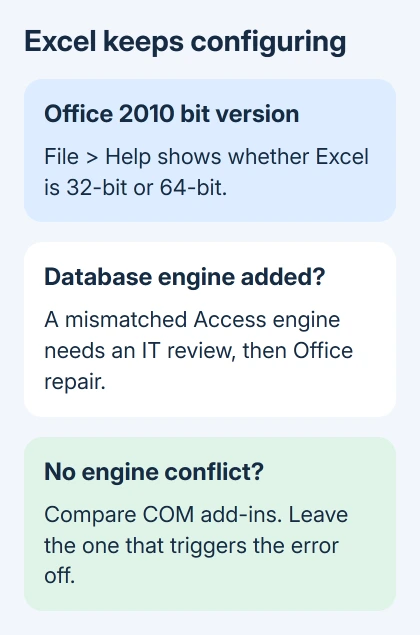
Open Excel and select File > Help. Look in the product information for your Excel version and whether it says 32-bit or 64-bit. Write that down before looking at the installed programs.
Press Windows + R, enter appwiz.cpl, and press Enter. This opens Programs and Features, including on newer Windows systems where the main Settings app looks different. Find any Microsoft Access database engine 2010 entry.
A database tool or business program may depend on that Access component. Before removing it, check its installer details or ask IT which version was installed, especially if a database import recently stopped working.
If IT confirms that an incompatible engine was added to your 32-bit Office installation, have them remove that engine through Programs and Features. Then use the Office repair in section 3 and reopen both Excel and Word.
Several owners in the original error discussion reported that removing the conflicting engine, followed by repairing Office, stopped the repeated configuration. Later replies also confirm engine removal worked.
Excel should now open without running setup again. If you still get the same message, move to the add-in check. Don't install another database driver just to see whether it changes the error.
2. Disable the add-in that triggers the message
An add-in is extra software that loads inside Excel. Some PDF tools install a COM add-in, a Windows integration that adds commands to Office. That integration can fail even when the main PDF program still opens.
In Excel 2010, choose File > Options > Add-Ins. At the bottom, set Manage to COM Add-ins, then select Go. Note the checked entries so you can restore their previous state.
Clear one checked add-in, select OK, and close Excel completely. Start Excel again from its program shortcut rather than a particular workbook. Repeat with the remaining checked entries until you've compared each one.
If the message stops with one integration disabled, leave that item off and ask its publisher for a compatible repair or replacement. Re-enable the other entries. That gets Excel working while keeping the unrelated add-ins.
Owners reported success with this check, including an Acrobat integration. Another owner reported that disabling their PDF add-in didn't help. Even if you have the same PDF tool, restart Excel to see whether disabling it helps on your PC.
If the missing feature needs restoring later, manage the correct Excel add-in list. Excel Add-ins and COM Add-ins are separate lists, so changing one doesn't necessarily affect the other.
I'd compare these integrations before taking Office off the PC. It's a small, reversible change, and it can identify a specific integration that a general reinstall would leave in place.
3. Repair Office after checking its components
Save your documents and close every Office program. Return to Programs and Features, select your Office 2010 suite, and choose Change. For an MSI installation, select Repair, then Continue.
Let setup finish and restart the computer if it requests one. Repair checks and fixes the Office components installed on your PC. If Excel came with an Office suite, select that suite's entry.
The Office repair instructions distinguish this installer from newer Click-to-Run editions. Those newer installations offer Quick Repair and Online Repair; don't expect those names in an Office 2010 MSI repair window.
Launch Excel twice, closing the program between attempts. Then check Word. A single successful launch immediately after setup isn't the same as fixing a configuration process that returns at every startup.
Note whether the message returns after repair. Some owners found that repair and reinstalling individual Office applications failed. If the same error returns, repeating that repair won't tell you which components are conflicting.
4. Have IT review overlapping Office installations
Look through Programs and Features for a second Office suite or trial. Record its full name. Office products share components, so two installed suites can affect each other.
One owner fixed it by removing overlapping Office installations and reinstalling the intended version. They couldn't explain how the extra product arrived. Check the installed products rather than assuming how they got there.
Before uninstalling, find your legitimate installer and license details. Office 2010 downloads are no longer available from Microsoft's website. Without installation media, you may be unable to put the program back.
Ask IT to review the products together rather than deleting everything with Microsoft in its name. Give them the Office bit version, the database-engine history, and the add-in results from your earlier checks.
If the message is instead Compile error in hidden module, use the hidden-module troubleshooting steps. That error points toward code or an add-in module and needs a different repair decision.
When the setup loop survives those checks
Ask your technician to check Office component registration and installation permissions. Avoid copying old registry-deletion instructions into a business PC: those changes can affect other Office programs and database software.
The original asker eventually restored operation by rebuilding Windows. That fixed their PC, but it doesn't mean yours needs the same treatment. A technician should assess the installation before choosing such a large recovery step.
Office 2010 support ended on October 13, 2020. Ask your workplace's IT help desk for a migration plan that includes the database tools and add-ins you need, because this edition won't receive another security update.
The Short Version
Compare the Access engine's bit version with Office, check COM add-ins, and repair the suite. If configuration keeps returning, have IT review overlapping installations and plan a supported replacement before attempting a Windows rebuild.
Checked November 16, 2026.





