Geode on iOS needs the official launcher installed through a supported sideloading method.
With a current iPhone and a computer, SideStore is the project's recommended free option. Start with JIT-less mode: it runs supported mods without the extra setup needed for full mod support.
The launcher isn't an App Store download, and installing it doesn't include Geometry Dash. Have the full game installed first, then choose the installation method that matches your iOS version and available equipment.
In this guide
Pick an installation method for your iOS version
Open Settings > General > About and read iOS Version. The device's name isn't its software version. An iPhone 14, for example, doesn't necessarily run iOS 14.
Apple says the software version appears in About. These version checks show the number you need.
The launcher supports iOS 14 and later, but that doesn't mean every installation method supports every version. The official installation guide compares the available routes.
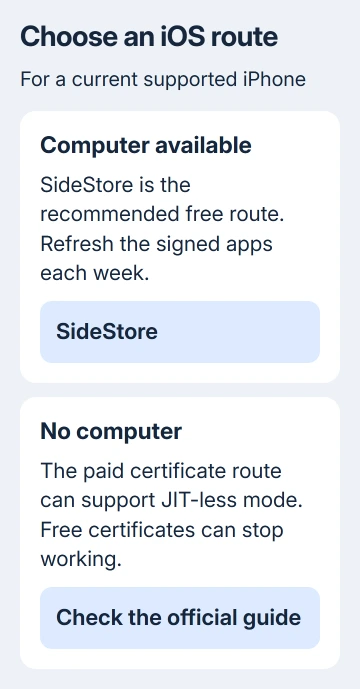
These SideStore steps are for iOS 16 and later. For iOS 14 or 15, choose a supported method from the comparison. SideStore needs a computer initially and regular refreshes afterward.
LiveContainer is another route, with an iOS 15 minimum and its own installation guide. Don't mix instructions from the two methods midway through setup.
A paid developer certificate can let you use JIT-less mode without a computer. Free certificates can be revoked, stopping the installed app. TrollStore and jailbreak routes depend on specific supported device and software combinations.
I'd use SideStore before paying for a certificate. The steps that follow cover that route on a current supported iPhone.
For an older iOS release, use the version-specific branch in the project's guide rather than updating just to match these steps.
Prepare the game, phone and computer
Install the full version of Geometry Dash on your iPhone. Keep a passcode enabled, have an internet connection ready, and connect the phone and computer with a suitable USB data cable.
The current SideStore instructions list a Windows, Mac or Linux computer, iloader, and LocalDevVPN from the App Store. Windows also needs iTunes; Linux and Chromebook setups need the usbmuxd software listed in the guide.
On Windows, you'll need administrator access to set up the computer. Use a computer you can manage yourself. Don't try to work around restrictions on an employer's or school's machine.
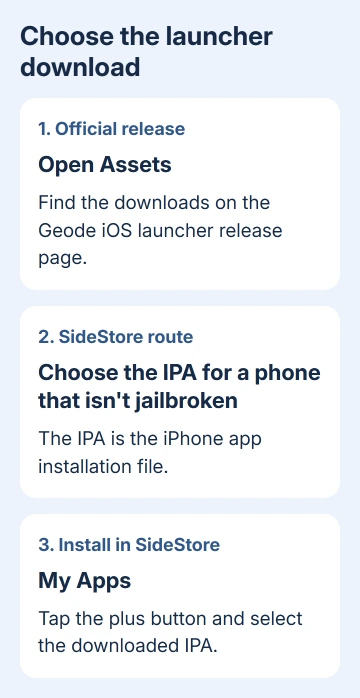
Download the launcher IPA from the official releases page. An IPA is the iPhone app installation file.
For SideStore, choose the current download for phones that aren't jailbroken.
Ordinary App Store installation, regional alternative marketplaces and developer sideloading are different systems.
The iPhone sideloading guide explains the regional options if that distinction is causing confusion.
Install SideStore before enabling Developer Mode
Connect the unlocked iPhone to the computer and accept the trust prompt if it appears. Open iloader, sign in with the Apple ID used for sideloading, then choose Installers > SideStore (Stable).
If opening SideStore produces an Untrusted Developer message, open Settings > General > VPN & Device Management. Select the Apple ID entry used during installation and tap Trust.
On versions that require Developer Mode, open Settings > Privacy & Security > Developer Mode. Turn it on, restart when asked, then confirm Turn On after the phone restarts.
Developer Mode may not appear until SideStore has been installed. If it's missing, return to the installation step and check that SideStore appears on your Home Screen. Searching unrelated settings won't create that entry.
Open SideStore successfully before moving on. A trust warning or Developer Mode prompt means iOS is still blocking the app; it isn't a Geometry Dash mod error.
Add Geode, then launch in JIT-less mode
Turn on LocalDevVPN, then open SideStore. In My Apps, tap the plus button and select the downloaded Geode IPA. After installation completes, look for Geode on the Home Screen.
The guide also offers an alternative through Sources: add the recommended Geode source, then open Browse > Games > Geode and tap Free. Choose this or the IPA method, rather than installing two copies.
Open Geode and select Enable JIT-Less, followed by Import SideStore Certificate. Then choose Test JIT-Less Mode. Once that test succeeds, tap Launch.
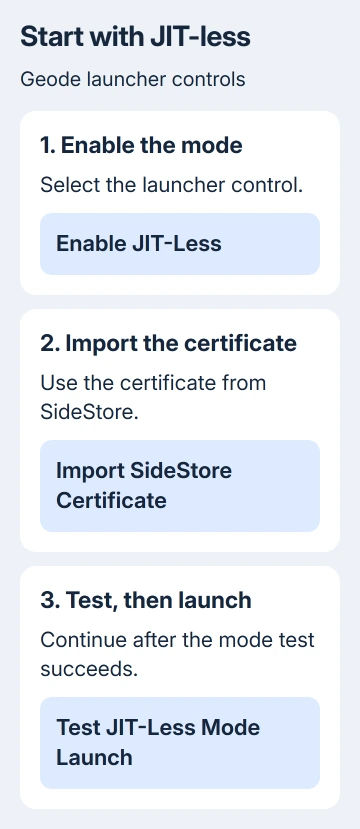
JIT means just-in-time code compilation. JIT-less mode avoids that extra permission requirement, but some mods need full JIT support. A working launch doesn't mean every mod in the catalog will run in this mode.
After Geometry Dash opens, tap its Geode button to browse mods. Start with a mod marked compatible with your installed game and loader. If the game launches but starts failing after you add a mod, treat that as a separate mod problem.
Use the correct JIT branch when a mod needs it
For iOS 16, the project describes holding Geode in SideStore's My Apps list and selecting Enable JIT, with LocalDevVPN enabled. Later versions use different tools, so that shortcut won't work for every iOS version.
If your iOS version supports StikDebug, install its official IPA through SideStore. Connect the phone to the computer again, open iloader, select Manage Pairing File, and choose Place beside StikDebug.
Connect LocalDevVPN, open StikDebug, and complete the version-specific instructions. The pairing file lets the tool work with this phone. Don't send that file to another person when asking for help.
The current iOS 26 instructions add Silent Audio and Background Location in StikDebug settings. They also require a certificate import and location permission. Enable Always Run Scripts only when StikDebug reports Non TXM.
For iOS 17.0.1 through 17.3.1, the guide points to SideJITServer. You'll need to stay near the computer to use it. StikDebug doesn't support that range. Follow that linked branch rather than repeating an unsupported StikDebug setup.
Keep the installation working after the first week
Refresh both SideStore and Geode before their seven-day signing period expires. Connect LocalDevVPN, open SideStore > My Apps, and tap Refresh All. Check that both entries refresh, rather than refreshing only the game launcher.
An expired sideloaded app and an app that crashes after opening need different checks.
For a recurring crash after a successful launch, the iPhone app-closing checks can help separate it from signing trouble.
If setup still fails, open the project's iOS launcher repository and its support links. Report the iOS version, installation route, launcher version, and exact failed step. Hide your Apple ID, certificate and pairing file in any screenshot.
The Short Version
Install the full game, use the official launcher download, and finish SideStore trust and Developer Mode setup. Test JIT-less mode before adding JIT tools, follow your iOS version's branch, and refresh both apps each week.
Checked November 15, 2026.
 If you have any business, I can build it online