

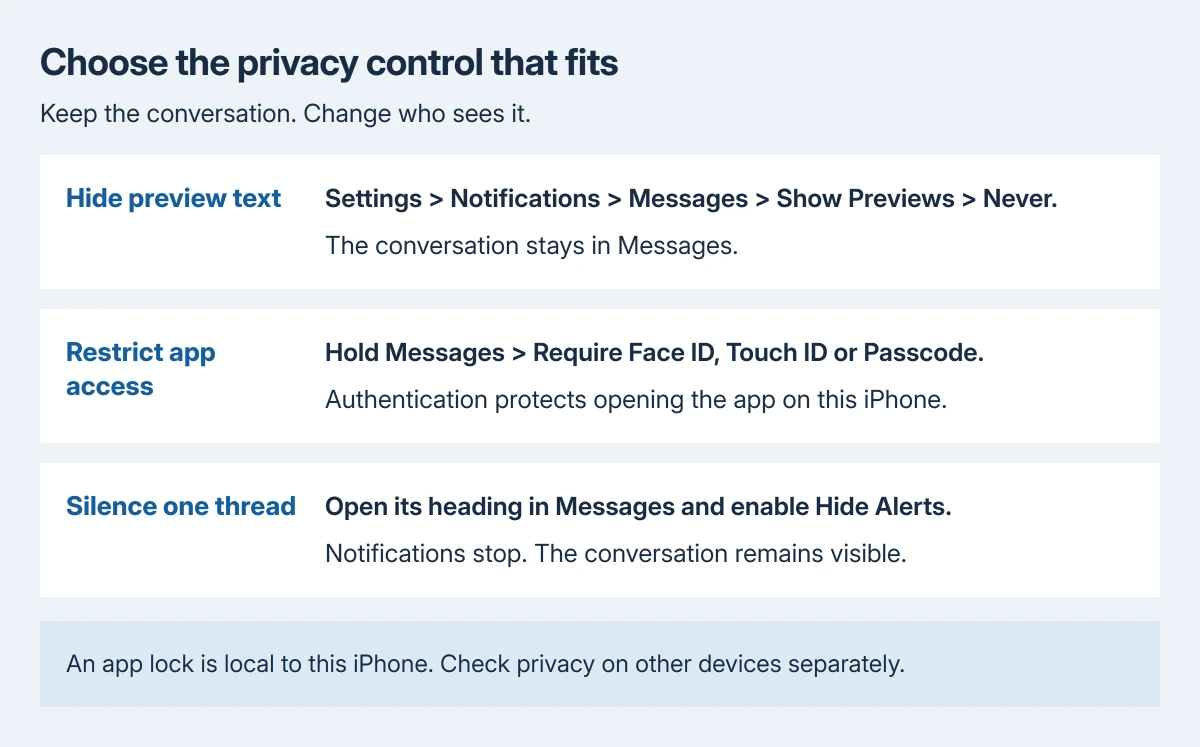
Hiding messages on iPhone starts with hiding their notification previews: open Settings > Notifications > Messages > Show Previews and choose Never. That keeps incoming text out of previews without deleting the conversation.
For someone using the unlocked phone, notification settings alone are insufficient. Messages can also require authentication on supported iOS versions. Hide Alerts has a different purpose: it silences a conversation.
Keep incoming text out of notification previews
Choose Never when the message text should stay out of previews. Choose When Unlocked when it can appear after the phone authenticates. Always permits previews even while the phone is locked.
Apple documents those choices in its notification settings guide. Selecting Messages first makes the change specific to that app.
Status: message preview controls, app authentication and Hide Alerts checked against Apple's guides October 29, 2026. Existing conversations are retained. No phone setting was changed.
Lock the phone and arrange a new test message. Check what appears while it stays locked, then unlock and compare. This verification is ours; use harmless text so the test itself does not expose private information.
With When Unlocked, Face ID can authenticate while the phone is being viewed. A preview appearing after recognition is consistent with that choice. Select Never if this is the visibility being avoided.
The notification can still identify Messages or show other alert details. If no Messages notification should appear on the Lock Screen, return to its notification page and clear Lock Screen under Alerts.
That removes that notification location rather than securing the conversation inside Messages. Continue with an app lock if another person might open the app on the unlocked iPhone.
Require authentication before Messages opens
On iOS 18 or later, hold the Messages Home Screen icon. Tap Require Face ID, then confirm Require Face ID. Touch ID or Passcode can replace the command's wording on other models or configurations.
Apple says a locked app requires authentication when opened and relocks after it is closed. Its app-lock instructions also explain that its information is restricted in previews and search.
Open Messages to verify the authentication request, then leave the app and check again. A person who can use the accepted passcode may still gain access; this is not a separate password for one conversation.
Messages comes with the iPhone, so the app-hiding command for downloaded apps does not apply. The Hidden folder procedure explains that distinction and its eligibility limits.
Use Hide Alerts only when the goal is silence
Open the conversation in Messages, tap the conversation heading, and enable Hide Alerts. Apple states in its Messages notification guidance that this stops notifications for that conversation.
Messages from that conversation still arrive, and the thread remains visible inside the app. Other conversations can continue notifying normally. Turn Hide Alerts off there when notifications are wanted again.
Deleting is a separate decision. The message removal controls affect stored history and can synchronize deletions through iCloud; they are unnecessary for hiding preview text.
Check another device separately
Apple's personal-safety guidance says an app lock applies to that iPhone. Its locked status does not synchronize through iCloud.
A Mac or iPad that receives the same messages therefore needs its own privacy review. Check its notification previews and who can unlock it before treating the iPhone setting as protection for every copy.
For a missing Require authentication command, check the iOS version and Family Sharing restrictions. Ask Apple Support about an eligible phone where the control remains absent, giving the version and the menu actually shown.
The Short Version
Set Messages previews to Never for concealed notification text. Require authentication for app access where supported. Hide Alerts silences one thread, and each other device needs its own privacy settings.

Isaac Smith is the founder and editor of PC Glance, a website that covers computers, laptops, and technology. He is a tech enthusiast and a computer geek who loves to share his insights and help his readers make smart choices when buying tech gadgets or laptops. He is always curious and updated about the latest tech trends.