
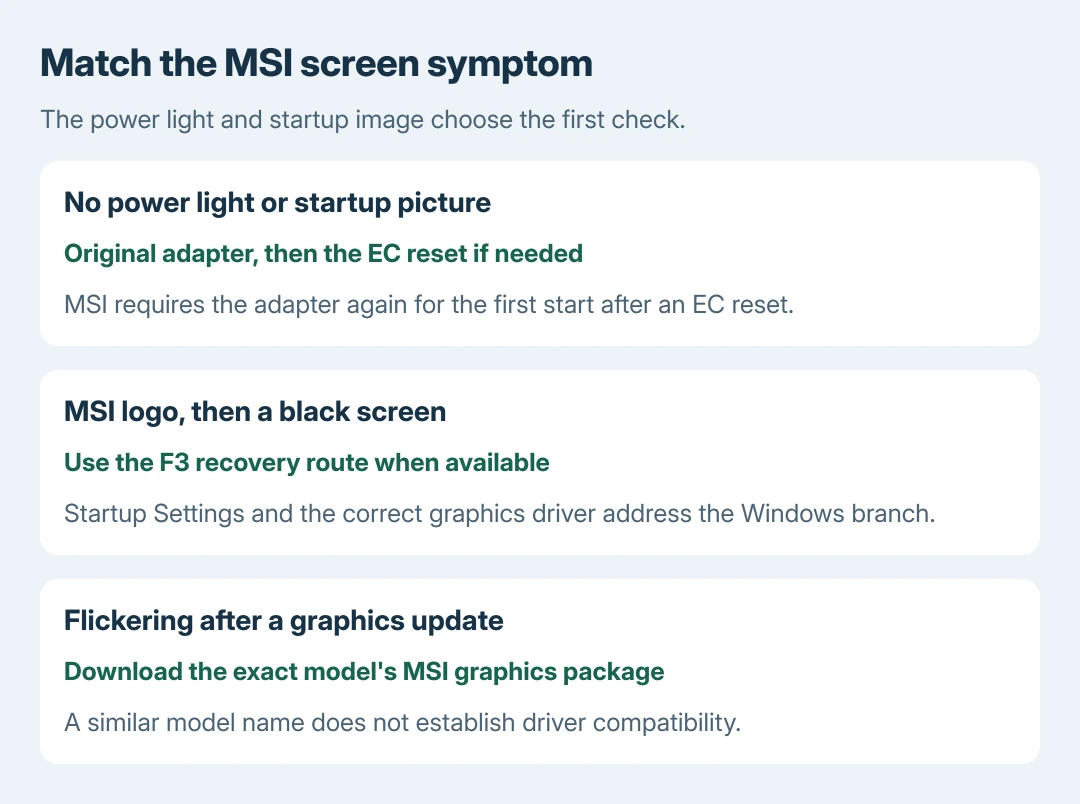
An MSI screen problem needs different checks before startup and inside Windows. Disconnect accessories first. Check its power light and startup logo: a dark screen with no power light calls for charging and an EC reset.
Flickering after a graphics update needs the correct MSI driver instead. Keep the exact model number ready; similar laptop names can use different graphics hardware and firmware.
Note the stage when the picture fails
Connect the original MSI power adapter. For a laptop that will not start, MSI's startup guide specifies at least 30 minutes of charging. Remove docks, USB storage and other external accessories, then check the power light and display again.
Note whether the MSI logo appears before the screen goes black. A visible startup image shows the display can produce a picture at that stage. It does not prove that its panel, cable or graphics hardware works under every condition.
Status: MSI startup, graphics-driver and EC-reset guidance checked October 28, 2026. Steps depend on the symptom and exact model. No MSI laptop was tested or opened.
The observation check is ours: record the light, logo and failure stage before contacting support. For a physically cracked panel or permanent damage, use the laptop display repair options instead.
No power light: reset the embedded controller
MSI's EC reset procedure is documented by the vendor for power-management problems. Shut the laptop down and unplug its adapter. Keep the power button held for 30 seconds.
Reconnect the adapter and start the laptop. MSI specifically says AC power is required for the first startup after this reset. Failure to start on battery alone at that point does not mean the reset damaged the battery.
The controller reset does not reinstall Windows. If this procedure and the original adapter leave the laptop unresponsive, have MSI assess its power system. Drivers cannot repair a machine that never reaches Windows.
The logo appears, then Windows goes black
MSI's startup troubleshooting uses F3 after the MSI logo to reach recovery. When that menu is available, choose Troubleshoot > Advanced options > Startup Settings > Restart.
Press 5 or F5 for Safe Mode with Networking. If recovery asks for a BitLocker recovery key, obtain the correct key before continuing. Do not choose a factory restoration merely to reach Startup Settings.
In a Windows session that is already running, Microsoft says Windows + Ctrl + Shift + B can reset the graphics driver. Its blank-screen instructions describe a beep or flicker as the response.
Safe Mode producing a usable picture directs attention toward Windows and its drivers. The Windows startup black-screen guide covers that broader fault when the MSI-specific recovery entry is unavailable.
Flickering after an update: use the exact model's driver
MSI's screen-flickering guide recommends its model-validated graphics package when an update introduced abnormal display behavior. Download that package before removing the installed driver.
Find the laptop on MSI's support site. Under Downloads, choose its full model number and installed Windows release, then the graphics package. In Device Manager > Display adapters, use Uninstall device for the affected adapter.
Install MSI's downloaded package, following its instructions for the installed graphics adapters. Restart and repeat the activity that triggered the fault. A driver for a similarly named model is not an equivalent replacement.
When only one program flickers, update it first. MSI also suggests testing that application's hardware-acceleration setting, when available. Success there narrows the issue to that software path; it does not require a Windows reset.
Compare an external display, then take the result to MSI
Use a known-working monitor and a supported HDMI, DisplayPort or video-capable USB-C connection. On a readable Windows screen, press Windows + P and select Duplicate to compare the two displays.
An external picture with a failed internal display helps MSI choose the next hardware checks. It does not identify a particular cable or panel by itself. Failure on both displays also does not prove the motherboard is beyond repair.
Contact MSI with the model, whether the logo appears, recent driver or memory changes, and the external-display result. Ask for model-specific instructions before opening the case or changing BIOS settings.
The Short Version
The light and logo determine the next action. MSI's 30-second EC reset addresses the power branch. Recovery and the right graphics package address Windows failures. Compare another display before arranging service.

Isaac Smith is the founder and editor of PC Glance, a website that covers computers, laptops, and technology. He is a tech enthusiast and a computer geek who loves to share his insights and help his readers make smart choices when buying tech gadgets or laptops. He is always curious and updated about the latest tech trends.