
A Razer keyboard that is not lighting up can still type when brightness is off or its lighting app stalls. Raise brightness first, then check whether the darkness starts with Windows or only after waking the PC.
The shortcuts depend on the model. The BlackWidow examples here come from Razer's manuals. For another keyboard, consult its specific instructions instead of trying random reset combinations.
Raise brightness and choose an active lighting effect
On the BlackWidow V4, hold Fn and press F12 to increase backlight brightness. Razer documents F11 and F12 as the decrease and increase controls in its BlackWidow V4 manual.
That model also uses Fn + Ctrl + 1 to switch its effect off. Try Fn + Ctrl + 2 for Static, then check whether the keys illuminate. These are lighting controls, not a factory reset.
Status: Razer keyboard manuals, Windows lighting controls and complete owner replies checked November 2, 2026. No Razer hardware or software was operated.
In Synapse, select the keyboard and open its Lighting controls. Enable Brightness if there is a switch and raise its slider. Choose a steady effect so a brief dark phase in an animated effect does not confuse the check.
Menu placement differs across Synapse versions. The manuals describe brightness and effect controls for their supported software; they do not establish one shortcut or layout for every Razer product.
Check whether a power-saving option switched the lights off
The BlackWidow V4's Switch Off Lighting settings can turn illumination off with the display or after inactivity. Review those choices when darkness consistently follows an idle period.
Temporarily disable the relevant Synapse shutoff option and compare another idle period. Lights that now stay on point to that configured shutoff. For lighting that still refuses to wake, continue to the app comparison.
If the keyboard also stops entering characters, follow the keyboard input checks. Dark keys do not, by themselves, prove USB has disconnected.
Let one controller manage the lighting in Windows 11
Open Settings > Personalization > Dynamic Lighting. For a listed keyboard managed by Synapse, temporarily disable Use Dynamic Lighting on my devices.
Microsoft says disabling that switch returns devices to their non-Dynamic-Lighting behavior. Recheck the Synapse effect afterward. This is a controller comparison, not a guaranteed Razer repair.
For a keyboard intentionally controlled by Windows, inspect Brightness and Background light control instead. Microsoft documents that a higher-priority background controller can prevent its sliders from taking effect.
The Windows keyboard-color guide explains compatible-device requirements. A keyboard absent from this Windows page should be checked through its own controls and supported software.
Lights stay off after sleep: compare with Synapse closed
Owners report a narrower fault where typing resumes after sleep but lighting does not. In a complete Razer support thread, reconnecting a wired keyboard or toggling a wireless keyboard's power restored illumination for some owners.
That is temporary recovery. Another owner still had the fault with Windows Dynamic Lighting disabled, and later replies described trouble despite current firmware or reinstalling the software.
One DeathStalker V2 Pro owner reported that leaving Synapse 4 closed and using the keyboard's onboard effect restored normal lighting after sleep and restart. They also lost the app's battery notifications while it was closed.
Try an ordinary Synapse exit and the lighting controls documented for the model, then compare a sleep-and-wake cycle. If the problem returns only with the app running, give Razer that result and the Synapse version.
For persistent darkness even outside the app, contact Razer with the model, connection type and whether typing works. Preserve custom profiles before following any model-specific reset or firmware instructions from support.
The Short Version
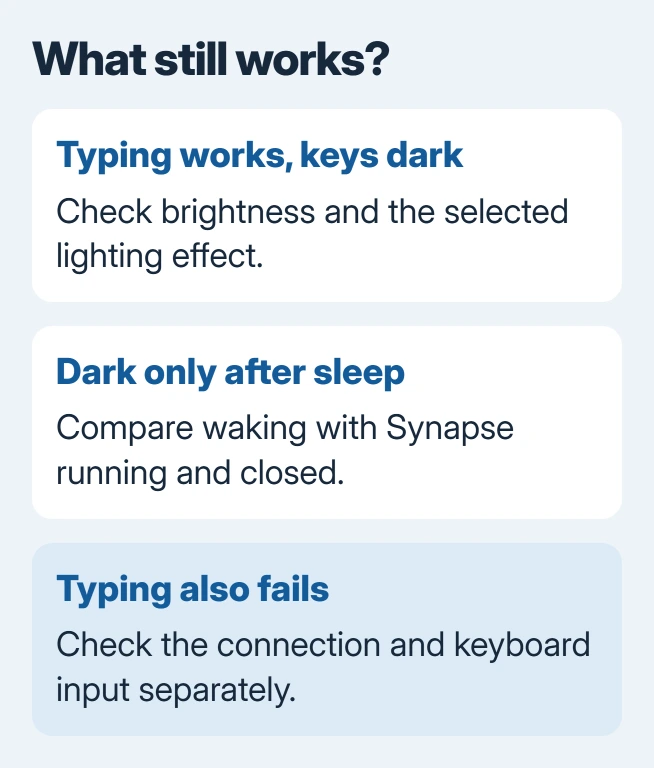
Start with brightness, effects and idle shutoff, then check which app controls the lights. Owner workarounds for a post-sleep failure can be temporary. Record whether the fault returns with Synapse running.

Isaac Smith is the founder and editor of PC Glance, a website that covers computers, laptops, and technology. He is a tech enthusiast and a computer geek who loves to share his insights and help his readers make smart choices when buying tech gadgets or laptops. He is always curious and updated about the latest tech trends.