SAP Logon crashes after KB5055523 were linked to CrowdStrike Falcon's Additional Usermode Data (AUMD) on Windows 11 24H2. Have the security team check this combination before reinstalling SAP or removing a Windows security update.
Owners restored access through a Falcon policy change or by replacing SAP GUI 8.00 32-bit with its 64-bit version. Exclusions failed on some setups, so the correct next step depends on the installed sensor and application versions.
In this guide
1. Match the crash to the reported combination
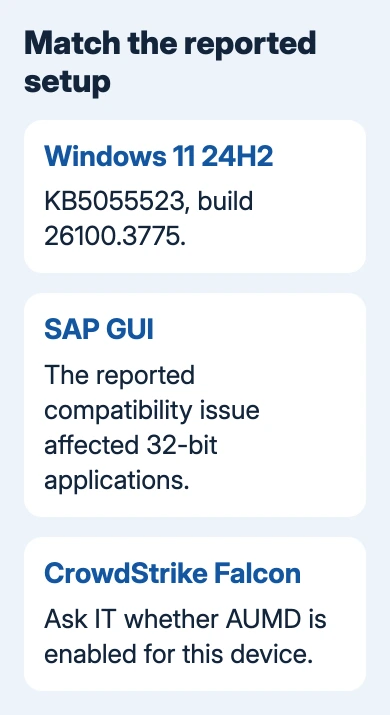
To see the Windows release, press Windows + R, type winver and press Enter. The reported Windows release was Windows 11 24H2 with KB5055523, build 26100.3775. Write down your current version and build, even if they're newer now.
In Settings, select Windows Update and open its Update history to check the installation date. Compare it with the first SAP startup failure. Record the SAP GUI version and whether the installed package is 32-bit or 64-bit.
Open Start, type Event Viewer, and launch the matching result. Choose Windows Logs > Application and locate the SAP crash.
Copy the faulting application, faulting module and exception code from the event. The reported combination was saplogon.exe, ntdll.dll and 0xc0000409.
A faulting module named ntdll.dll doesn't tell you to replace that file. It records where Windows detected the failure. Keep the event details together with the security software information so IT can check the whole combination.
Ask IT whether this device has Falcon with AUMD enabled. The feature collects extra application information. The security team controls it through the organization's Falcon policy. It isn't a setting in SAP's connection preferences.
If Falcon isn't installed, this particular workaround doesn't fit. Use the application event and installed version to request SAP support instead of copying a security-policy change from another company's setup.
2. Have the security team check the current Falcon remedy
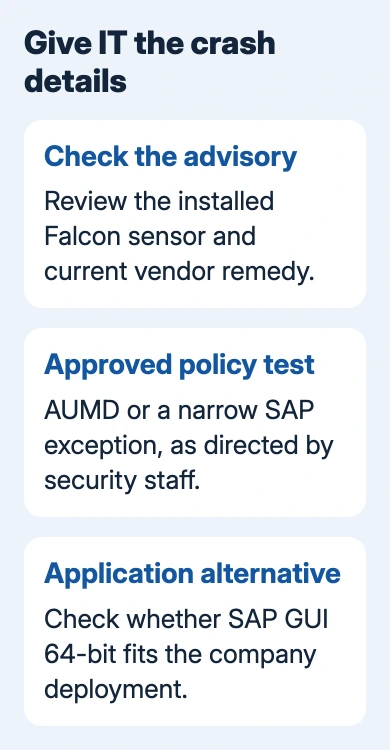
Send the device name, Windows build, SAP version and crash event to the Falcon administrator. Point them to the CrowdStrike advisory linked in the original report, which concerns application crashes with KB5055523 and AUMD.
The advisory needs a CrowdStrike customer sign-in. Have the administrator compare its current instructions with the installed sensor. These reports date from April 2025. They don't mean every SAP PC needs a permanent policy change now.
An owner reported success after disabling AUMD when exclusions failed. Have the security team test the vendor's current guidance and record the original policy first. They need to approve any such protection change.
After the approved change reaches the device, close SAP if a process remains open, then launch SAP Logon again. Check that its connection list appears. Open the usual connection and confirm the application remains usable.
If the crash is unchanged, give IT the new event time and details. They can check whether the device received the policy and whether the new crash matches the advisory. Don't turn off other protection settings in succession.
3. Consider a narrowly scoped exception only with IT
A Falcon exception for the SAP GUI path restored access for some organizations. One reported success without excluding ntdll.dll. Another affected setup still failed with exclusions in place.
Give IT your actual installation path. The original 32-bit package lived under Program Files (x86), but SAP can be deployed elsewhere. IT also needs to enter that path in the format Falcon expects.
I'd ask for a temporary, narrowly scoped SAP exception before a broad system-library exception. Excluding a Windows library can affect monitoring beyond SAP, so the security team needs to decide the scope and duration.
Once the policy is applied, repeat the same SAP launch and connection check. If it works, have IT record the exception and plan to remove it once the supported fix is installed. A working temporary exception shouldn't be forgotten.
If it doesn't work, stop broadening the excluded folders by guesswork. Return to the advisory and sensor configuration. The public reports show why one company's successful path rule isn't a complete recipe for another organization.
4. Check whether SAP GUI 64-bit fits your deployment
One organization confirmed that uninstalling SAP GUI 8.00 32-bit and installing SAP GUI 8.00 64-bit solved this issue on its Windows 11 24H2 PCs. Their Windows 11 23H2 PCs weren't affected by the same problem.
Ask the SAP desktop team about switching to 64-bit first. Your add-ons and integrations need to support the new package too. Having a 64-bit processor doesn't mean they'll work with it.
Have IT save your connection settings and install the approved package. Afterward, check SAP Logon's connection list, sign into a test system and try the functions normally used in your job.
Switching to 64-bit is different from reinstalling the same 32-bit package. The original post lists SAP reinstallation and its latest service pack among the failed attempts. The later organization succeeded with the 64-bit deployment.
If a managed deployment keeps returning the old package, give the application team that detail. Fixing one installation locally won't last if the management system replaces it with the previous build.
If SAP still crashes
The asker and another owner restored SAP by removing KB5055523. Keep a security-update rollback as an IT-controlled fallback, after checking current sensor and application remedies.
For wider Windows trouble, the update recovery guide covers failed servicing. If Windows can't start, use the separate Automatic Repair checks. Neither situation is the same as SAP alone crashing at launch.
Give SAP support and security staff the Windows build, SAP architecture, sensor version, crash event and policy results. Ask them to check compatibility together. On a newer build, the old KB may no longer explain the crash.
The Short Version
Check Windows 11 24H2, SAP GUI 32-bit and Falcon AUMD together. Have IT follow the current CrowdStrike advisory, test a narrow policy remedy, or deploy compatible SAP GUI 64-bit. Keep crash details with each test result.
Checked November 27, 2026.
 If you have any business, I can build it online