AirPods 4 need a USB-C plug at the charging case, so an old USB-A charger needs a compatible USB-A-to-USB-C cable. Connecting the case to a PC doesn't make the earbuds wired USB headphones; pair them through Bluetooth for sound.
For a case that won't charge, check power, the cable, and the battery reading separately.
In this guide
1. Match the cable to the case and power source
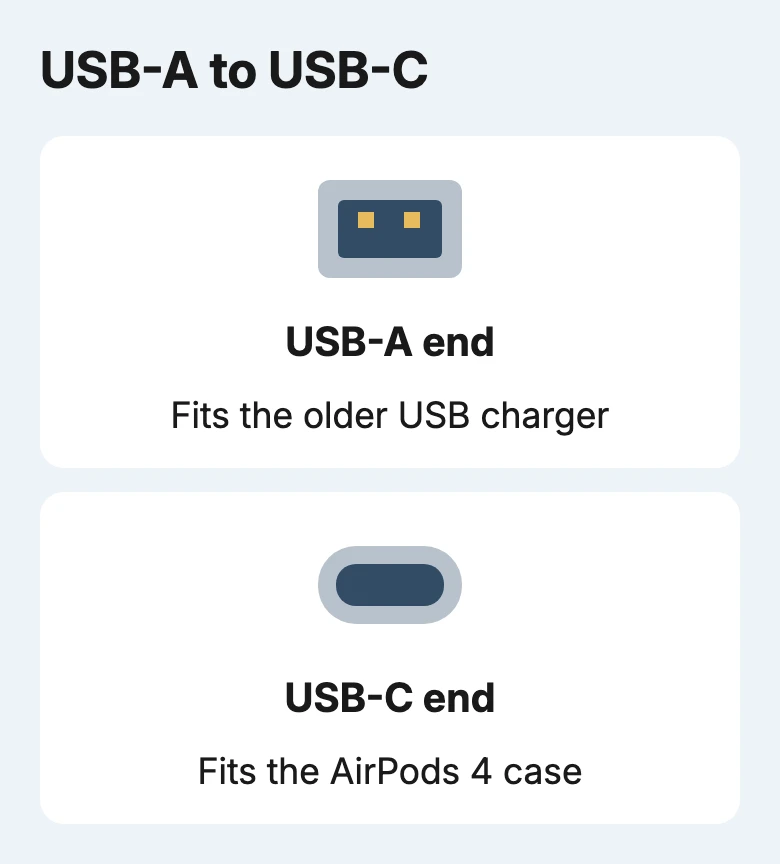
Both AirPods 4 models have a USB-C charging connector. The small rounded USB-C end goes into the case. For an older charger's rectangular USB-A port, the other end of the cable needs a USB-A plug.
A USB-C-to-USB-C cable won't plug directly into USB-A. A Lightning cable from an older AirPods case won't fit the AirPods 4 port either. Check both ends before assuming the case is faulty.
The charging cable is sold separately with AirPods 4. Don't assume a cable is missing from a new box, or that the cable used for a previous AirPods generation is the right one.
Use a compatible, intact charging cable rather than forcing an adapter into a port. Apple's AirPods charging instructions say to connect the case's cable to a USB charger or USB port.
Connect the case directly to the power source for the first check. If the setup includes a hub, extension, and several adapters, a direct connection lets you check charging without those extra parts involved.
I'd try a reliable cable and wall charger before replacing the case. A snug fit doesn't mean the cable delivers power reliably.
2. Check whether the case is receiving charge
Seat the two earbuds in their case, close its lid, and firmly connect the charging cable. Plug the adapter into a working outlet. If the batteries are empty, allow 15 minutes or more of charging for the case and earbuds.
If you're using a computer's USB-A port, keep the computer awake while you check charging. Then try a working wall charger. If charging works with the wall adapter only, check the original USB port and its power setup.
After the charging period, bring the case beside its paired iPhone or iPad and open the lid. Check the displayed battery levels for the case and earbuds. A rising case level tells you more than a light that only appears briefly.
The case can charge with or without the earbuds inside. If the case's level rises but one earbud stays empty, the case is getting power from USB-A; focus on that earbud's seating and charging behavior.
If charging still fails, try a different compatible cable with the same power source. Then try another source. Keep each comparison to a single changed part; that lets you see which change restores charging.
If a connector is damaged, loose, or needs force, stop using it. Arrange a cable replacement or case inspection rather than holding the plug at an angle to keep it charging.
3. Read the status light correctly
Green signals a full charge, while amber signals a charge that's not yet full. In an open case containing the AirPods, the light describes the earbuds' charge. Take them out to see the case's charge instead.
The case doesn't have to stay lit throughout charging. On a wireless charger, the light appears briefly, then goes out while charging continues. Check the battery level if the light leaves you unsure.
When the indicator never appears, check a dark AirPods case light to separate normal wireless timeout from missing power.
Flashing white shows that pairing can begin. It doesn't show USB charging progress. If sound is the problem, continue with Bluetooth setup rather than replacing a cable because the light is white.
AirPods 4 (ANC) have active noise cancellation and a case that can sound when charging starts. This sound can be disabled, so silence alone doesn't indicate failed power. The standard model lacks this case sound.
4. Use Bluetooth for PC or Android audio
The charging case's USB-C connection supplies charging; it doesn't turn AirPods 4 into a USB-A audio headset. The earbuds connect as Bluetooth headphones. Your computer or phone needs working Bluetooth to connect to them.
Keep the earbuds inside the case and open the lid. Tap twice on the AirPods 4 case front until you see white flashes from the status light. There isn't a rear setup button to hold on this model.
On Windows 11, open Settings > Bluetooth & devices, turn Bluetooth on, then choose Add device > Bluetooth. Select the AirPods when they appear.
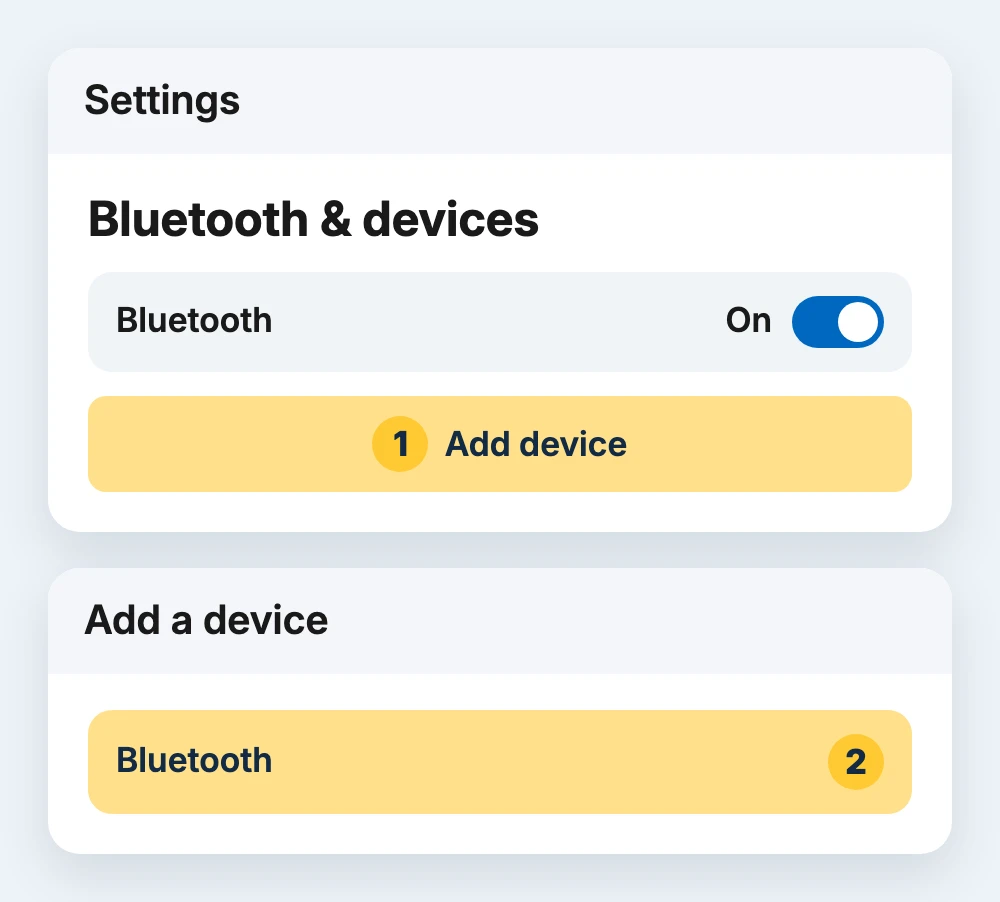
On Windows 10, use Settings > Devices > Bluetooth & other devices > Add Bluetooth or other device.
On a Samsung Android phone, open Settings > Connections > Bluetooth. Enable Bluetooth, then select the available AirPods entry. Other Android phones can place Bluetooth under Connected devices instead.
For a conversation heard through the phone speaker, select the AirPods call output before replacing a charging cable.
For sound that keeps moving between Apple devices, check AirPods automatic switching. A charging cable won't choose the active audio connection.
AirPods Max has different controls and connection options. Use the AirPods Max pairing instructions only for that over-ear model, rather than applying its button instructions to AirPods 4.
5. Use wireless charging only with the ANC case
AirPods 4 (ANC) support a Qi-certified charger or an Apple Watch charger instead of a cable connected to the USB-C port. Standard AirPods 4 use their USB-C case for charging and don't support those wireless routes.
For the ANC case, close the lid and place it with the status light facing up. Center it flat on the Apple Watch charger. If the light doesn't appear on a compatible wireless charger, reposition the case.
On the ANC model, trying wireless charging can help you check whether only the wired connection is failing. If wireless works but several compatible cables and power sources don't, tell support that only wired charging fails.
Contact Apple Support for charging service if the case stays empty after these checks. Give the AirPods model, whether it has ANC, and whether the case or just one earbud fails to gain charge.
The Short Version
Use USB-C at the AirPods 4 case and a matching USB-A end for an older charger. Check the battery after at least 15 minutes on working power. Pair through Bluetooth for sound; wireless charging requires the ANC model.
Checked November 29, 2026.
 If you have any business, I can build it online