
Missing extensions in Firefox on Android may be in its manager, unavailable for Android, or disabled for private tabs. Open Firefox's three-dot menu and look for Extensions, then Extensions Manager if that item appears.
Older layouts may call these Add-ons and Add-ons Manager. A desktop-style toolbar icon is not the place to judge whether the phone has an extension installed.
Open the manager and check the installed entry
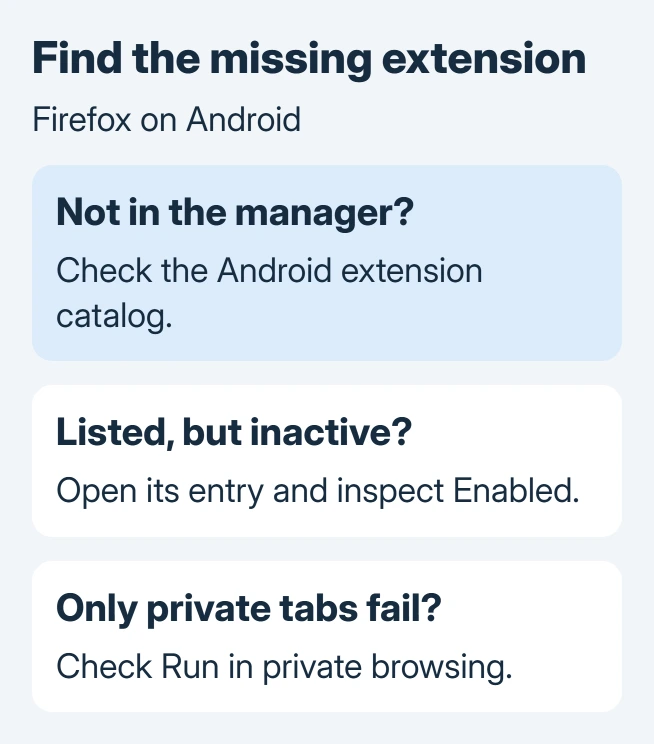
Open the full Firefox app on the phone, then use its three-dot menu. Select Extensions and open Extensions Manager when offered. Look for the extension's name and tap it to inspect its controls.
The location and Enabled slider are documented by the vendor for Android. An extension can be installed while its Enabled slider is off; enable it if you still want it to run.
Status: Mozilla's Android extension controls and an owner-confirmed update outcome reviewed November 2, 2026. Menu wording varies by version. No phone, extension or browser profile was changed.
If tapping a link opens another browser, first open Firefox directly. The Android default-app guide explains how to change which browser receives ordinary website links.
Use the Android catalog when an extension is absent
Visit addons.mozilla.org/android/ from Firefox on the phone. Mozilla's installation guide says some extensions are incompatible with Android, even when a desktop edition exists.
Search for the required extension there and review its developer, supported platform and requested access. In the built-in manager, the + control starts installation; review the permissions before confirming Add.
An owner who could not load extensions later identified that they had selected desktop extensions for their Android browser. That report establishes a compatibility mistake, not a successful install of every desktop extension on a phone.
Switching browsers also changes extension support. A Chrome extension retired under Manifest V2 does not automatically become an Android-compatible Firefox extension.
Does it work in ordinary tabs?
Try the extension on an ordinary webpage in a normal tab first. If it works there but fails in a private tab, return to its manager entry and inspect Run in private browsing.
Mozilla says private-tab operation is disabled by default. Enable that permission only if the extension should handle private browsing too. This expands where it can operate; it is not required merely to keep the extension installed.
For an extension that appears but lacks one function, inspect its optional permissions. Open its entry and permission details, then allow only the optional access that function needs.
Update Firefox when installed extensions become disabled
Google says an individual app can be updated through Play Store > profile icon > Manage apps & device. Open See details under available updates and choose Update for Firefox, following its app-update instructions.
Reopen Firefox afterward and check the same extension. Mozilla documents a certificate expiration on March 14, 2025 that disabled extensions on old releases, including Android versions earlier than Firefox 128.
One owner confirmed that updating restored uBlock Origin after that failure. This user-reported repair concerned an obsolete Firefox version; the old certificate event is not a diagnosis for every current extension problem.
Use the latest compatible Firefox offered by the app store rather than installing version 128 as a target. The historical minimum explains that particular fault, while later releases contain subsequent corrections.
If an extension remains absent or unusable, report its exact name, Firefox version and Android version to Mozilla or the extension developer. Include whether it appears in the manager and whether private tabs alone are affected.
The Short Version
Find the extension in the manager, confirm Android compatibility and check Enabled. Private tabs have separate permission. Update an old browser when extensions become disabled, then report a continuing failure with its name and version.

Isaac Smith is the founder and editor of PC Glance, a website that covers computers, laptops, and technology. He is a tech enthusiast and a computer geek who loves to share his insights and help his readers make smart choices when buying tech gadgets or laptops. He is always curious and updated about the latest tech trends.