Microsoft Office can be bought outright as Office 2024, or through a recurring Microsoft 365 subscription. Choose a license that covers the apps and devices you need, and use the same account to buy, install and activate it.
Check existing purchases before paying. An installed Word icon doesn't mean a license is included, but your purchase may be waiting under another account. Buying again won't move that earlier license to a different account.
In this guide
Choose the license before opening checkout
Compare Office Home 2024 and Office Home & Business 2024 for a one-time purchase on one PC or Mac. Home provides desktop Word, Excel and PowerPoint. Home & Business adds classic Outlook and supports home or work use.
A one-time purchase gives you that release of Office. It doesn't include a free upgrade to the next major version. Updates for the installed edition and an upgrade to a future edition are different things.
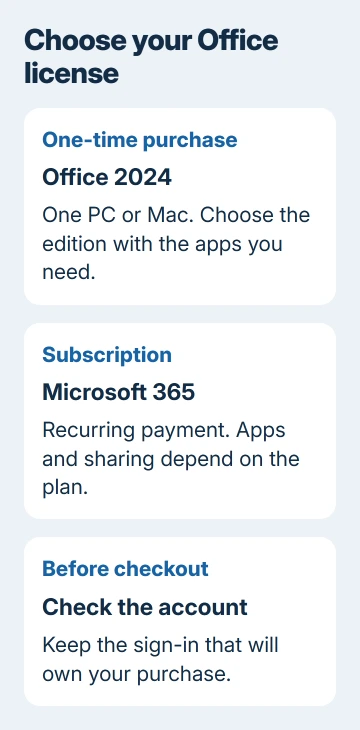
Microsoft's Office 2024 and Microsoft 365 comparison explains the licensing difference. With a subscription, you keep paying to use it, and the included benefits depend on your plan.
Consider Microsoft 365 Personal if only you need a subscription. To share with your household, check Microsoft 365 Family and how many people it covers. Household members keep separate sign-ins and personal files.
I'd list the apps and computers you actually need before comparing the checkout totals. Someone who needs classic Outlook can choose the wrong edition by buying Home based only on its lower price.
Check the account and computer requirements
Check the Microsoft account you already use for subscriptions and purchased products. If it lists Office, use that license's installation controls. Save your money until you've checked whether it covers this computer.
For a school or work account, ask its administrator whether your assigned plan includes desktop apps. Your business subscription can use your organization's sign-in rather than the personal account you use for shopping.
For basic browser editing, the free Office web-app guide may cover your task. Access to Word in a browser doesn't license the desktop version. Decide whether you need the desktop program before choosing a paid plan.
Read the chosen product's System Requirements before buying. Confirm Windows or macOS compatibility and available storage. The installer still needs a compatible operating system, even after you purchase a license.
Before paying for a Mac installation, check Office's Mac options for the supported macOS releases and the App Store licensing difference.
On Windows, use Settings > System > About to identify the system. On a Mac, choose Apple menu > About This Mac. Keep those details ready if the product page's requirements leave you unsure about the computer.
Buy from the correct product page
Open the Office Home 2024 product page if that is the edition you've chosen. Use the matching Home & Business or Microsoft 365 page when you need a different license.
Read the product name, included apps and number of allowed devices before selecting Buy now. For a subscription, check the payment interval and renewal terms too. The total and currency depend on your store region and offer.
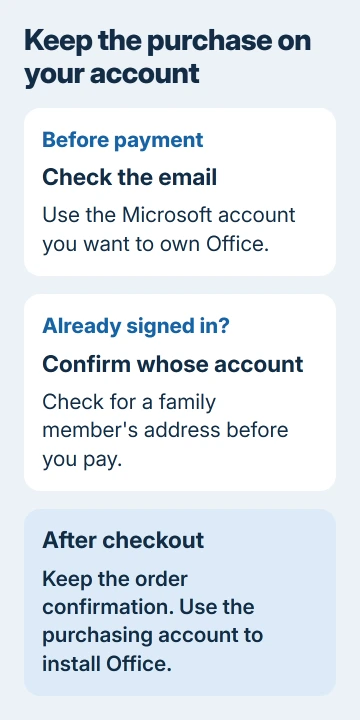
Sign in with the personal Microsoft account you intend to own the purchase. Confirm its email address before payment, particularly if the browser already has a family member signed in. Keep the order confirmation afterward.
If you buy a retail product-key card, you'll need to redeem it to link the purchase to your account. Read the seller's exact edition and redemption instructions. A downloaded installer, by itself, doesn't give you a license.
Avoid buying a second copy just because an installation asks for activation. If you already own it, check the receipt's account first. Word may currently be signed in under a different address.
Redeem a retail key once, then keep using that account
For a retail key, follow the Office key-entry instructions. Open setup.office.com, log in with an existing account or create one, then enter the key when prompted.
Check the account address before confirming redemption. Once Office is linked to that account, you'll normally sign in to reinstall it rather than enter the key again. Keep its sign-in and recovery details accessible.
If a key says it has already been used, look under the account that first redeemed it. The message can mean Office is already attached there. Entering the same key under a different account won't transfer the license.
Office bought directly from Microsoft may already be linked to your purchasing account. Follow its order instructions instead of searching for a key that wasn't supplied. Check the account's product list for installation access.
For a rejected key or an edition that doesn't match the receipt, contact the seller with the order number. Ask for the edition you paid for or help with the rejected key. Don't post the complete key in a public support conversation.
Install the purchased edition and check activation
Sign in, then use the installation link for the product you own. The Office installation instructions distinguish personal purchases from work or school installations.
On Windows, run the setup file you downloaded. Approve installation if it's your computer, then let setup finish. Launch Word afterward and use the purchasing account to complete its activation prompts.
On a Mac, run the package from your purchase's download link and complete installation. Launch Word from Applications, then activate with the purchasing account. Don't assume a different store copy accepts the same license.
Check that the app no longer reports Unlicensed Product or requests a purchase you already made. On Windows, File > Account shows product information. On Mac, the app's About command helps identify its installed edition.
If an old edition remains or activation selects another product, send support the edition on your receipt and the license shown in the app. Ask which installation to keep. Leave unrelated programs installed during this check.
For normal maintenance after activation, use the Office update steps. Updating an owned edition doesn't require buying it again. Keep your receipt and account details so you can reinstall Office later or transfer it if your license allows.
The Short Version
Choose a one-time Office 2024 license or a Microsoft 365 subscription, verify the included apps and system requirements, then buy with the account you'll keep. Redeem a retail key once and use its linked account to install and activate.
Checked November 13, 2026.