Broken Word Recent entries can refer to files that still open from Finder. In Office 2016 for Mac, rebuilding the list sometimes helped; owners restored access after an Office registration reset when the error returned.
Try opening the real document before resetting anything. A broken shortcut doesn't mean your document was deleted. The deeper reset affects settings across Word, Excel, PowerPoint and Outlook, so try the file itself first.
In this guide
1. Open the saved document from Finder
Switch away from the Recent error and open Finder. Go to the folder where the document is actually stored, then double-click the file. If you don't know the location, search Finder using a distinctive part of the filename.
For an external disk, connect and unlock it first. For a network location, reconnect using your normal work connection. Recent is a shortcut list; it can't make an unavailable disk or share accessible.
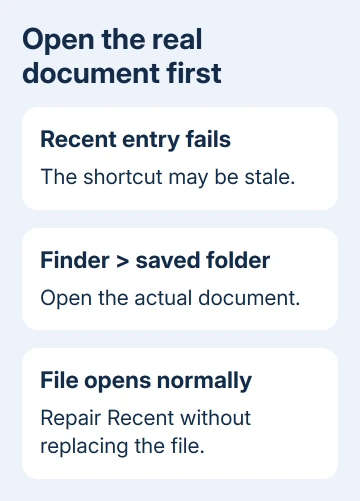
When the document opens with its contents intact, keep working from that file while repairing the list. Note its folder so you can reopen it without relying on Recent. That points to the shortcut rather than unreadable contents.
If Finder can't locate the file either, stop treating this as a Recent-list repair. Check its original folder and any backup copies. Resetting Word's preferences won't bring a deleted document back to its folder.
An alias that starts Word without opening its document has its own Mac Word alias checks. Compare the real file with that shortcut before applying a repair meant for Word's internal list.
2. Remove stale entries and build new ones
In the affected Office 2016 Recent list, select a failing entry. The old error offers Cancel or a choice to remove that file from the list. Choose removal for that stale entry, then repeat for other entries that don't open.
This removes the list's reference, not the saved document. Keep Finder open at the actual folder so you can see your working document is still there while you clear its old entry.
Quit Word with Word > Quit Word or Command + Q, then reopen it. Open a known local document from Finder, close it normally, and try its new entry in Recent. A working entry means the list can now reach that saved file.
Some early Office 2016 builds needed a blank document open before File > Open > Recent responded. Try that once if the command appears to do nothing. It isn't a reason to create replacement copies of all your documents.
One owner said clearing the list didn't help, though the files opened from Finder. If new entries also fail immediately, stop repeating the cleanup. Before trying the Office reset next, check what it'll change in your other Office apps.
3. Prepare for the Office 2016 registration reset
The Office 2016 discussion contains an owner-confirmed reset of MicrosoftRegistrationDB.reg. Another owner replied that it worked. Use this repair for the matching old Office 2016 problem; it isn't a general reset for current Microsoft 365.
The original instructions warn that preferences across Word, Excel, PowerPoint and Outlook will be removed. Record settings you need and have the Microsoft account used for your Office subscription ready before proceeding.
Save open work in every Office app. Quit Word, Excel, PowerPoint and Outlook completely. Closing the last document window isn't enough on a Mac; use each app's Quit command so it isn't still running in the background.
For a workplace Mac, ask IT to handle this reset if you don't know the license account or depend on a managed Outlook setup. Give them the filename and the Finder-versus-Recent result instead of deleting Office folders yourself.
I'd stop at the working Finder route until those preparations are done. Losing familiar settings while rushing to meet a deadline can cause more trouble than opening documents from their folders for the day.
4. Move the one registration file out of its folder
With all Office applications quit, select Go > Go to Folder in Finder. Enter ~/Library/Group Containers/UBF8T346G9.Office and open that folder. The ~ at the start points to your own Mac user folder, so this opens its Library.
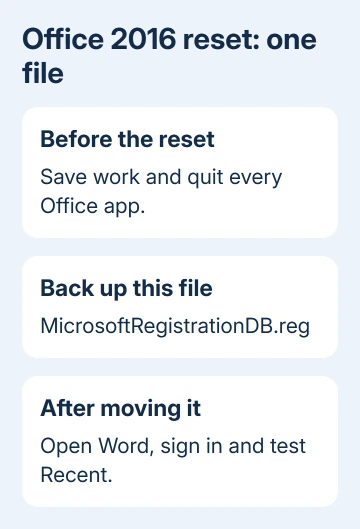
Locate MicrosoftRegistrationDB.reg. Move that one file to a separate backup folder outside the Office folder. The old answer said to delete it. Moving it instead leaves you a copy to give IT if the reset causes trouble.
Don't remove the entire UBF8T346G9.Office folder. It contains other Office data, and the reported fix targets a single registration file. If the named file isn't present, stop rather than choosing another similarly named file.
The file can be locked. If Finder asks for confirmation, check the filename and destination before confirming. If the move is refused or the app is managed, ask IT to perform the reset instead of changing broad folder permissions.
Launch Word again. The old instructions describe the document gallery opening with the account signed out. Use that Office installation's account to sign in. Type a short test document, then save it locally in a recognizable folder.
Quit and reopen Word, then test the saved document from Recent. The list may initially be empty and may restore some earlier entries. Check whether a real saved file opens from the list. Old shortcuts don't all need to return for this test.
When the list breaks again
Record the version under Word > About Word, your macOS version and whether new local files work from Finder. Note whether the reset fixed Recent temporarily, permanently or not at all. Those details help IT avoid repeating the same reset.
Office 2016 for Mac stopped receiving support in October 2020. Ask your Mac administrator about a compatible, supported Office replacement if this installation still fails.
For ordinary destination confusion rather than an inaccessible entry, the Word for Mac saving guide explains local and online folders. Keep your working files in a folder you've checked while IT looks at the old app.
The Short Version
Open the real document from Finder, remove stale Recent entries and test newly created ones. For the matching Office 2016 fault, prepare for lost Office preferences before moving MicrosoftRegistrationDB.reg and signing in again.
Checked November 17, 2026.