

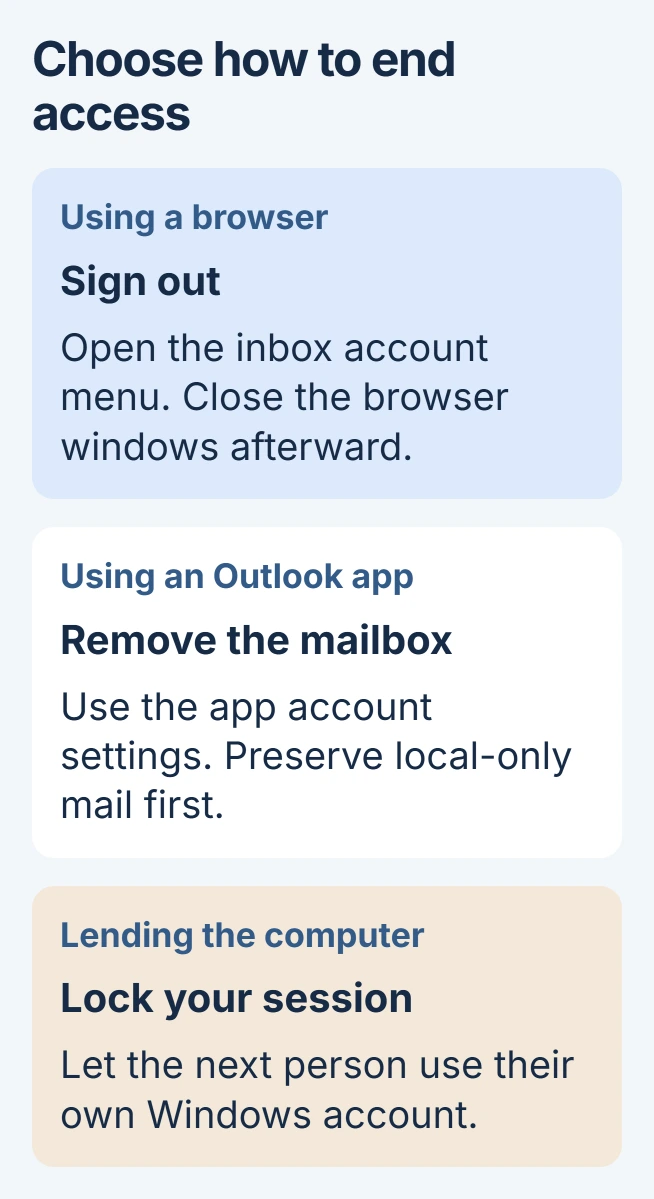
Outlook in a browser has a Sign out command in the account menu. The installed apps usually end access by removing the mailbox from that app instead. Choose the route for the Outlook you are using before changing the account itself.
For a brief handoff of a shared computer, locking your Windows session is simpler than removing an email account. Other people should use their own Windows accounts so they cannot reopen your mailbox.
Sign out of Outlook on the web
At Outlook.com, select the profile picture or initials in the inbox's upper corner, then choose Sign out. Microsoft documents closing the browser windows afterward in its browser sign-out guide.
Status: Outlook browser, Windows, Mac and mobile account controls reviewed November 3, 2026. Removing an app account is distinct from closing the email account.
If the profile picture is missing, Microsoft notes that an ad blocker can hide it. Its linked support page also provides a direct sign-out option when the account menu is unavailable.
On a shared PC, use a separate Windows user account for each person. Signing out of a webpage does not secure a mailbox already configured in the desktop app.
Remove a mailbox from Windows Outlook
Before removing an account, preserve messages stored only on that computer. Confirm that important mail is available through the provider or an appropriate Outlook export before deleting local access.
In new Outlook, open View > View settings, then Accounts > Your accounts. Find the address under Email accounts, choose Manage, and select Remove in Account details.
Microsoft states in its Windows account instructions that removing the app's account does not delete the mailbox at its provider.
For a non-Microsoft mailbox, the confirmation may offer this device or all devices. Choose the local-device option when only this PC should lose access.
The all-devices option also removes Microsoft Cloud data across Outlook clients. Microsoft warns that calendars or other items existing only there could be lost permanently, so do not select that wider option casually.
In classic Outlook, use File > Account Settings > Account Settings. Select the mailbox, choose Remove, read the cached-content warning, then confirm only after preserving any needed local data.
Removing the last account can require creating another Outlook data location first. Follow that prompt or ask your administrator for help with the profile. Signing out of Office licensing is a different operation.
Disconnect the account on Mac, iPhone or Android
On a current Mac version, choose Tools > Accounts, select the address, then Manage > Remove Account > Continue. Microsoft's Mac instructions distinguish the legacy layout.
In Legacy Outlook for Mac, select the account in that same Accounts window, click the minus control, then choose Sign Out.
For Outlook on iPhone or Android, open the app's Settings > Accounts, choose the mailbox and tap Remove Account. This is the label in Microsoft's current mobile removal guide.
Check that the address disappears from the app's account list. Removing a mailbox from Outlook does not sign that address out of a separate browser session or another mail app.
If switching phone apps, Gmail can hold the Outlook account while keeping its Microsoft address and mailbox.
End a personal Microsoft account session remotely
For a device that is no longer available, open the Microsoft account security dashboard and enter Advanced security options. Find Sign out everywhere, then select Sign out.
Microsoft says this remote sign-out takes effect within 24 hours and excludes Xbox consoles. It does not remotely erase downloaded mail.
Work or school accounts need the organization's account-security process. Contact its IT team when access must be revoked from a lost device. If a personal account cannot complete sign-out, contact Microsoft account support.
The Short Version
Use the browser account menu for webmail, or remove the mailbox from the installed app. For temporary computer sharing, keep separate Windows sessions. Remote Microsoft sign-out has a delay and does not erase saved files.

Isaac Smith is the founder and editor of PC Glance, a website that covers computers, laptops, and technology. He is a tech enthusiast and a computer geek who loves to share his insights and help his readers make smart choices when buying tech gadgets or laptops. He is always curious and updated about the latest tech trends.